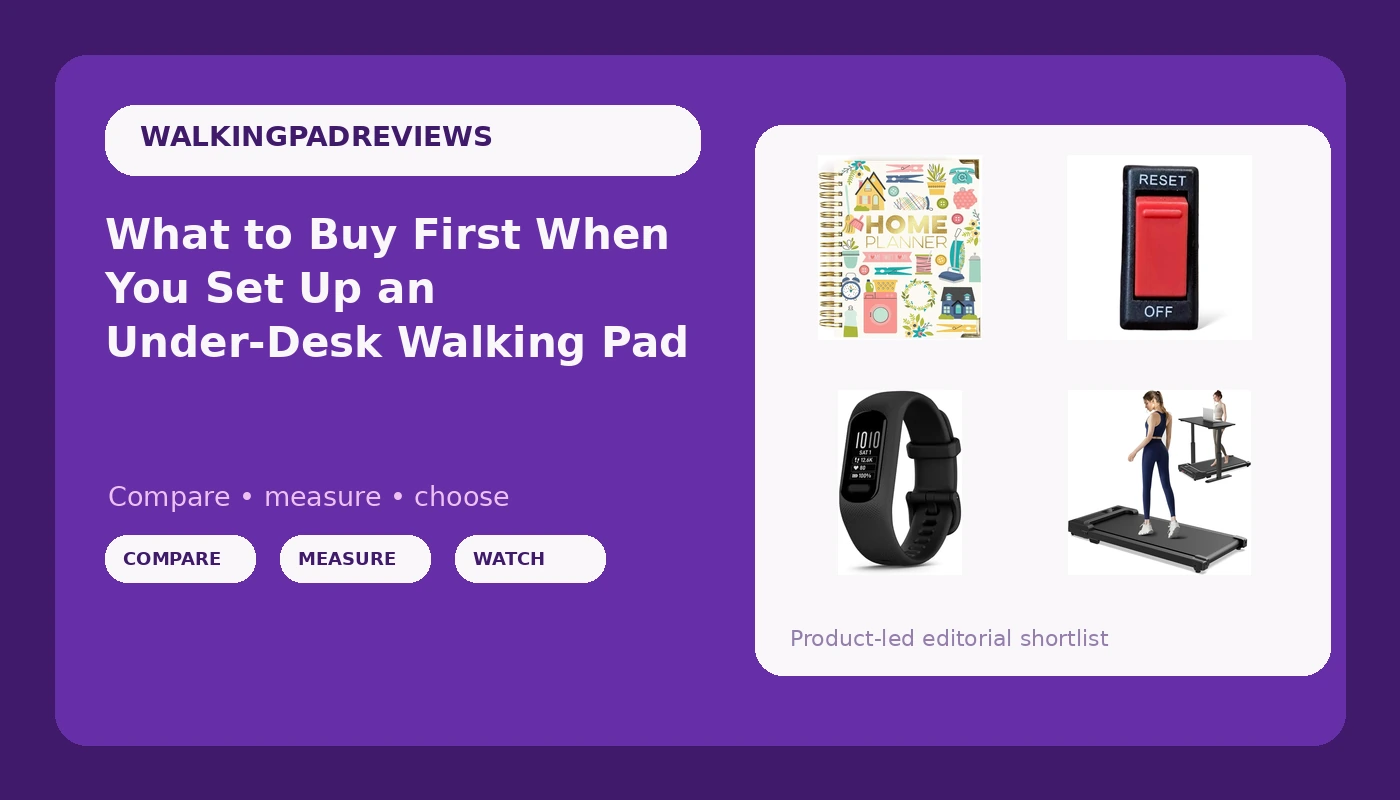
Most people who buy an under-desk walking pad are not training for anything. They sit for nine or ten hours, their lower back has started filing complaints, and they want to add movement without adding a gym trip. The pitch is that a slim belt slides under a standing desk, you walk at two miles per hour through your meetings, and NEAT quietly goes up. The problem is that pads are marketed on motor horsepower and top speed, while the things that decide whether you keep using one are belt width, deck height, remote behavior, and whether the frame stays steady at the pace you actually walk. This explainer covers what each piece of an under-desk walking pad setup does, which extras are worth buying, and the order to buy them in.
Related: Why Your Walking Pad Sounds Louder at 2 mph Than the Box Claims →
Quick answer
Buy the pad first, and judge it on the parts you touch every day: belt width, deck height, and the remote. Horsepower figures on budget listings tend to cluster around the same number and rarely separate one pad from another. The planner, the replacement switch, and the fitness tracker are support purchases, genuinely useful in the right situation but not the reason you will or will not walk. If your budget only stretches to one item, spend it on the pad and use a phone timer for a month before you buy anything else.
Four useful options
| Model | Best fit | What stands out |
|---|---|---|
| Walking Pad Treadmill for Home - Under Desk Treadmills Mini Portable Walking Running Machine Slim Compact Small Lightweight Motorized Electric Treadmill with Adjustable Speed Remote | The pad itself, for a first setup | Slim, compact frame sold for under-desk use, with an adjustable speed remote |
| Pukka Pad, Carpe Diem Home Planner Spiral Bound Notebook with 6 Organizational Tabs and 2 Sticker Sheets, Features Appointment Calendars, Schedules, Meal & Grocery Plans, and To-Do Lists, 8.75 x 8in | Keeping a walking routine visible | Six organizational tabs, appointment and schedule pages, plus meal, grocery, and to-do sections |
| TreadLife Fitness Power On/Off Switch, Push Button, Red, Compatible with NordicTrack Commercial 2450 NTL172150 | Replacing a failed power button | Listed as compatible with a specific NordicTrack Commercial 2450 model |
| Garmin vívosmart® 5, Health & Fitness Tracker, Large, Black | Watching daily movement add up | A health and fitness tracker in a large black band |
The pad: Walking Pad Treadmill for Home - Under Desk Treadmills Mini Portable Walking Running Machine Slim Compact Small Lightweight Motorized Electric Treadmill with Adjustable Speed Remote
The pad is the only purchase here that is not optional. Everything else in this article is scaffolding around it. That makes the pad the one item worth slowing down on. A walking pad is a low-speed belt, usually capped well below running pace, and its job is to be stable, quiet enough for a call, and easy to start. The listing language around this model leans on slim and lightweight, which is the right instinct for under-desk placement, but it also means you should think about how it behaves at the pace you walk rather than at its maximum. Two things to check before ordering: whether the deck height clears the underside of your desk while you type, and whether the belt is wide enough that you are not staring down at your feet to stay on it. Neither is exotic. Both get skipped constantly.
The routine keeper: Pukka Pad, Carpe Diem Home Planner Spiral Bound Notebook with 6 Organizational Tabs and 2 Sticker Sheets, Features Appointment Calendars, Schedules, Meal & Grocery Plans, and To-Do Lists, 8.75 x 8in
This is the most argued-about item on the list, and I will make the case plainly. The failure mode for walking pads is not mechanical. It is that the pad gets used eleven times and then lives under the bed. Habits survive when they are attached to something that already happens, and the calendar is the thing that already happens. A paper planner sitting open on the desk next to the pad gives the walk a slot: this call, that block of email, the thirty minutes after lunch. The planner's sections are broad enough that it can carry both work scheduling and the grocery list, which means it stays open instead of getting filed away. If you already run your week in a digital calendar and it works, you do not need this. If your weeks tend to blur, a physical page is a cheap way to make the walk visible.
The spare part: TreadLife Fitness Power On/Off Switch, Push Button, Red, Compatible with NordicTrack Commercial 2450 NTL172150
This one is narrow on purpose, and it is the reason this article exists in the shape it does. A treadmill that will not turn on looks like a dead machine. Often it is a dead switch, and the difference between a repair and a replacement is a part that costs less than a lunch. The catch is compatibility: this switch is listed against one specific NordicTrack Commercial 2450 model, so it is not a general-purpose fix for whatever is under your desk. If your pad or treadmill has no power at all, confirm the outlet and the cord before you buy anything, then confirm the model number against the listing. If the machine powers on but the belt will not move, a switch is not your problem and this part will not help. Buy it when you have already diagnosed the button.
The tracker: Garmin vívosmart® 5, Health & Fitness Tracker, Large, Black
Walking pads have a feedback problem. Forty minutes at two miles per hour feels like almost nothing while you are doing it, so it is easy to conclude it is not working and stop. A tracker closes that loop by putting a number on the day. Whether that number motivates you is personal. Some people find step counts genuinely sticky and some find them mildly stressful, and both reactions are normal. The practical argument for a wrist tracker over a phone is that the phone stays on the desk, which means it misses exactly the walking you are trying to capture. If your phone already lives in your pocket all day, you have this covered and can skip it.
Prices and availability may change. Product images, names, and retailer links are matched to verified listings. No current price, rating, stock status, or measured result is stated here without current evidence.
What the numbers on a walking pad listing really mean
Two specs get the most space on a product page and deserve the least attention. Peak horsepower is a momentary figure, not what the motor sustains across a forty-minute walk, and on budget pads the sustained number tends to be similar across brands. Top speed is worse: it is the number nobody should use. Under-desk walking happens between one and three miles per hour, and a pad that feels shaky at two and a half will feel shaky whether it can reach four or not.
The specs that matter are quieter. Belt width determines whether you can walk without watching your feet. Deck height decides whether the machine clears your desk while you type. Belt length caps your natural stride, which is why tall users need to check it before anything else. And the remote is the feature you touch dozens of times a day, so a remote that needs a clear line of sight to the console, or an app account just to change speed, is a daily annoyance rather than a footnote. When you compare pads, compare those four things.
Why a walking pad needs support gear at all
A pad on its own is a machine with no context. The context is a standing desk that actually adjusts, a schedule that has room for walking, and some way to notice that the walking happened. Take any of those away and the pad becomes furniture.
That is also the honest risk with this whole category. The people who get the most from a walking pad are the ones who already had a standing desk, already take calls on their feet, and just wanted to add low-speed movement to time they were spending still. If you are buying a pad to solve a sitting problem you have not otherwise addressed, the pad is doing more work than it can. Fix the desk height and the hourly movement habit first, then add the belt.
- Measure the clearance under your desk, then measure the deck height of the pad you are considering. If your knees hit the underside while the belt is flat, no feature list saves the setup.
- Decide your working pace before you shop. Most people type comfortably between one and two miles per hour, and a pad should feel steady at that speed, not at its maximum.
- Check belt width and length against your own stance and stride. A narrow belt forces you to look down, which defeats the point of walking during focused work.
- Read how the remote works. Buttons you can find by feel beat a remote that needs to be pointed at the console, and any app that requires an account to change speed is a long-term irritant.
- Look at the warranty length before the motor spec. A company that backs its motor for several years is telling you something a peak horsepower number never will.
Setting up the pad and the desk
- Put the pad on a hard, level surface. Carpet changes how a belt tracks and how stable the frame feels.
- Set your desk height first, with the pad in place, so your elbows stay near ninety degrees while you walk.
- Start slower than feels useful. Two miles per hour while typing is harder than it looks for the first week.
- Give the remote a permanent home on the desk, so it returns to the same spot instead of migrating under a pile of paper.
- Split the walking into two or three shorter blocks rather than one long session, and log it somewhere you will actually see.
Which option should you choose?
Choose the Walking Pad Treadmill for Home - Under Desk Treadmills Mini Portable Walking Running Machine Slim Compact Small Lightweight Motorized Electric Treadmill with Adjustable Speed Remote when you are building the setup from nothing and need the belt itself. Choose the Pukka Pad, Carpe Diem Home Planner Spiral Bound Notebook with 6 Organizational Tabs and 2 Sticker Sheets, Features Appointment Calendars, Schedules, Meal & Grocery Plans, and To-Do Lists, 8.75 x 8in when your problem is not equipment but consistency, and a visible weekly page is what keeps the walk on the calendar. Choose the TreadLife Fitness Power On/Off Switch, Push Button, Red, Compatible with NordicTrack Commercial 2450 NTL172150 only when you have confirmed that the machine matches the listed model and the failure really is the power button. Choose the Garmin vívosmart® 5, Health & Fitness Tracker, Large, Black when seeing a daily movement number is what keeps you coming back to the pad.
The limitation worth stating plainly: none of this substitutes for a desk that adjusts and a habit that already exists. The compatibility note on the replacement switch is narrow by design, and the tracker only helps if step counts are motivating for you rather than discouraging.
The bottom line
Buy the pad first, and choose it on belt width, deck height, remote behavior, and warranty rather than horsepower or top speed. Add the planner if your weeks need structure, the tracker if numbers keep you honest, and the replacement switch only after you have diagnosed a failed power button on a matching machine. The order matters more than the brand list, because a pad that fits your desk and your walking pace is the only thing here that changes your day. Everything else exists to keep you standing on it past week three.