Most people buy an under desk walking pad in the wrong order. They order the pad first, wedge it under whatever desk they already own, walk on it twice, and then it lives behind the couch until a move forces a decision. I have watched that happen to friends, to coworkers, and to me with my own first pad.
The order matters more than the brand. You need a desk that adjusts, a pad that fits the room you actually have, a speed you can type at, and a routine that survives a Tuesday. Get those four things right and a cheap pad beats an expensive one that lives in a closet. Get them wrong and the best motor on the market will not save you.
I am Nina. I spent nine years as a backend engineer sitting ten hours a day until an L5 disc herniated at 31. My physical therapist gave me a choice: move every hour or pay for it later. I rebuilt my home office in Austin around that instruction, and I have been measuring walking pads and standing desks ever since.
This is the setup guide I wish someone had handed me, in the order the decisions actually need to be made.
Why you should trust me
I review walking pads and standing-desk gear from a home office built around movement, not around a review studio. I keep a tape measure, a step counter, and a spreadsheet of decibel readings taken at ear height while walking, because the number printed on a box is usually measured at idle and means nothing once your feet hit the belt. I own three pads and one of them runs most days.
My bias is simple. A walking pad is a medical device with a marketing problem. If it cannot hold two miles per hour at a noise level that will not wreck a Zoom call, it is a very expensive footrest. I review it like one, which means the remote, the belt, the deck height, and the warranty get more of my attention than the horsepower claim.
How I picked and how I tested
The two pads below are what I would hand a first-time buyer, and the reason is not a spec sheet. It is the order of operations.
Before any pad earns a recommendation from me, it goes through the same checklist. Deck height: can it slide under a desk without forcing the desk to its maximum setting? Belt width: can a size 10 shoe land without catching an edge? Remote: does it work without a clear line of sight to the front panel, and what happens when the battery dies? Auto-stop: how quickly does the belt halt when you step off? Noise at speed: measured at ear height while walking, not at idle. Warranty: how long does the company back the motor it sold you?
The numbers I trust are boring ones. Two miles per hour is the working speed for typing. Two and a half is the edge of comfortable for most people on a short deck. A cadence above 100 steps per minute is a workout, not a workday. And a pad that wobbles at 2.5 mph will wobble worse at 3, which is why I do not recommend running on any under desk treadmill. That is a treadmill review with a different safety profile, and it belongs in someone else's article.
The pads I would start with
Two pads, two different jobs. One is for the person who needs the floor back at the end of the day. The other is for the person who has decided the pad is furniture.
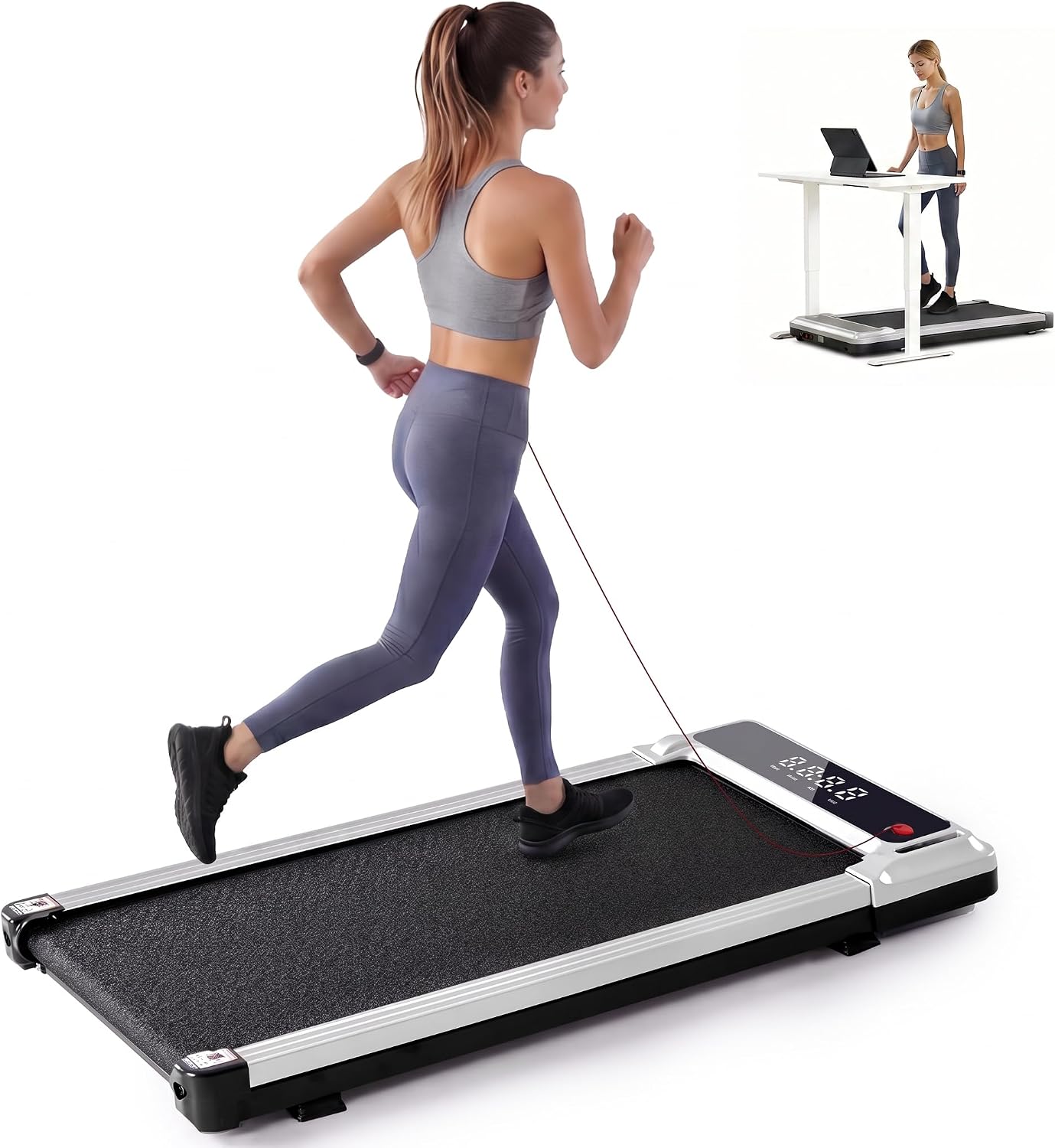
Budget pick: 3-in-1 Walking Pad Under Desk Treadmill for Home Office Portable
 Visit on Amazon →
This is the entry point, and the name tells you what it is: three modes in one footprint, built to be portable enough to move between rooms. That portability is the entire argument. If your desk shares a room with a couch, a bed, or a dining table, a pad you can stand on its side and roll out of the way is the difference between daily use and a dust collector.
What I would verify before you commit is the remote and the deck height. A remote that needs a clear view of the front panel is the most annoying flaw in this price tier, and you will press that button forty times a day. Deck height is the other one, because a thick deck pushes your desk higher than you may want it. Measure your own desk before you order anything, not after.
Flaws but not dealbreakers: Portable pads trade stability for weight. If you want to walk barefoot at three miles per hour with a podcast on, this is not the pad for that. At 1.5 to 2 mph, where workday walking actually lives, it is fine.
Anyone who works in a shared room and needs the floor back at 5 pm should start here.
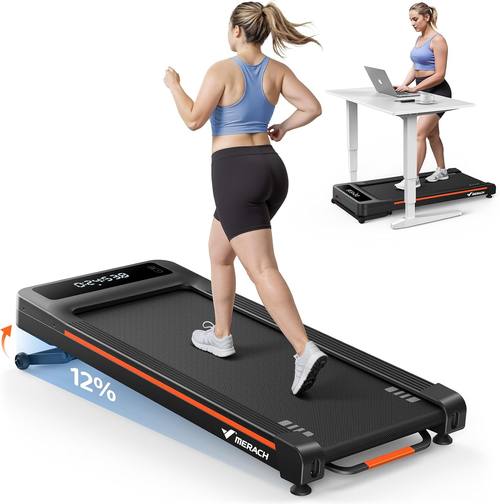
Upgrade pick: MERACH NovaWalk W50 TrekPad, 12% Auto Incline Walking Pad Treadmills for Home, 400lbs Capacity, Under Desk Treadmill with Remote & LED
 Visit on Amazon →
The TrekPad is what I would point at if the pad is going to be a permanent piece of the office and you want incline. The 12% auto incline is the headline and it is also why this is not a straight comparison with the budget pick. Incline changes the walk from flat shuffling into something closer to a slow hill climb, which loads the calves and the back of the legs in a way a flat deck cannot. The 400 lb capacity puts it in a different frame class, and frame is where stability at speed comes from.
The caveats are real, though. Incline on an under-desk pad changes your desk height budget, because a 12% grade raises your hips and your clearance math has to account for it. Be honest about whether you will actually use the incline during a workday. Most people walk flat while typing and save the incline for a separate twenty-minute session, and that is the correct way to use it. The included display is also worth more than it sounds, since checking your speed without unlocking a phone keeps you in the sentence you were writing.
Flaws but not dealbreakers: It is heavier and taller than a flat pad, and incline is a feature you have to schedule rather than one you get for free. If you will never touch it, the flat pad is the better spend.
Anyone with a dedicated office, a standing desk that already rises high enough, and a back that wants a little load should look here first.
What you need in place before the pad arrives
Three things, and you can fix all of them in one afternoon.
A desk that adjusts. A walking pad is useless without a desk that moves. If your desk is a fixed-height table, the pad becomes a thing you stare at. This is not a small point. The pad and the desk are one purchase, and buying them separately is how people end up with a pad that only works when they hunch.
A floor that will not announce you. Hard floors transmit vibration straight into the room below and into your microphone. A dense mat under the pad does more for noise than any motor spec ever will. If you are on the second floor of an apartment, this is not optional.
A speed you can type at. Decide this before the pad arrives, not while you are standing on it. For most people that is 1.5 mph for the first week and 2 mph after that. If you cannot hold a conversation at your chosen speed, you are not working, you are exercising at your desk, and the emails will show it.
The actual setup workflow
Now the part you came for. This works with any pad, in any room, in about an hour.
Step one: measure the clearance. Put your desk at the height you would stand at for typing, then measure from the floor to the underside of the desk. That number has to clear the pad's deck height plus your shoe. If it does not, you either need a taller desk range or a thinner pad, and you want to learn that before the box shows up.
Step two: place the pad, then walk around it. Do not shove it against the wall. You need a shoe's width on each side so your feet have somewhere to go if you drift, and you need to be able to step off sideways without thinking about it. The first thing you practice on a new pad is getting off it, not getting on.
Step three: pair the remote and test auto-stop. Press the remote from where you actually stand, with your body between the remote and the pad if that is how you will hold it. Then step off while the belt is moving and watch how long it takes to stop. Every pad is different, and this is the one safety feature worth knowing by feel rather than by manual.
Step four: set your desk height. Elbows at roughly 90 degrees, wrists flat, monitor at eye level. Walking changes your posture subtly, so re-check this after your first full session. Almost everyone starts with the desk too low because they set it while standing still.
Step five: find your working speed. Start at 1 mph and add 0.2 mph every few minutes until your typing accuracy drops. Back off one notch. That is your workday speed, and it will probably be lower than you expected. Mine is 1.8 mph on a flat deck.
Step six: build the hourly habit. Set a timer for 50 minutes of sitting and 10 minutes of walking, or walk continuously at low speed for the first two hours of your day. Both work. What does not work is the plan where you walk for three hours on day one and then never again.
Your first week
Week one is about tolerance, not step counts. Walk 20 minutes a day for the first three days at 1.5 mph. Add 10 minutes a day until you are at 60 minutes total, split into two or three blocks. By day seven you should be able to walk at 2 mph and answer a Slack message without looking down at your feet.
Expect your calves to be sore on day two. That is normal and it fades. Expect your lower back to feel better, not worse. If it feels worse, your desk height is wrong or you are gripping the desk, and both are fixable.
Common mistakes and caveats
Comparing a walking pad to a gym treadmill. They are different devices with different safety profiles. An under-desk pad has no handrails and a short deck. Walking is the job. Running is not.
Trusting a decibel rating. Those numbers are taken at idle, in a lab, without a person on the belt. What matters is the reading at ear height at your walking speed, in your room, on your floor.
Buying on motor horsepower alone. Most pads in the same price tier share similar motors and differ in the frame, the belt width, and the remote. Peak horsepower is a marketing number. Sustained performance and warranty length tell you what the company actually believes about its own product.
Ignoring the remote. You will use it more than any other feature. A remote that needs line of sight, or an app that demands an account before it will change your speed, turns a two-second adjustment into a nuisance you start skipping.
How to tell it is working
Not by weight. By NEAT, the calories you burn just living and moving, and by how your back feels at 4 pm. Track two things for a month: daily steps and whether you got up in the last hour. If your step count is up a thousand or two and your afternoon back ache is duller, the setup is right.
If the pad is covered in laundry by week three, the problem is not the pad. It is the order you did things in. Fix the desk height, lower the speed, and put the remote where your hand already goes. That is the whole job. The pad is the easy part.