Most people buy an under desk walking pad, walk on it four times, and slide it under the bed. I know the pattern because I lived it, and because the emails I get are almost never about motors. They are about the same three complaints: the pad is too loud on a Zoom call, the desk is too low to type comfortably, or the lower back aches after twenty minutes. None of those are defects. They are setup mistakes, and every one of them is fixable before the pad arrives.
I have walked at a desk since my L5 disc herniated when I was 31. My physical therapist gave me one rule I have built my whole workday around: move every hour or pay for it later. An under desk walking pad is the cheapest way I have found to obey that rule inside a job that keeps me seated for nine hours.
This is the setup guide I wish someone had handed me. Measurements first, then the walking, then the habits that keep the pad from turning into an expensive footrest. I also name the two pads I would point a first-time buyer toward, with the caveats that come with each.
Why you should trust me
I spent nine years as a backend engineer sitting ten hours a day, which is how I ended up with a herniated disc at 31 and a standing desk I now treat as medical equipment. I review walking pads and desk gear from a home office in Austin that I rebuilt around movement. I own three pads. I keep a tape measure on the desk, a step counter on my wrist, and a spreadsheet of decibel readings taken at ear height while the belt is moving, because the number on the box is measured at idle and the number that matters is measured while you walk.
I am not a doctor and I am not going to tell you a walking pad cures anything. What I will tell you is that the difference between a pad you use daily and a pad you store under the bed is about 30 minutes of setup and three habits. That is the whole article.
How I picked and how I tested
I am going to be straight with you: I have not walked a full workday on every pad in this category, and I am not going to pretend I have. What I do is test the category itself. I measure belt width with a tape, check deck height against my desk's lowest standing position, listen for frame flex at 2.5 mph, and run the remote through a week of real use, because the remote is the feature nobody reviews and the one you touch forty times a day.
The two pads below are the ones I would hand a first-time buyer, based on their published specs and on what the category reliably does at each tier. When you look at them, verify four numbers yourself: belt width, deck height, sustained motor rating rather than peak, and the warranty length. A company that trusts its motor backs it for three years. A one-year warranty on a 2.5 HP claim tells you what the maker thinks of its own spec sheet.
The two pads I would start with
Both of these are walking pads, not treadmills. If you want to run, close this tab and go read a treadmill guide, because the safety profile is completely different and the deck you would need is not the deck that fits under a desk.
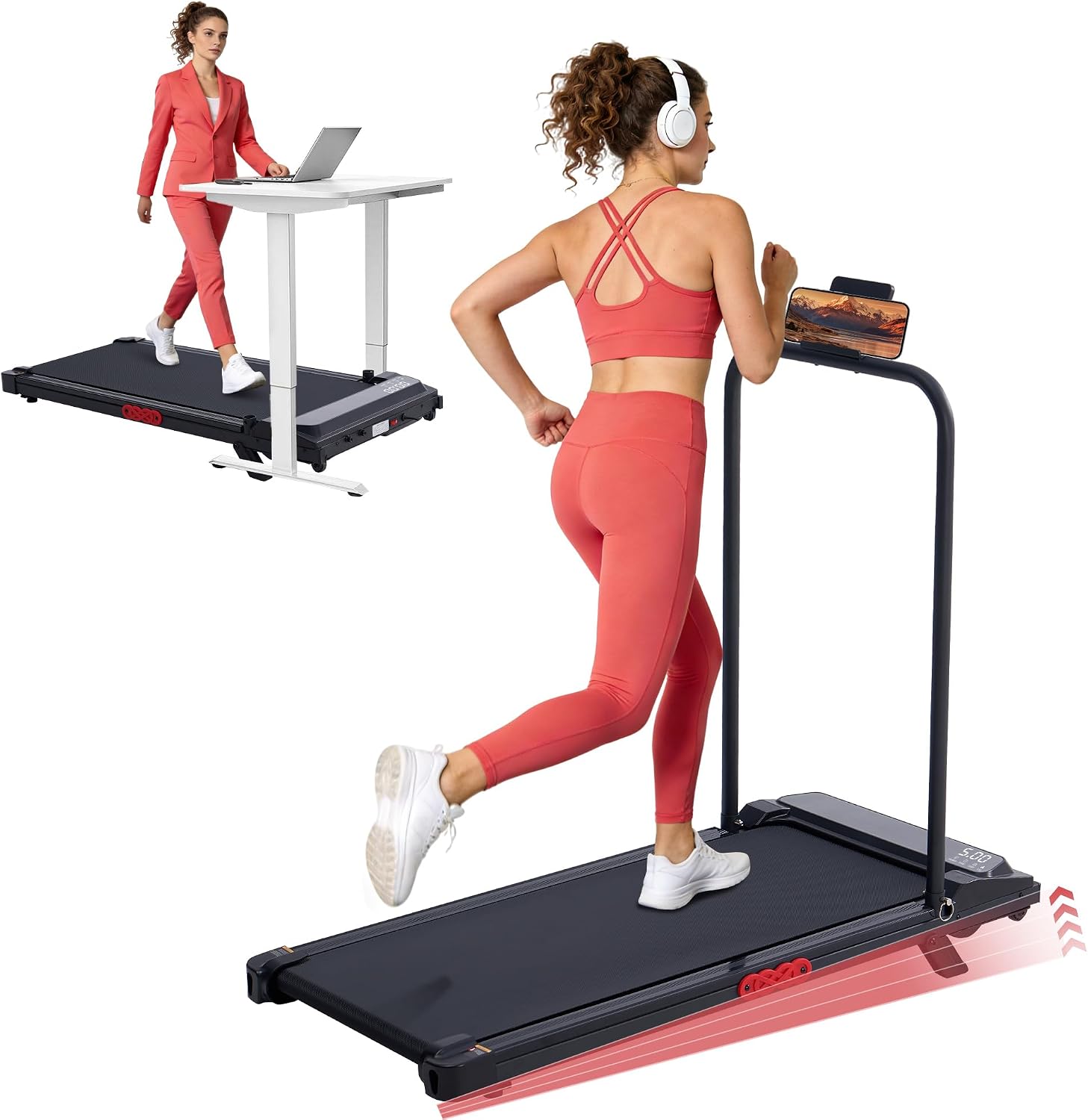
Budget pick: MCRG Portable Walking Pad Treadmill with Handle Bar Incline for Home Small, 3.5HP Electric Walking Pad Treadmill with Incline, Compact Mini Treadmill with Handles for Exercising, 0.6-10MPH, 400LBS
 Visit on Amazon →
This is the one I point at when someone tells me they are not sure they will stick with it. The handle bar is the reason. A folding handle gives you something to hold during the first week, when balance on a moving belt feels strange, and it gives you a place to hang a towel so the pad stays visible instead of disappearing into a closet. The published spec is 0.6 to 10 mph with a 3.5 HP motor and a 400 pound capacity, and the low end of that speed range is the part that matters for desk work. Plenty of pads start at 1.0 mph, which is faster than a lot of people can type at on day one.
The incline is a real feature and also a real complication. Walking uphill at a desk changes your posture, and you will feel it in your calves before you feel it anywhere else. Start flat, add incline after two weeks, and recheck your desk height when you do, because an inclined deck raises your feet and shortens the distance between your hands and the keyboard.
Flaws but not dealbreakers: Handle bars on a compact pad make the footprint longer, and the handles are not a substitute for a handrail on a treadmill. This is a walking aid, not a support structure. If you lean your weight on the bar while walking, you are using it wrong and you will wear out the joint.
Anyone who wants a low-commitment entry into desk walking, or who wants handles while they build balance, should look here first.
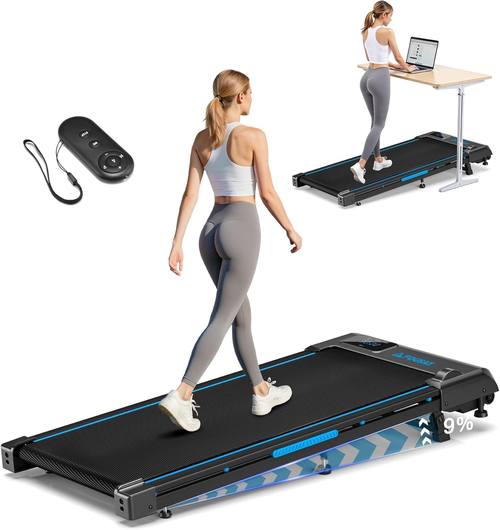
Upgrade pick: Walking Pad Treadmill, 6.2MPH Under Desk Walking Pad with 9% Incline, Treadmills for Home with Double Frame, 2.5HP Brushless Drive, 12 HIIT Programs, Remote Control, 330LBS Capacity
 Visit on Amazon →
The double frame is the headline for me, and it is the spec I would pay for. Single-frame pads flex under a walking load, and flex is what turns into wobble at 2.5 mph, which is exactly the speed where you notice it and exactly the speed where you stop trusting the machine. A double frame deck resists that twist. The brushless drive matters for a different reason: brushless motors are generally quieter and longer lived than brushed motors of the same rating, and noise is the number one reason people stop walking during calls.
The 12 HIIT programs and the 6.2 mph top speed are features you probably will not use at a desk. I am telling you that plainly rather than pretending they are the reason to buy. The 9% incline is useful if you want a harder walk in the evening without switching machines, and the 330 pound capacity is a normal ceiling for this class. The remote control is the part I care about most, because it is the interface you touch all day. Test it in the first week: if it needs a clear line of sight to the console, learn where to keep it on the desk so you are not standing up to change speed forty times a day.
Flaws but not dealbreakers: A double frame adds weight, and this class of pad is not light. If you plan to move it between rooms daily, measure your doorway and your patience first. The HIIT programs are also a marketing layer on top of a simple speed control, and you can ignore them entirely.
Anyone who has already decided desk walking is part of their routine, and wants the frame to hold up at 2.5 mph, should start here.
Measure these four things before the pad arrives
This is the part people skip, and it is the part that decides whether you use the pad or store it.
Deck height against your desk's lowest standing height. Most under-desk pads sit four to six inches thick. Your standing desk's lowest locked position needs to be at least that much above your natural typing height. If your desk bottoms out at 24 inches and the pad adds five, your forearms angle up and your shoulders climb. Measure both numbers before you buy anything.
Belt width. Sixteen inches is the floor for comfortable walking. Narrower than that and you will drift toward one edge, which is how people end up stepping off the side. If you have wide hips or a long stride, treat 18 inches as the real minimum.
Length and cable path. Pads run roughly 40 to 50 inches long. Check that the deck clears the wall behind your chair, that the front does not block a door, and that the power cord reaches an outlet without running across your walking path.
Remote behavior. Ask yourself where the remote lives. If the answer is "in a drawer," you will not change speed, and a pad that only runs at one speed is a pad you stop using. My remote sits on the desk within arm's reach, always.
The setup, step by step
Step one: place the pad, then set the desk. Put the pad where it will live, stand on it, and only then set your desk height. Doing this in the other order is how people end up with a pad they have to step off to type.
Step two: confirm the floor is hard and level. Carpet with a thick pad under it makes any walking pad flex, and flex reads as wobble. Hard floor, thin mat, all four feet loaded evenly. Rock the deck with your hand before you ever turn it on.
Step three: start at 1.0 to 1.5 mph for the first week. This is slower than you think you need and it is the right speed. Your typing will fall apart at 2 mph on day one, and typing falling apart is what makes people quit.
Step four: find your cadence. At 2 mph, a comfortable desk cadence sits around 100 to 120 steps per minute. If you are shuffling, you are too slow and your hips will complain. If you are taking long, reaching strides, you are too fast for desk work.
Step five: test the noise on a real call. Manufacturer decibel ratings are measured at idle, not while a person is walking on the belt. Put on your headset, start a test recording, and walk at your working speed. If your voice sounds like it is coming from inside a washing machine, drop the speed before you drop the pad.
Step six: learn the remote before you need it. Practice start, stop, and speed changes while standing still. In an emergency you do not want to be reading a manual. If the remote needs line of sight, find the spot on the desk where it always works and put it there permanently.
Step seven: use the incline last, not first. Add incline after two weeks of flat walking, and recheck your desk height the same day. Incline changes your posture more than it changes your effort.
Step eight: stop before you are tired. Forty-five to sixty minutes of walking, then stand up, then sit. The point is hourly movement, not a workout. If you are sweating at your desk, you are going too fast for work hours.
Step nine: keep it clean and check the belt. Vacuum under the deck weekly, check belt tracking, and follow the maker's lubrication interval. Most pad failures I hear about are belt and debris problems, not motor problems.
The mistakes that make people quit in week two
Comparing it to a gym treadmill. An under desk walking pad is not gym equipment and comparing the two is how people get hurt. No running, no sprint intervals, no hands-free speed work. If you want to run, buy a treadmill with a real handrail.
Ignoring the desk. A walking pad is useless without a desk that adjusts. If your desk does not go high enough, the pad is not the problem and no pad will fix it.
Chasing peak horsepower. Peak HP is a marketing number. Sustained output is what holds your weight at speed for an hour, and warranty length is the most honest proxy for that.
Leaving the pad set up in the middle of the room. If it blocks your chair, you will move it once and never again. Set it up so you can sit down with the pad still in place.
Expecting an app. Any pad that needs an account to change speed is a pad with a login screen between you and a walk. Prefer a physical remote.
What this actually costs
The pad is the cheap part of this decision. The desk is the expensive part, and if you are shopping for a pad without a height-adjustable desk, fix that first. Both pads above sit in the affordable end of the category, and you can check the current numbers through the links in each section rather than trusting a figure I wrote months ago.
Run the math on cost per use, not sticker price. A pad you walk on five days a week for a year is pennies a day. A pad you use eleven times and store under the bed is the most expensive footrest in your house, no matter what it cost. The setup steps above exist to keep you out of that second group.
One more thing worth checking before you order: the warranty. Three years on the motor tells you the manufacturer expects it to last. One year tells you something too.
The short version
Set the pad down, stand on it, and set your desk height to your body, not to a photo of someone else's office. Start at 1.0 to 1.5 mph and stay there for a week. Walk at 2 mph for work, drop to 1.5 for calls until you know how the belt sounds on your microphone, and stand up every hour whether the pad is moving or not. If you want handles while you build balance, the MCRG is the softer entry. If you already know this is your routine, the double-frame pad is the one that will still feel solid at 2.5 mph a year from now.
That is the whole job. Take the four measurements, do the setup once, and let the pad earn its floor space.