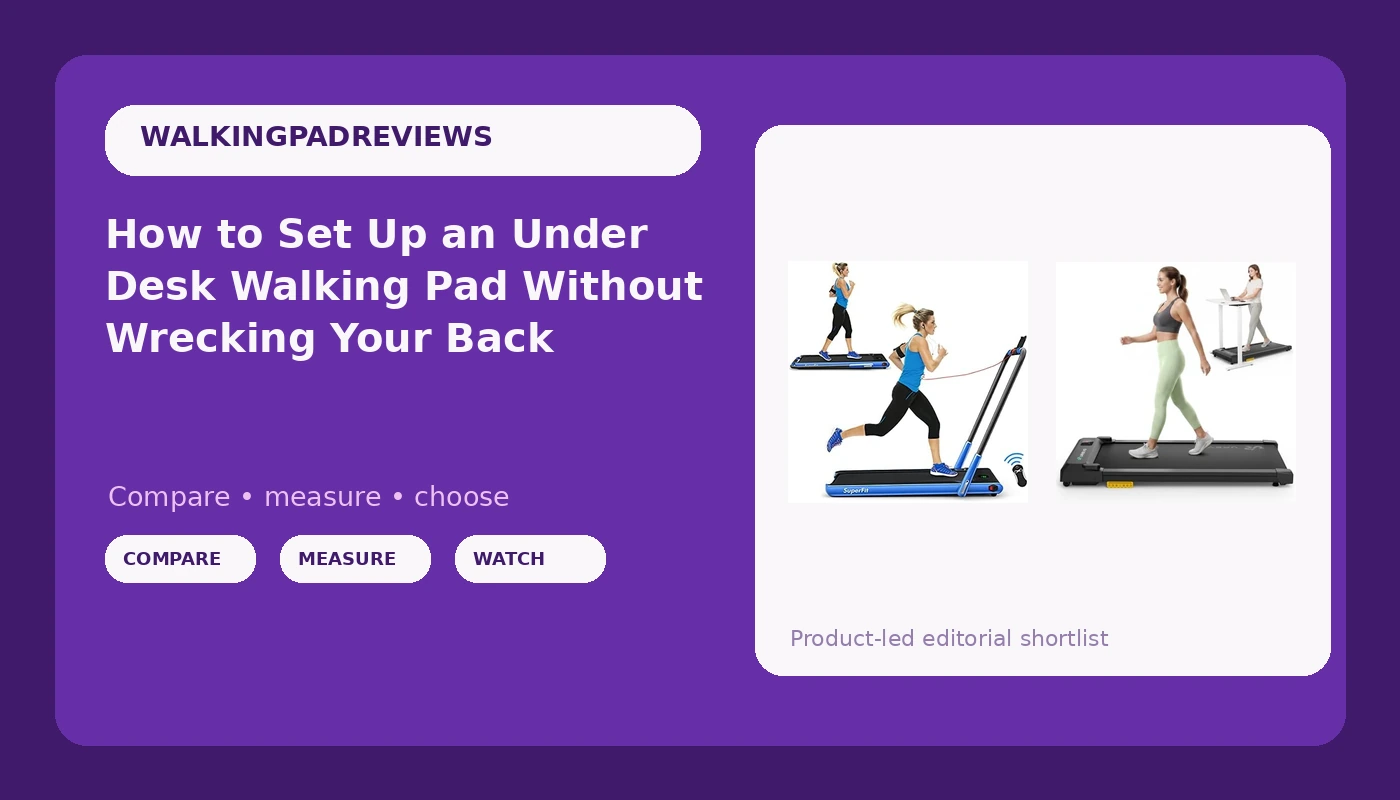
An under desk walking pad is a medical device with a marketing problem. It is sold on step counts and lifestyle photos, and almost nothing on the product page tells you whether the belt will still run quiet at 2 mph in month three, or whether the remote will answer when you are mid-sentence on a call. So I set them up like equipment, not like furniture.
I have rebuilt my workday around a pad three separate times. The difference between a pad you use forty times a week and a pad you use eleven times and then slide under the bed is almost never the motor. It is the setup: deck height, desk pairing, cadence, noise floor, and where the remote lives when you are not holding it.
This is the workflow I run, plus the two pads I would set up first and the caveats that actually matter.
Why you should trust me
I spent nine years as a backend engineer sitting ten hours a day. At 31 I herniated my L5 disc, and my physical therapist gave me a simple choice: move every hour or pay for it later. I am not going to tell you a walking pad cures a bad back, because it does not, and anyone who says so is selling something. What a pad does is make hourly movement cheap enough that I actually do it.
I own three walking pads. I keep a step counter on the desk, a tape measure in the drawer, and a spreadsheet of decibel readings I take at ear height with the belt moving. I also log remote behavior, because the remote is the feature nobody tests and the one I press more than any other object in my office.
How I picked and how I tested
Everything below got the same treatment. I measured belt width with a tape measure, deck height from the floor, and the gap between the deck and the lowest desk height I can comfortably type at. Then I walked a full workday at 2 mph on each pad: typing, taking calls, standing up every hour, and paying attention to my lower back around hour six.
I take noise readings at ear height while walking, never at idle. A manufacturer's number measured with nobody on the belt tells you nothing about the twenty minutes you will actually spend on it. The same goes for "quiet" claims. Quiet at idle is not a spec, it is a hope.
The thresholds I work with are simple. Typing is 1.5 to 2 mph. Calls and reading can go to 2.5 mph. Above that you are jogging, and a walking pad is not built for it. Belt width matters more than people think: too narrow and you shuffle, and shuffling for an hour is harder on your hips than walking normally.
The pads I would set up first
Both of these fit the same desk-day setup. Pick based on whether you want the simplest possible start or a folding unit with more modes.
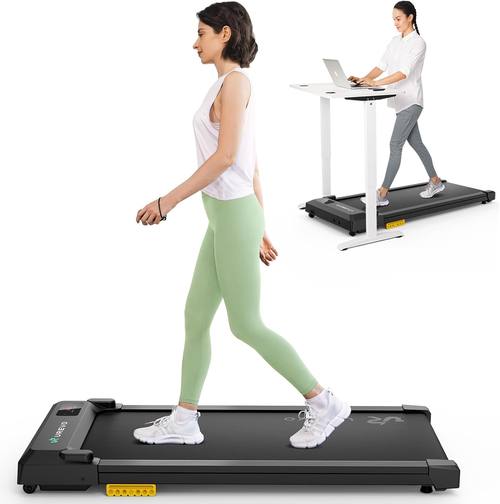
Our pick: UREVO Smart Walking Pad, Standing Desk Treadmill with Double Shock Absorption, Quiet Operation, Workout APP with Track Insights and MIIT Mode, Plug and Play, Remote or APP Control for Home Office
 Visit on Amazon →
This is the one I would hand to someone who wants to be walking the same afternoon. Plug and play means no assembly, which matters more than it sounds, because the pads that arrive in six pieces are the pads that sit in the box for a week. Double shock absorption is the feature I care about most, since I walk barefoot for short sessions and a stiff deck turns a twenty minute walk into a heel bruise.
Remote or app control is the other half of the story. The remote is what you will actually use, and having the app as a backup means you are not stuck if the battery dies mid-call. Check current Amazon price before you commit, and test both control paths in the first week while the return window is open. If the app insists on an account before it will change speed, that is a dealbreaker for me, and you want to learn that on day two, not day thirty.
Flaws but not dealbreakers: App features like track insights and MIIT mode are extras, not reasons to buy. If you never open the app, the pad still works, which is the correct design. Also measure your stride against the belt before you order, because a narrow belt is the one spec you cannot fix after the fact.
Anyone who wants a walking pad that works out of the box without a manual should start here.
Runner-up: Goplus 2 in 1 Folding Treadmill, 2.25HP Under Desk Electric Superfit Treadmill, Installation-Free with APP Control, Remote Control, Bluetooth Speaker, LED Display, Walking for Home
 Visit on Amazon →
The 2 in 1 design is the reason to look at this one. Folded flat, it works as an under desk pad. With the handle raised, it is a treadmill. Be honest with yourself about which mode you will use, because running is a different safety profile than walking and this guide does not cover it. If you want to run, buy a treadmill and read a different article. If you want to walk under a desk with the option of a handrail on bad-back days, the folding frame earns its space.
Installation-free assembly is a real convenience, and the LED display plus remote control covers the basics without a phone. The Bluetooth speaker is a gimmick for most people, though I will admit I use it for cadence cues when I am trying to hold a steady pace without watching a screen. The 2.25HP rating is worth understanding before you buy: horsepower numbers on under-desk machines are usually quoted at peak, not sustained, so treat the number as a class indicator rather than a promise. Check current Amazon price and confirm the dimensions against your room before you order.
Flaws but not dealbreakers: The raised-handle mode needs vertical clearance and floor space, so measure before you commit to a spot in a small office. And a folding frame is a compromise by definition. If you only ever walk, a dedicated pad is the cleaner tool.
Anyone with a spare corner and a habit of switching between walking and a supported stride should look here.
The actual setup workflow
Now the part that decides whether you use this thing in November.
Step one: measure before you place anything. Deck height from the floor, belt width, and the height of your desk at its lowest usable setting. If the deck plus your shoes leaves you reaching up to the keyboard, the desk is the problem, not the pad.
Step two: pair the pad with a desk that adjusts. A walking pad without an adjustable desk is a very expensive footrest. Set the desk so your elbows sit near ninety degrees while the belt is moving, and your monitor so the top of the screen is at eye level. That height is almost always different from your sitting height and your standing-only height.
Step three: pick speed by task. 1.5 to 2 mph for typing. Up to 2.5 mph for calls and reading. If the frame wobbles at your working speed, that is not a break-in period, that is the answer.
Step four: test the remote hard in week one. Line of sight, battery life, and whether it drops inputs. Press it forty times in a session. If it misses, return it, because you will press it thousands of times.
Step five: measure noise at ear height, not at the belt. Stand where you will stand, put the meter or phone at your ear, and walk at working speed for two minutes. Do this before a call, not during one.
Step six: decide footwear once. Barefoot on a shock-absorbing deck is fine for short sessions and gives you better feedback on your stride. Shoes change your cadence and your noise floor. Pick one and stop relitigating it every morning.
Step seven: fix the cables and the floor. Route the power cord so it never crosses your walking path. If the wheels scrape, put a mat or a thin tile under them, because a pad that marks your floor is a pad you will stop moving.
Step eight: learn how it stops. Read the manual for the auto-stop behavior and test it once, at low speed, with your hand on the rail or the desk. Never trust a safety feature you have not personally triggered.
Step nine: build the hourly habit. Twenty minutes on, forty off beats an hour straight. The point is NEAT, the movement you accumulate without calling it a workout.
Step ten: two minutes of maintenance a month. Belt tension, lubrication per the manual, and remote batteries. In my experience the remote dies before anything else does, and that is the real quality tell.
The competition and why it lost
A full-size treadmill loses here for the obvious reason: it is built for running, it takes a room, and it invites you to go harder than a walking pad should. Wrong tool, different safety profile.
A bike desk or pedal exerciser loses because you sit down to use it. Sitting while pedaling is still sitting, and my whole reason for the pad is the standing and the walking.
A balance board loses because you cannot type on one for two hours. It is a good break, not a workday.
A standing desk by itself loses because standing still is not movement. You will last about forty minutes before your feet complain and you sit down.
The ultra-cheap pads lose on the frame. The motor is rarely the failure point. Belt tracking, deck stiffness, and the remote are where the money went missing.
What this all costs
I am not printing prices, because they move and because the number that matters is the per-use number. Check current Amazon price on each pad, then divide by the days you will actually use it. A pad you use four times a week for a year is a very cheap daily habit. A pad you use eleven times is an expensive footrest, and no spec sheet will save you from that.
The desk is the bigger purchase, and it is the one that decides whether the pad works. Budget for the pair or skip both, because a pad on a fixed desk will end up in a closet.
That is the whole job. The pad is the easy part. The setup is what makes it a habit, and the setup is entirely in your control before the box arrives.