Related: Best Walking Pad for a Standing Desk Setup
I spent nine years as a backend engineer sitting ten hours a day, and at 31 an L5 disc herniated. My physical therapist's instruction was blunt: move every hour or pay for it later. That is the whole reason I care about a walking pad with incline. Not step streaks, not walking meetings, just one question. Can a machine hold me at 2 mph through an eight-hour workday without wrecking my back, my floor, or my Zoom calls?
Most pads sold under $300 share the same 1.25 HP motor and a different sticker on the side. The frame, the belt width, the remote, and the warranty are where quality actually shows, and those are the four things I read first on any listing. Incline matters more than most buyers expect. A flat belt at 2 mph is a slow shuffle. A few degrees turns the same speed into something your calves notice by the second hour, which is exactly the point.
This is a comparison of four under-desk treadmills, ranked for a desk-bound remote worker with roughly $400 to spend. Prices on all of them move constantly, so check the current Amazon price on each listing rather than trusting any number in a screenshot or a review from last year.
One boundary up front: none of these is a treadmill. Walking pads are built for walking speeds and short, frequent sessions. If you want to run, buy a treadmill with a wider deck and a frame rated for it. Comparing a pad to gym equipment is how people get hurt.
Best Overall: 15% Auto-Incline Walking Pad With 450 lb Capacity
If incline is the point of the purchase, start here. This is the only pad in the group with a 12-level auto incline that climbs to 15%, and auto is the word that matters. You change grade from the remote instead of stopping the belt, stepping off, and pulling a pin. Anyone who has interrupted a workday to manually re-index an incline knows why that is the difference between a feature you use and a feature you ignore.
The rest of the numbers are unusual for the category. A 3.5HP motor and a 450 lb capacity put it well above the mini pads that dominate search results, and the UI screen plus speaker is a feature set you normally see on a treadmill rather than a pad. The listing also describes it as quiet, and Trisomy is a brand I watch because mid-tier quality control has been steadier than the pricing suggests across the last two years.
What I would verify before buying is deck height and footprint. A machine rated to 450 lb is not a slim pad that slides under a couch, so measure your under-desk clearance and your floor space first. The speaker is a nice extra. The remote is the feature that decides whether you actually walk, and a taller pad needs a remote that works without a clear line of sight.
Check current Amazon price. Then keep the speed low when you raise the grade. Fifteen percent at walking speed is a real workout. Fifteen percent at running speed is a different safety profile entirely, and not one this machine is built for.
Best for Small Apartments: Lifepro PacerMini Walking Pad With Incline
Lifepro is one of the few names in this category that a physical therapist would recognize on sight, and the PacerMini is aimed squarely at the apartment problem. A machine that lives in a corner, comes out for a 30-minute block in the morning and another after lunch, and goes back without turning the living room into a gym.
The incline is part of the design rather than a bolt-on, and the mini footprint is the selling point. You are not buying the biggest motor in the group, and you are not buying the widest deck. You are buying something that fits where you live, which for a lot of buyers is the only spec that decides whether the pad gets used or stored.
The trade is price per feature. Compared with the budget pad below, you are paying meaningfully more for the brand, the support structure, and the smaller footprint. If your desk setup is generous and your budget is tight, that trade does not make sense. If your apartment is 600 square feet and your desk faces a wall, it absolutely does.
Two things to check on the listing before you commit. First, the warranty terms. Warranty length tells you more about a motor than any horsepower number, because a company that trusts its motor backs it for years, not months. Second, the return window. A pad that wobbles at 2.5 mph is something you discover in week one, and you want the option to send it back.
Check current Amazon price. And set it up on a mat if you have hardwood, because wheels that scrape the floor are one of my least favorite sounds in a home office.
Best Value: 8% Incline Folding Walking Pad With Handle Bar
This is the middle of the market, and the middle is where the smart money usually lands. An 8% incline, a 3.0HP motor, a 350 lb capacity, a folding frame, and a remote. On paper it covers the same daily job as the pads above it, for noticeably less.
The handle bar is the feature that separates it from everything else here. It is the closest thing in this group to a machine you can hold onto while you walk, and for anyone with balance concerns or a history of back trouble, that is not a small thing. It also gives you somewhere to drape a towel, which sounds trivial until you are mid-call and sweating.
The listing uses the words jogging and running, and I would set those aside. At 8% incline this is a walking machine with a handle bar, and the safety profile is a walking profile. Use it for walking, keep a hand on the bar when you change speed, and it will do the job the category is designed for.
Check current Amazon price. If you want incline, a handle bar, and a folding frame without paying flagship money, this is the row of the table I would circle.
Best Budget: Slim Mini Walking Pad With Adjustable Speed Remote
The least expensive of the four, and the one I would hand to someone who is not yet sure they will stick with walking at their desk. Slim, compact, lightweight, motorized, with an adjustable speed remote. It slides under furniture, it comes out easily, and it does not ask you to rearrange a room to use it.
What you give up is everything the pads above it charge for. Expect a narrower deck, a smaller motor, and a machine that is happiest between 1.5 and 2 mph. That is fine. Two miles an hour for two hours is real NEAT, real calories, and real movement, and it is more than you were doing while seated.
What I would watch is the remote. The remote is the most important feature nobody tests, and I use mine dozens of times a day. A remote that needs a clean line of sight, or an app that demands an account before you can change speed, will quietly kill your habit. Check the listing photos for the control layout, and read the return policy carefully.
Check current Amazon price. If it turns out you use it daily for a month, sell it and buy one of the two incline pads above. If you use it eleven times and store it under the bed, you spent the least amount of money to learn that about yourself, which is a win.
How I judge a walking pad
Four things decide whether a pad survives in a real home office, and none of them is the horsepower number on the box.
Belt width and deck height come first. A pad has to be narrow enough to fit under your desk and wide enough that you are not watching your feet the whole time. Deck height decides whether it clears your chair, your knees, and the drawer you forgot was there.
The remote comes second. It is the most-used control on the machine and the least-reviewed part of it. Buttons should be findable without looking down, and the connection should not require line of sight.
Noise comes third, and this is where the category lies to you. Manufacturers quote decibels at idle, not at walking speed with a person on the belt. A pad that is library-quiet standing still can be loud enough to hear on a call at 3 mph. Assume the real number is higher than the spec sheet and buy from a seller with a return window.
Auto-stop and warranty come last, and they are the safety net. Auto-stop should engage quickly when you step off. Warranty length is the honest signal about the motor, because a company that trusts its motor backs it for years.
What the specs actually tell you
Peak horsepower is a marketing number. Sustained horsepower is the one that matters, and most pads in this price band run the same class of motor regardless of what the sticker says. That is why I rank on frame, belt, remote, and warranty instead.
Incline is the one spec that genuinely changes the workout. The auto-incline pad with 15% and 12 levels offers the widest range here. The folding pad with a handle bar offers 8%, which is plenty for a workday. The Lifepro PacerMini builds incline into a small footprint. The slim mini pad is a flat-belt machine, and that is the honest description of it.
Capacity is the spec buyers skip and then regret. A 450 lb rating and a 350 lb rating describe two different frames, and a heavier frame usually means less wobble at 2.5 mph. If you are near the top of a weight rating, size up.
The reference table
| Product | Incline | Motor and capacity | Best for | Price |
|---|---|---|---|---|
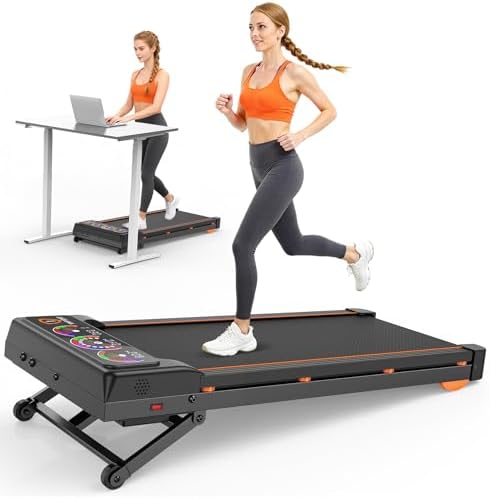 Visit on Amazon → Visit on Amazon →15% auto-incline walking pad with 450 lb capacity |
12 levels, up to 15%, auto | 3.5HP, 450 lb | Widest incline range, biggest frame | $189.99 |
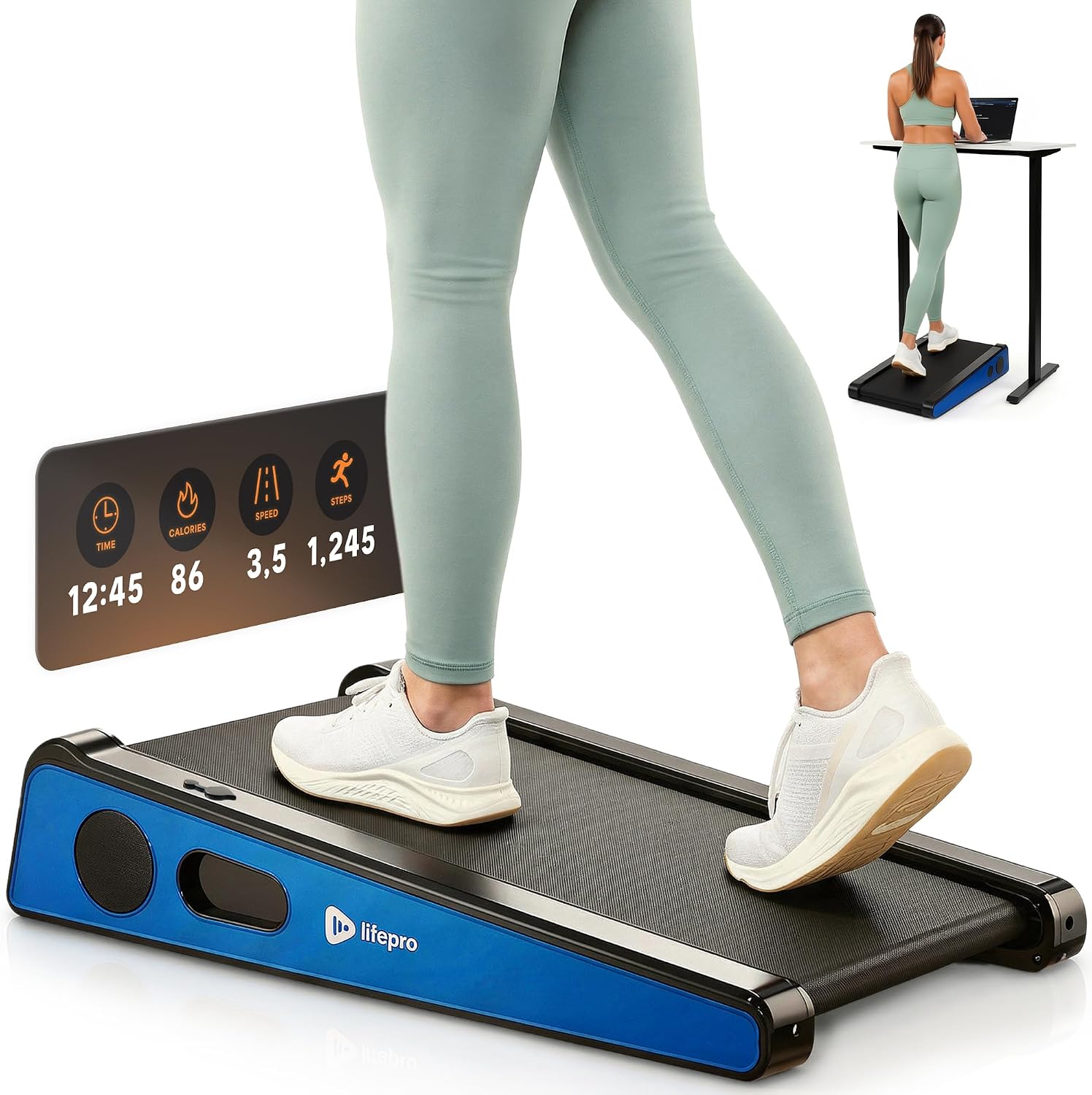 Visit on Amazon → Visit on Amazon →Lifepro PacerMini walking pad with incline |
Incline, fixed design | Mini footprint, apartment build | Small apartments and shared rooms | Check current Amazon price |
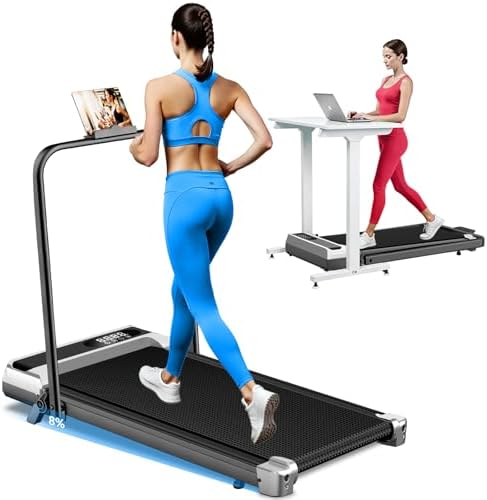 Visit on Amazon → Visit on Amazon →8% incline folding walking pad with handle bar |
8% | 3.0HP, 350 lb | Balance support, folding storage | $139.99 |
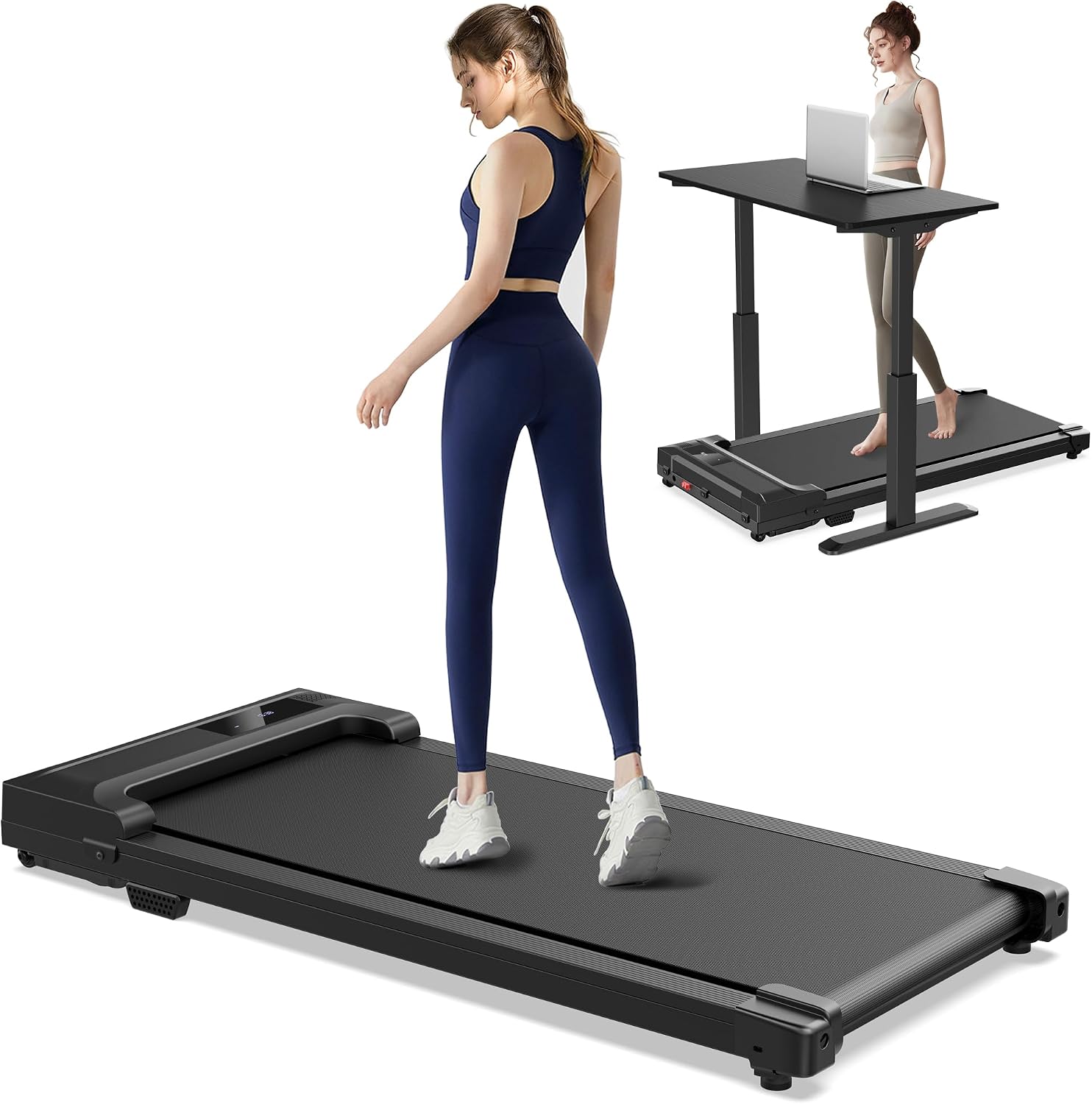 Visit on Amazon → Visit on Amazon →Slim mini walking pad with adjustable speed remote |
Flat belt | Compact motor, lightweight frame | First pad, tightest budget | Check current Amazon price |
Should you buy the 15% auto-incline walking pad?
Yes, if incline is why you are shopping. It is the only machine here with a 12-level auto incline to 15%, the only one with a 3.5HP motor and a 450 lb capacity, and the only one with a UI screen and speaker. Auto incline from the remote is the feature I would pay for, because stopping the belt to change grade is how incline features die.
Measure your clearance first. This is a substantial machine, not a slim pad, and it wants a desk that adjusts and a floor with room around it. Keep your walking speeds where they belong, and it will carry a full workday.
Should you buy the Lifepro PacerMini?
Yes, if square footage is your limiting factor. Lifepro's support structure and the mini form factor are what you are paying for, and in a small apartment that trade makes sense. If you have space and a tight budget, the value pick below gives you more machine per dollar.
The bottom line
Buy the 15% auto-incline pad if you want the most capability and your desk setup can hold it. Buy the Lifepro PacerMini if your apartment is small and you want a name you can call. Buy the 8% folding pad with the handle bar if you want incline and something to hold onto without flagship pricing. Buy the slim mini pad if you are not sure yet and you want to find out cheaply.
Whichever row you pick, the habit matters more than the hardware. A pad that gets used at 2 mph for an hour a day beats a better pad that stays under the bed.