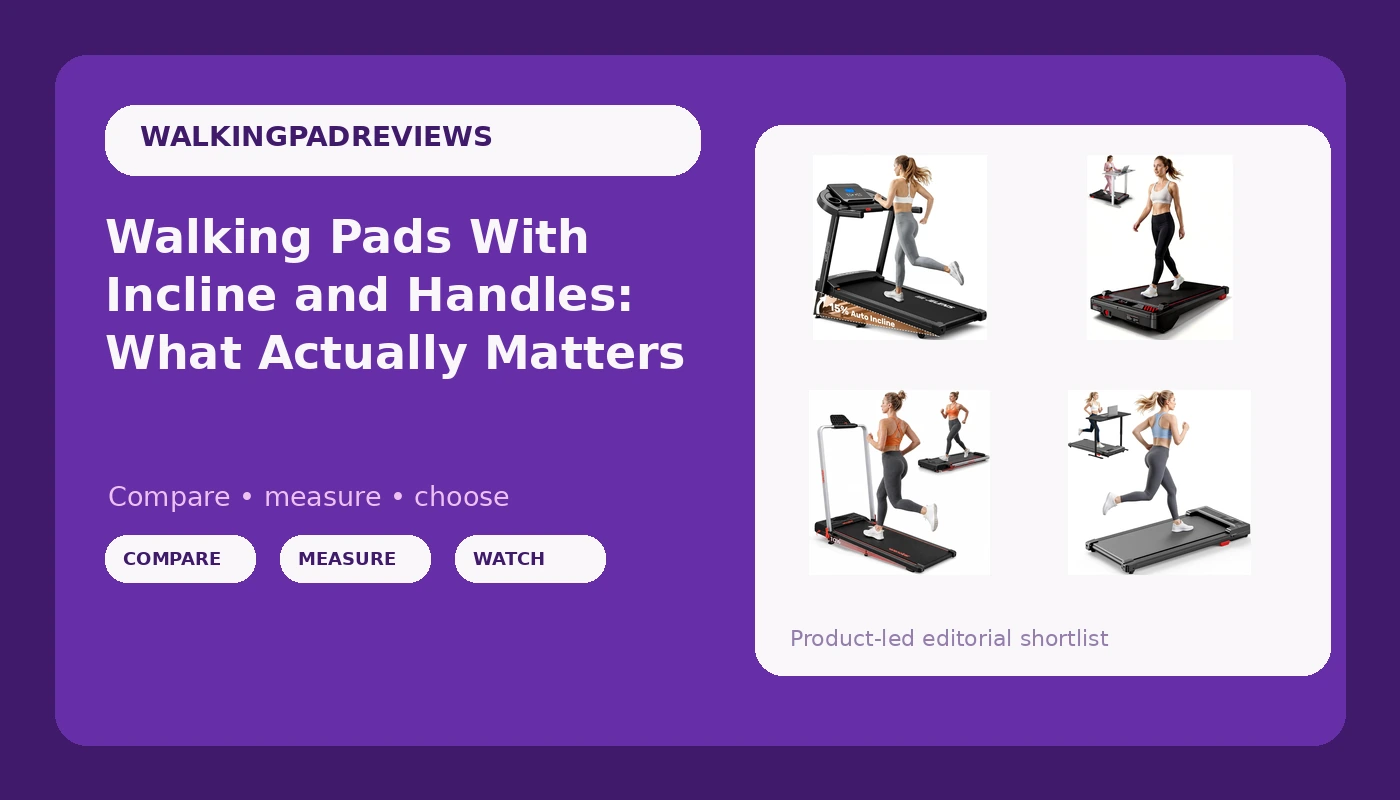
A walking pad with incline sounds like an obvious upgrade until you compare listings and find the number you care about buried under three paragraphs about app connectivity. The four pads in this guide sit in a similar corner of the market, and they are not interchangeable. One states a 0 to 15 percent auto incline, a 330 lb capacity, and pulse sensors. One pairs a stated incline with a lower motor rating and a remote. One adds a safety handle. One trims the deck down to something slim and keeps a remote as the only control. What follows is a plain explanation of what each design choice changes during a workday at walking speed, and which differences are worth your attention.
Related: How to Pair a Walking Pad With a Standing Desk →
Quick answer
Match the pad to the job you are actually doing. If you want the longest feature list in this group, the JELENS foldable pad is the one that states an auto incline up to 15 percent, a 330 lb capacity, a 3.0 HP motor rating, and pulse sensors, and it folds. If incline is the feature you want without the extras, the BestGod pad lists a 2.5 HP motor, the same 330 lb capacity, and a remote control. If you want something to hold onto while you walk, the Wenoker pad is the only option here that lists a safety handle. If you want the smallest and simplest unit and you only ever change speed by hand, the slim Walking Pad Treadmill is the least complicated of the four. None of these is a running treadmill, and none is a medical device.
Four options, four different jobs
| Model | Best fit | What stands out |
|---|---|---|
| JELENS Foldable Walking Pad with Auto Incline | Walkers who want incline plus the widest feature set | States a 0 to 15 percent auto incline, a 330 lb capacity, a 3.0 HP motor rating, pulse sensors, and a foldable frame |
| BestGod Incline Under Desk Treadmill | Incline walking on a tighter budget | States a 2.5 HP motor, a 330 lb capacity, and a remote control in a compact frame |
| Wenoker Walking Pad with Safety Handle | Walkers who want a handhold nearby | The only option here that lists a safety handle, plus an LED display |
| Slim Walking Pad with Adjustable Speed Remote | Small rooms and the simplest controls | Described as slim, compact, and lightweight, with speed set by remote |
Most features: JELENS Treadmill for Home with 0-15% Auto Incline
Incline is the one feature on this list that changes the work your legs do rather than the way the pad stores. On a walking pad, a grade of a few percent is enough to shift effort from a flat shuffle toward something closer to a gentle hill walk, and it also changes where your weight lands on the deck. That makes the 15 percent figure the headline spec here, but it is not the whole story. A higher grade at walking speed asks more of the motor, and the motor is the part most likely to be quoted generously. The 3.0 HP number in the title is a peak figure, which is normal for this category and worth understanding before you compare it to anything else. The pulse sensors and the app matter mostly if you like having numbers on screen while you work.
Incline for less: BestGod Incline Under Desk Treadmill
Two things separate this pad from the JELENS option: the stated motor rating is lower, and the control method is a remote instead of an app. The remote is not a downgrade. A physical remote is the control most people actually use, because you change speed many times across a workday and you do not want to unlock a phone each time. The trade-off is that a remote can be lost, and a remote that needs a clear line of sight to the console is a genuine annoyance. As for the lower motor rating, it tells you this pad is built around walking, not around faster paced intervals, which is the correct assumption for a desk setup anyway. If you plan to walk at a steady pace while you answer email, the extra motor headroom on the more expensive listing is not doing much work for you.
Something to hold: Wenoker Walking Pad with Safety Handle
The handle is the feature I would argue about hardest, in both directions. A fixed handhold gives you something to grab during the first ten seconds while the belt starts, and it helps if your balance is not what it was. It also gives you a place to steady yourself when you look away from the screen. The counterargument is that a handle can encourage you to lean your weight forward onto your arms, which changes your posture and takes load off the muscles you were trying to use. Used as a stabilizer for mounting and dismounting, a handle is straightforwardly useful. Used as a leaning post for an hour, it works against the point of the pad. This is also the listing that mentions running, and that deserves a caution rather than an endorsement.
Slim and simple: Walking Pad Treadmill with Adjustable Speed Remote
A pad you can slide under a couch or stand on its end in a closet is a pad you keep. That is the real argument for the slim design, and it is a stronger argument than most spec sheets admit, because the most common failure mode for under-desk treadmills is not mechanical, it is abandonment. Fewer features also means fewer things to break and fewer reasons to open an app before you start walking. The cost is that you give up incline adjustment and any handhold, and a lighter frame generally transmits more of the belt's movement into the floor beneath it. If you are on a second floor or above a neighbor, that is worth thinking about before you buy the lightest option available.
Prices and availability may change. Product images, names, and retailer links are matched to verified listings. No current price, rating, stock status, or measured result is stated here without current evidence.
Peak horsepower is not the number you think it is
Every motor rating in this group is a peak figure. Peak horsepower describes what a motor can produce briefly under load, not what it sustains across an hour of walking. This is standard practice across the category, and it is why a 3.0 HP walking pad and a 3.0 HP treadmill are not remotely the same machine. For walking at 2 to 3 mph, the sustained demand is modest, and the motor is rarely the part that fails first. What fails first is usually the control board, the belt tracking, or the remote. That is why the more useful comparison is not horsepower at all. It is weight capacity, deck size, and how the pad is controlled, because those determine whether you can use it comfortably and whether you keep using it after the novelty wears off. A higher rating is not a bad sign, but a lower one is not automatically disqualifying for walking.
What incline, a handle, and a slim deck actually change
Incline changes intensity. Adding grade raises your heart rate and recruits more of your calf and glute work at the same speed, which is why a small percentage can feel like a meaningful step up. It also raises the load on the motor and can make the belt feel different underfoot. A handle changes confidence. It helps most during mounting, dismounting, and speed changes, and it helps least when you use it to carry your body weight. A slim deck changes whether the pad survives your apartment. A thinner, lighter unit stores more easily and is easier to move, at the cost of some stability at higher walking speeds. Belt width is the spec that decides whether your stride fits, and the listings here do not state it, so check the current product page if that number matters to you.
A five-step way to decide
- Measure the space under your desk from floor to the underside of the surface, and check that your head does not hit the ceiling when standing on a raised deck.
- Decide whether incline is worth paying for. If your goal is simply moving more during the day, flat walking gets most of the benefit.
- Decide how you want to change speed, because this is the control you touch most. A remote is fast, an app is flexible, and a console button is neither.
- Check the stated weight capacity against your own weight with margin to spare, not against the number exactly.
- Think about where the pad lives when you are not on it. If it does not fit that spot, it will not get used.
Setting up a pad you will actually keep using
- Place the pad where you already sit, not in a spare room you visit twice a week.
- Put something under it if you have downstairs neighbors, since lighter frames transmit more vibration.
- Start at the slowest speed for the first week and build the habit before you build the pace.
- Keep the remote in the same spot every day, or you will spend your walking time searching for it.
- Walk in short blocks rather than one long session, and stand up between them.
Which option should you choose?
Choose the JELENS Treadmill for Home with 0-15% Auto Incline when you want incline, a folding frame, and the most listed features in this group, including pulse sensors and an app. Choose the BestGod Incline Under Desk Treadmill when you want incline adjustment and a remote, and you are happy to skip the app and sensor extras. Choose the Wenoker Walking Pad with Safety Handle when a handhold matters to you for mounting, dismounting, or balance. Choose the Slim Walking Pad with Adjustable Speed Remote when storage space is the constraint and you want the simplest controls available.
One caveat applies to all four: the descriptions here come from manufacturer listings, not from a lab. Stated capacities, motor ratings, and incline ranges are claims until verified on the current product page, and no pad in this class is a substitute for a gym treadmill or a medical device. If you have a back or balance condition, talk to a clinician before adding one to your day.
The bottom line
The right walking pad is the one that fits your desk, your floor, and your control habits, and incline is the feature that changes the most about how the walk feels. The JELENS pad lists the most capability, the BestGod pad gets you incline with a remote, the Wenoker pad adds a handhold, and the slim remote-controlled pad wins on footprint. Pick the trade-off you can live with for a year, not the one that looks best in a comparison table.