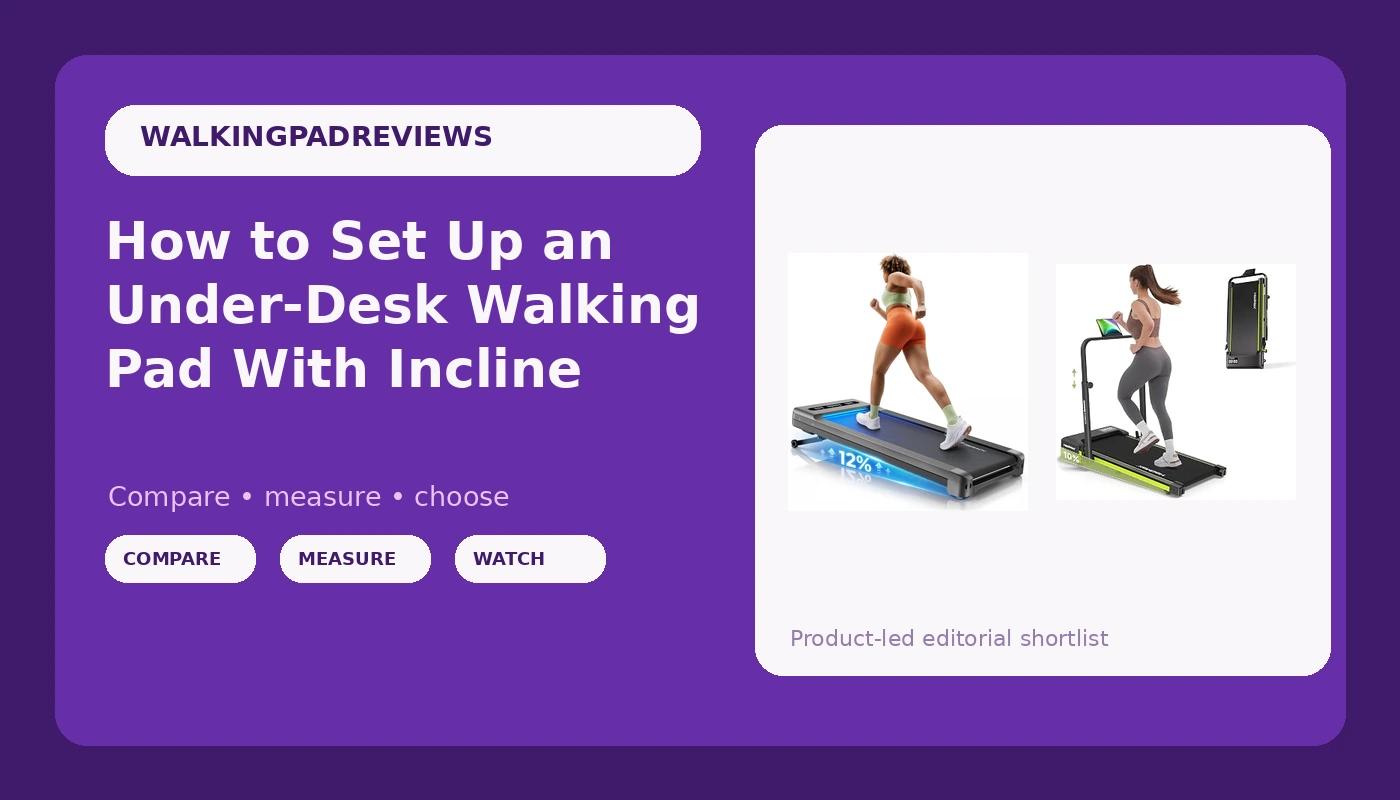
Most people buy a walking pad, walk on it eleven times, and slide it under the bed. I know that number because my first pad was one of those eleven-and-done machines. A walking pad with incline is the version I wish I had bought first, not because a slope burns more calories, but because the raised front of the deck changes your foot strike enough that a slow walk stops feeling like standing on a moving sidewalk. It also raises the deck height, which is the one measurement almost nobody takes before ordering.
I am Nina. I spent nine years as a backend engineer sitting ten hours a day, and at 31 an L5 disc herniated. My physical therapist gave me one rule: move every hour or pay for it later. I rebuilt my home office around that rule, and I now review walking pads and standing desk gear from Austin, Texas, with a tape measure, a step counter, and a spreadsheet of decibel readings taken at my desk while walking, not at idle.
This is the setup guide I wanted when I started: how to choose between the two pads worth your money, what to measure before anything arrives, and the eight steps that turn a box in the hallway into a machine you use four days a week.
Why you should trust me
Nine years of backend work put me in a chair for ten hours a day. The herniation at 31 was not a mystery, it was a bill. What changed my working life was not a piece of equipment, it was the decision to make movement the default instead of the exception, and that decision needs hardware that removes friction.
I am not going to tell you a walking pad cures back pain. Mine did not cure anything. What it did was make hourly movement non-negotiable, because the pad is three feet away and I do not have to leave the room, change shoes, or negotiate with the weather. That is the whole trick, and it is a trick about proximity, not about fitness.
I own three walking pads, I keep a tape measure on the desk, and I log noise at ear height at 2 mph and 3 mph. I care about belt width, deck height, peak versus sustained horsepower, auto-stop behavior, and the remote, in that order. The remote is the most important feature nobody reviews, because I use mine forty times a day.
How I picked these two and what I measured
There are two shapes of pad in this category right now: the flat deck that lives entirely under a desk, and the inclined deck that either raises itself or asks you to raise it. Within those two shapes, the differences that matter are belt width, deck height, motor rating, capacity, and how the incline is actuated.
When a pad lands in my office, the routine is always the same. I measure deck height with a tape measure at flat and at full incline. I measure belt width and compare it to my shoe length, because a 16 inch belt and a size 11 shoe is a different experience than a 20 inch belt. I stand at my desk with the deck raised and check whether my elbows can stay at roughly 90 degrees while I type. I take noise readings at ear height at 2 mph and 3 mph, not at idle, because idle decibels are marketing and walking decibels are your life on a Zoom call. I test the remote for line of sight, and I check that the safety clip and auto-stop both work before I trust the machine with a full workday.
The two pads below are the two I would put under a desk today. One is the lower-cost path and the other is the upgrade, and the difference between them is mostly about how the incline gets raised and how much machine you want under your feet.
The two pads worth putting under a desk
Both of these are built for walking, which means 1 to 3.5 mph, a flat or slightly raised deck, and no running. If you want to run, you are shopping for a treadmill with a different safety profile, and that is a different article.
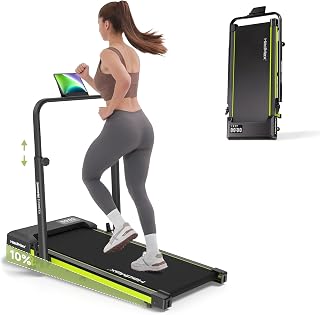
Budget pick: Walking Pad Treadmill with Incline and Height Adjustable Handle Bar
 Visit on Amazon →
The height adjustable handle bar is the reason this one makes the list. When you raise the front of a deck, your balance changes, and your first instinct is to reach for something. A bar gives you that something, and it adjusts so you can find a height that keeps your shoulders back instead of hunched over the desk. Fold the bar down and you have a conventional flat pad for typing and calls.
The tradeoff is footprint. A pad with a bar needs floor behind your desk and it is not a machine you kick under a couch at the end of the day. Measure the folded bar height against the clearance under your desk, and measure the deck length at the incline you plan to walk, because an inclined deck takes more floor than a flat one.
Flaws but not dealbreakers: A handle bar changes your standing posture and makes you taller at the desk. If your desk tops out at a low height, you will end up leaning down to reach the keyboard, which defeats the point. Measure your desk's upper range before you order.
Anyone setting up a first walking pad who wants something to hold while they get used to an inclined deck should start here. Check current Amazon price.
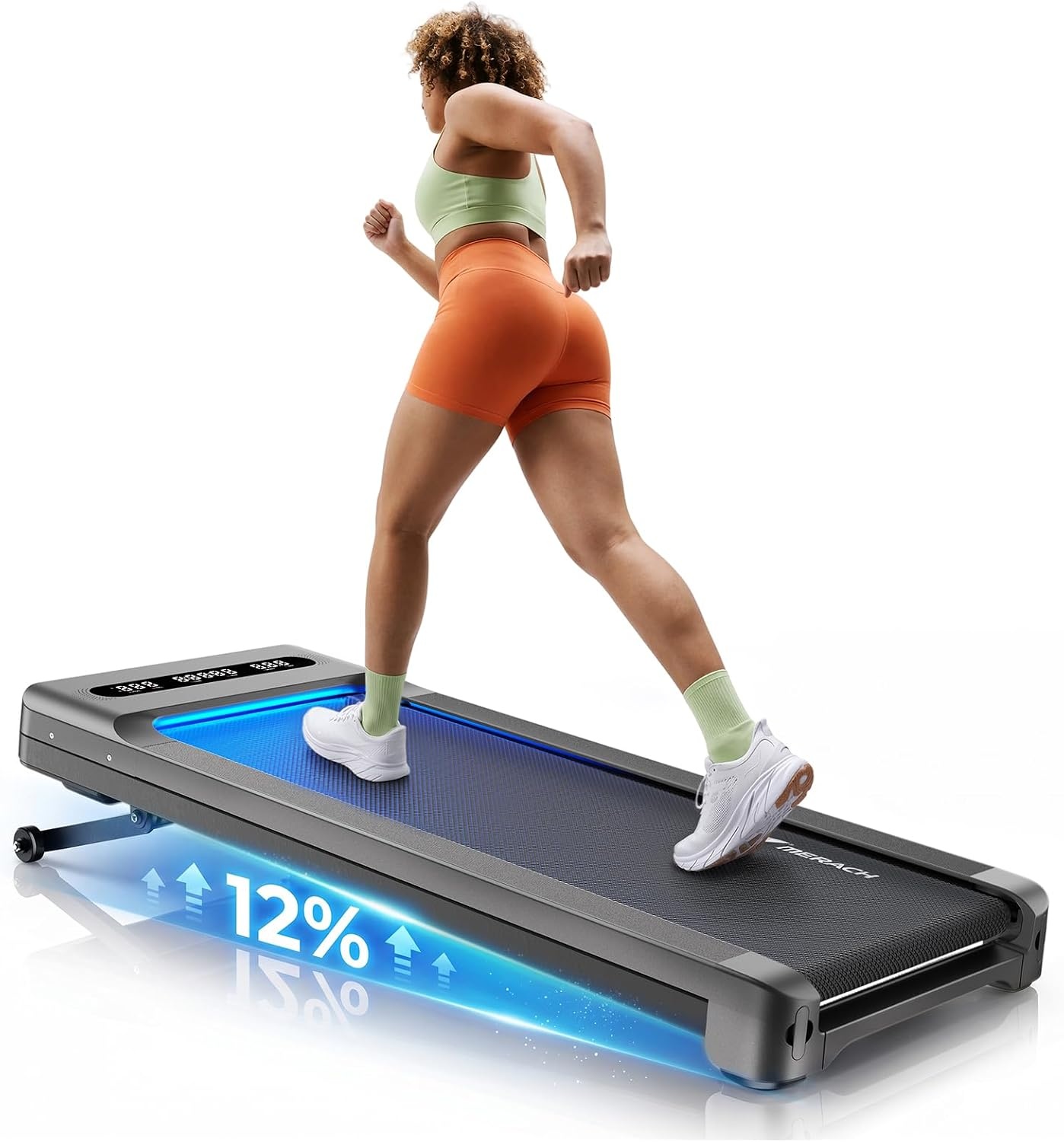
Upgrade pick: MERACH UltraWalk W60 Walking Pad Treadmill with 12% Auto Incline, Under Desk Walking Pad 400lb Capacity, Max 3.5HP Heavy Duty Walking Pad with Incline for Tall People with BT Speaker, RGB Light & APP
 Visit on Amazon →
The maker's numbers tell the story here: a 12 percent auto incline, a 400 pound capacity rating, and a 3.5 HP peak motor, in a deck built for taller walkers. Auto incline is the feature I would pay for. A manual incline means stopping the walk, stepping off, and bending down to move a pin, and that friction is exactly what turns a daily habit into a weekly one. When the incline moves itself, you can ramp up mid-call without breaking stride.
Read the motor number carefully. Peak horsepower is what a motor can hit for a moment under load, and sustained horsepower is what it can hold for an hour. For walking at 2 to 3 mph, sustained output is what keeps the belt from stuttering under a heavy walker, and a high capacity rating is usually the better clue that the frame and belt were built for real weight.
The Bluetooth speaker and RGB lighting are features I would ignore. The app is the one I would test on day one, specifically to find out whether it demands an account before it will change your speed. A pad you have to log into to walk at 2.2 mph is a pad that stays off, so settle that question before you commit.
Flaws but not dealbreakers: An inclined deck sits higher off the floor than a flat one. Tall users should check ceiling clearance for their head and desk clearance for their knees before ordering, and confirm the incline is quiet at the top of its range, since any motor works harder going uphill.
This is the pad for someone who knows they will actually walk, wants the incline to be push-button, and does not want to think about capacity ratings again. Check current Amazon price.
Measure these four things before you plug anything in
Do this with a tape measure before the box arrives. It takes ten minutes and it prevents the most common return.
One: your desk's height range. Stand at the desk with your elbows near 90 degrees and your wrists flat. Note the height. Now note the highest your desk goes. If the raised deck pushes you above that range, you will be leaning down all day.
Two: deck height at your working incline. Flat deck height is not the number you need. Set the incline you plan to walk at, or read the spec for the raised position, and add that to the desk math above.
Three: belt width against your shoe. Measure your shoe from heel to toe and stand with your feet a natural width apart. A belt that is narrower than your stride forces you into a shuffle, and shuffling at 2.5 mph is how people trip.
Four: what is under the pad. Hard floor, rug, or a floating floor over a downstairs neighbor. A thin mat under the pad cuts vibration into the floor, and vibration is what generates the complaint, not the belt noise itself.
The setup workflow
Step one: let the machine sit. Bring the box inside and let the pad come to room temperature for a few hours before you power it on. Cold belts and cold lubricant behave differently, and the first walk should not be the one that tells you something is wrong.
Step two: place it with the front clear. Put the pad where the front of the deck has room to rise, and where the rear has at least a foot of clearance behind it. Do not back it into a wall to save space.
Step three: level it. Adjust the feet until the deck does not rock. A pad that wobbles at 2.5 mph is not a build defect, it is usually an unlevel floor. A hard mat fixes the rest.
Step four: find the safety clip and the auto-stop. Before your first walk, pull the clip and confirm the belt stops. Then confirm the pad shuts off when you step off. Do this while you are fresh and paying attention, not while you are distracted on a call.
Step five: pair the remote and test line of sight. Hold the remote where your hand naturally falls while walking, then step to the far side of the desk and press. If the pad ignores you from there, learn that now. A remote that needs line of sight is a remote you will drop mid-stride.
Step six: break in the belt. Walk at 1.5 mph for twenty minutes and watch the belt tracking. If it drifts to one side, follow the maker's adjustment procedure, which is usually a small turn of a bolt at the rear roller. Check the belt tension by hand after the first session and again after the first week.
Step seven: take a real noise reading. Stand at the pad, hold your phone at ear height, and record at 2 mph and 3 mph. Ignore the idle number. If you take calls all day, this reading tells you whether you can walk through them or need to schedule your walking around meetings.
Step eight: set a cadence target, not a speed target. A comfortable walking cadence at a desk is roughly 100 to 120 steps per minute, which usually lands around 2 mph on a flat deck and a bit slower with the incline raised. Pick the cadence where you can still read a sentence on screen. If you cannot read, you are walking too fast to work.
Remote, app, and belt tracking: the parts nobody tests
The remote is the feature I use most and the one I see tested least. Two things matter: whether it works from the angle your hand actually rests at, and whether the buttons are distinguishable by feel. If you have to look down to find the speed button, you will slow down instead of adjusting.
Apps are the second. A pad that requires an account, an email confirmation, and a firmware update before it will change speed is a pad designed by someone who does not walk on it. Test this on the day it arrives, while the return window is open.
Belt tracking and lubrication are the third. Walking belts need the occasional silicone lubricant under the deck, and the interval is shorter than the manual suggests if you walk an hour a day. A belt that squeaks or drifts is telling you it needs attention, not that it needs replacing. Keep the adjustment tool somewhere you will find it.
One more: wheels. If your pad has transport wheels, check them on the floor before you commit to a spot. Scraping wheels on a hardwood floor is a small sound that becomes an enormous one at 6 a.m.
What this all costs
The honest math on a walking pad is not the purchase price, it is the price divided by the number of walks you actually take. Four walks a week for two years is roughly 400 walks. That is the number to run against whatever you spend, and it is the number that makes the cheaper pad look expensive if it wobbles, and the more capable pad look cheap if you use it every day.
Budget the setup, too: a mat for the floor, a spare remote battery, and a bottle of belt lubricant. That is a small amount of money and it is the difference between a pad that lasts and a pad that gets stored.
Both of the pads above are listed on Amazon, and you can see the current pricing for each on their pages. What you cannot see on a product page is whether the deck height clears your desk, and that is the measurement that decides whether this works for you.
The rest is habit. Put the remote where your hand falls, not in a drawer. Walk the first ten minutes of the day at 1.5 mph before your inbox opens. If a pad can hold 2 mph at a noise level that does not bleed into a call, and if your desk can get high enough for you to type while you walk, you have solved the only two problems that matter. The machine is the easy part.