Most under-desk treadmills die at week three. Not because the motor quit, but because the person standing on them could not type comfortably, could not hear a client on a call, or got tired of hauling a wobbling deck out from under a desk that sat two inches too low. An under-desk walking pad setup is a furniture problem before it is a fitness problem, and almost nobody treats it that way.
I am Nina. I work from a home office in Austin, I herniated an L5 disc at 31, and my physical therapist gave me one instruction that reshaped the entire room: move every hour or pay for it later. I have owned three walking pads and sent two others back. What follows is the routine I now run before I recommend a pad to anyone, plus the two current models I would start with at each tier.
Why you should trust me
Nine years as a backend engineer, ten hours a day in a chair, then a disc that gave out. That was the whole conversion. Since then I have rebuilt my workspace around movement, and a walking pad is the center of it. I keep a step counter on my wrist, a tape measure on the desk, and a spreadsheet of decibel readings, because I got tired of comparing manufacturer numbers that were all recorded with nobody standing on the belt.
I do not run on walking pads. I walk at 1.5 to 2 miles per hour while answering email, writing, and sitting on calls, and I judge every pad on whether it can hold that pace quietly and without wobble. If a pad cannot do 2 mph at a reasonable noise level, it is a very expensive footrest, and I will say so in the review.
How I picked and how I tested
Two products are in this guide, and both are current listings with the specs that matter for a desk setup. I evaluate pads on four things, in this order: the remote (how it pairs, whether it needs line of sight, how fast it responds when you press stop), the belt width (too narrow and you walk like you are on a balance beam), the frame (does it wobble at 2.5 mph), and the warranty (a company that trusts its motor backs it for years, not months).
Stated noise numbers get ignored entirely. Any listing that quotes a decibel figure probably took that reading at idle, with the deck empty, in a room with no carpet. What actually matters is whether the pad stays quiet while it is carrying you, and you learn that in your first week, not from a spec sheet.
One more filter: I review the pad and the desk as a pair. A walking pad under a fixed-height desk is a leg injury waiting for a deadline. If your desk does not adjust, fix that first.
The gear: two pads that fit an under-desk setup
These are the two I would tell a normal remote worker to look at, one for a tight budget and one for a longer stride and a bit more stability. Both are compact enough to live under a standing desk without you tripping on them when they are parked.
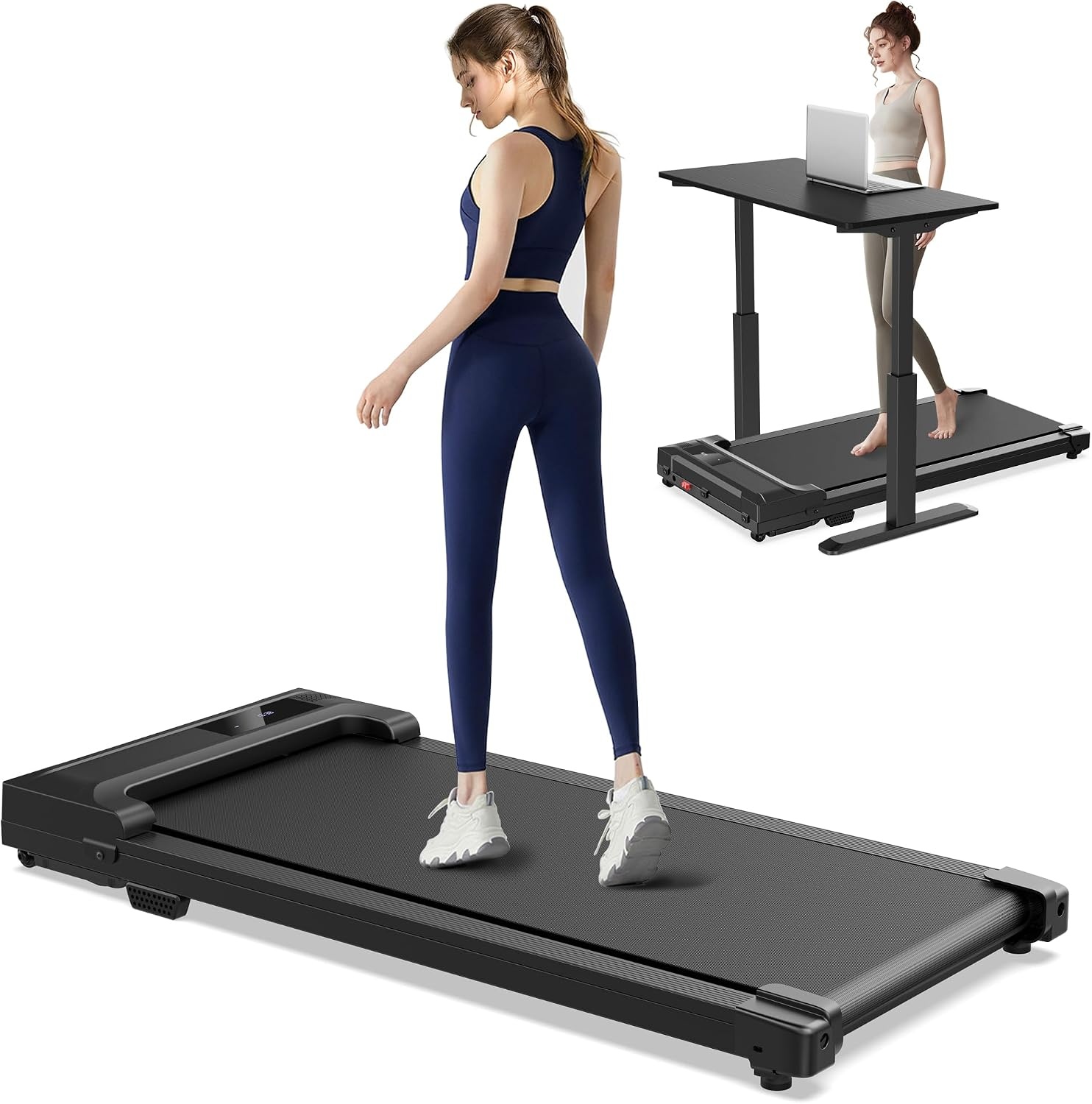
Budget pick: Walking Pad Treadmill for Home - Under Desk Treadmills Mini Portable Walking Running Machine Slim Compact Small Lightweight Motorized Electric Treadmill with Adjustable Speed Remote
 Visit on Amazon →
This is the slim, remote-only shape that most people picture when they hear "walking pad." It is motorized, the speed is adjustable from the remote, and it is light enough that one person can slide it out from under a desk without a second set of hands. There is no handle bar, which is exactly why it stays out of the way and why it costs less.
The trade-off is honest: with no handle bar, getting on and off is a skill you build in the first two days. Step on at the side, start the belt at its lowest setting, then walk into position. Do not try to hop on a moving belt. If you have balance issues, or you are buying this for a parent, skip to the pick below.
This is the right pad for a first-time buyer testing whether they will actually walk at their desk. It is also the right pad for a small apartment or a bedroom office, because nothing about it protrudes past the desk footprint.
Flaws but not dealbreakers: Remote-only control means you need somewhere to set the remote down within reach, and a pad with no handle bar gives you nothing to grab if you get distracted. Keep your hand near the desk edge for the first week.
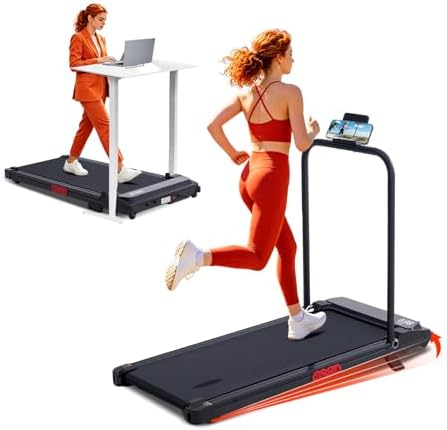
Upgrade pick: Portable Treadmills for Home Compact Walking Pad with Handle Bar Incline
 Visit on Amazon →
This is the version I point people toward when they tell me they felt unsteady on a friend's walking pad. The handle bar changes the entire first week: you have something to hold while you step on, something to hold while you find your cadence, and something to grab if a delivery driver rings the doorbell mid-stride.
The incline adds a second option that most slim pads do not have. Do not read that as "hill training." Walking pads are not treadmills, and a modest incline on a walking pad is for changing your ankle and calf angle during long desk sessions, not for chasing a heart rate zone. Keep the speed low when you raise the front, especially barefoot, and shorten your stride rather than lengthening it.
It is still a compact unit, so it still lives under a desk when it is parked. The handle bar is the reason you will want to check clearance between your desk's crossbar and the pad before you commit, because it needs a little more vertical room than a bare deck does.
Flaws but not dealbreakers: The handle bar makes this harder to hide under a low desk or a bed, and it weighs more than the slim pad above. If your only storage option is a tight gap, measure first.
The actual under-desk walking pad setup
Now the part that decides whether you are still walking in six months. This sequence assumes you have a height-adjustable desk, a pad, and a chair you can push out of the way.
Step one: Put the pad down, then set the desk height. Almost everyone does this backwards. They set the desk to a comfortable standing height, slide the pad underneath, and end up typing with their shoulders somewhere near their ears. Set the pad where it will live, stand on it, and then raise the desk until your elbows sit at roughly 90 degrees and your wrists are flat, not bent up. A pad adds height to your standing position, and that height has to come out of the desk.
Step two: Give the pad one home and leave it there. The pads that get abandoned are the pads that get moved twice a day. Pick a spot, confirm the deck clears the desk legs on both sides, and make sure the power cord reaches an outlet without running an extension cord across your walking path. If you are on thick carpet, the frame will flex and the belt can wander. A thin plywood panel or a stiff cutting board under the pad fixes that for a few dollars.
Step three: Pair the remote and test it before you stand on the belt. Power the pad on, pair the remote, and press start with nobody on the deck. Let it run for a minute and listen. Then test stop from the exact position your hand will be in while you are typing. A remote that needs a clean line of sight to the control panel is a remote you will fight with 40 times a day, so figure that out now and find the spot on your desk where it always works.
Step four: Walk at 1 mph for the first week. This will feel too slow. Do it anyway. Your first hour at 2 mph feels fantastic and your calves will file a complaint the next morning. Run 20 to 30 minute blocks at 1 mph, once or twice a day, and let your cadence settle before you touch the speed buttons.
Step five: Find the speed you can actually type at. For most people that window is 1.5 to 2 mph. Writing-heavy work wants the low end. Calls want the low end too, because you slow down when you talk. Above 2.5 mph your typing accuracy falls off a cliff and you are no longer working, you are exercising at your desk, which is a different activity with different shoes. Use the fine speed increments if your pad has them instead of jumping a full mile per hour.
Step six: Solve the noise problem like a microphone problem. The person on the other end of a video call can hear the belt. That is not a reason to buy a different pad; it is a reason to move your microphone. A close-mounting mic near your mouth plus a mute button beats every quiet-pad claim on the market. Test it once by recording yourself with the pad running and listening back. Then put a mat under the pad, because on a hard floor the thump travels down into the room below you, and your downstairs neighbor will hear it long before your coworkers do.
Step seven: Fix your posture on day one, not day thirty. Everyone leans forward or grips the desk edge during the first week. Keep your hands on the keyboard, not the desk, and keep your eyes on the screen instead of your feet, which is a balance habit and not a walking technique. If your pad has a handle bar, use it for stepping on and off. Holding it while you walk loads your shoulders and takes the load off the muscles that are supposed to be doing the work. Barefoot is fine at walking speeds; if your arches ache by mid-afternoon, switch to a flat-soled shoe and stay consistent about which one you use.
Step eight: Make a rule that keeps the pad on. My rule is simple: the pad runs during any call where I am not on camera, and it runs for the first 20 minutes of every writing block. That is it. No step goal, no streak, no app account required. The version of this that ends up under the bed is the version with a daily target attached, because one missed day turns into a missed month. If your pad has an auto-stop feature, trust it and step off whenever you need to leave the room rather than leaving the belt running.
Step nine: Know when to step off. Do not run on a walking pad. Ever. Do not kneel down to grab a pen off the floor while the belt moves. If the pad starts to wobble, stop, step off, and check that all four feet are sitting flat on the floor and that the belt is centered. And if your back pain is new or undiagnosed, talk to a clinician before you build a routine around a machine, because a pad is a tool for moving more, not a treatment.
Where a walking pad is the wrong tool
If you want to run, buy a treadmill. Under-desk treadmills are built for walking speeds, and comparing them to gym equipment is how people get hurt. Nothing in this guide applies above a brisk walk.
If your desk is fixed height, buy the desk first. A pad under a fixed desk means a permanently hunched typing position, and you will quit within two weeks.
If you want incline to mean training, look at a treadmill with a real incline range. The incline on a compact walking pad is a position change, not a workout program, and treating it as one is how people end up sprinting barefoot on a belt that was never designed for it.
What this all costs
The two pads here sit in two tiers: a slim remote-only pad, and a compact pad with a handle bar and incline. Both are listed on Amazon, and prices in this category move constantly, so check current Amazon price on each listing before you decide rather than trusting any number written down in a guide.
The real math is not the purchase price. It is the cost per workday across the months you will actually use it, and the number that ruins that math is abandonment. A cheap pad you use every day beats an expensive pad you use eleven times. That is why the setup order in this guide puts desk height, placement, and the remote test first. Those three steps are free, and they are the difference between a pad that becomes furniture and a pad that becomes a habit.
Set it up once, correctly, in an afternoon. Then let the belt do the boring part of your day while you get your actual work done.
Check current Amazon price on either pad when you are ready, and measure your desk clearance before you order. That is the whole job.