Most people buy a walking pad, unbox it, slide it under the desk, and start walking at whatever speed the remote was set to out of the box. Two weeks later the belt squeaks, the deck has drifted six inches to the left, and the pad is leaning against a wall in the guest room.
I know because I did exactly that with my first one. I'm Nina, I sit in a home office in Austin, and I have a herniated L5 disc that a physical therapist told me would either get better or worse based on how often I stand up. Three walking pads later, I have a setup process I actually follow every time, and a maintenance routine that keeps a pad running quietly enough for Zoom calls at 2 mph. This is the under-desk treadmill setup routine I use, in the order I do it, with the two products that make the biggest difference.
Why you should trust me
I spent nine years as a backend engineer sitting ten hours a day, and I paid for it at 31 with a disc that herniated while I was doing nothing more strenuous than reaching for a coffee mug. My physical therapist's instruction was blunt: move every hour or plan on surgery later. So I rebuilt my office around movement.
I own three walking pads. I keep a step counter, a tape measure, a laser level, and a spreadsheet of decibel readings I take at ear height while walking, not at idle. I have taken apart two pads to look at belt tension and deck lubrication because I wanted to know why one of them started squeaking at month four. I am not a doctor and I am not going to make medical claims. I am a person who has to walk at a desk or deal with the consequences, and I have learned which parts of the setup actually matter.
Before you plug anything in
Three checks, and skipping any of them is how people end up with a pad they hate.
Measure the desk clearance first. You need the pad's deck height plus your shoe or foot thickness to fit under your desk without your knees hitting the underside. If you are over six feet, this is the number that kills the whole plan. Measure from the floor to the lowest point of your desk's crossbar, then subtract two inches for your foot and shoe. That is your maximum deck height.
Check the floor. Walking pads vibrate. On a hardwood floor over a crawl space, they transmit that vibration into the room and into the floor below. A thin rubber mat under the pad solves most of it. On carpet, the pad's own feet can sink unevenly, which makes the belt wander.
Decide the speed range you actually need. Almost nobody walks faster than 3 mph while typing. If you plan to use the pad for focused walking sessions without a desk, you want a range that goes to 4 mph. If it is purely under-desk, 0.6 to 3 mph is the useful band, and the top end is marketing.
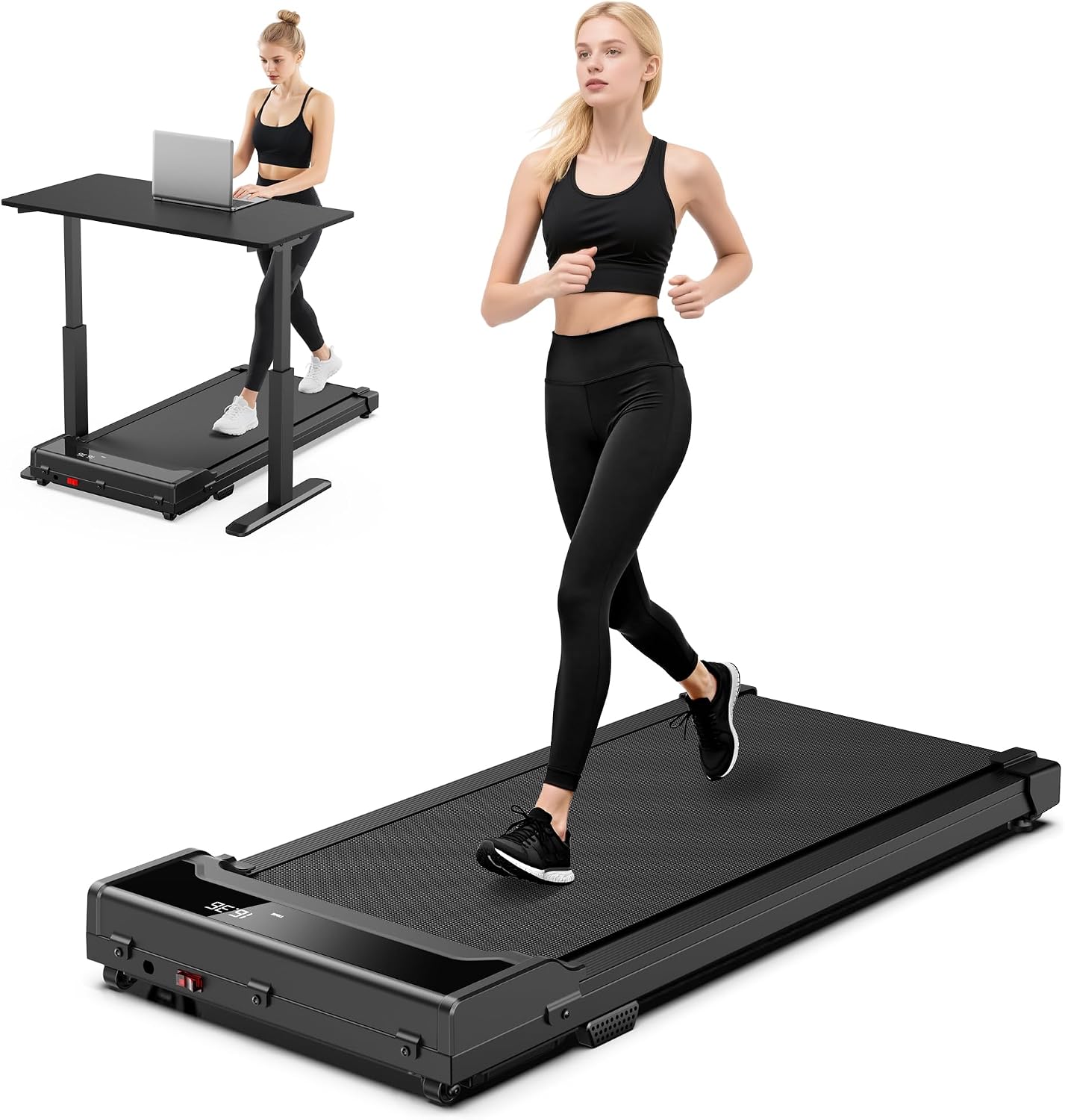
The pad I use for a compact under-desk setup: Walking Pad Treadmill for Home
 Visit on Amazon →
This is the slim compact unit in my current rotation, and it is the one I would hand to someone setting up a first under-desk walking pad. It runs 0.6 to 4.0 mph, supports up to 265 pounds, and ships with a remote control, which matters more than any spec on the box because you will change speed dozens of times a day.
What I care about here is the shape. It is slim and adjustable, which means it slides under a standard desk without forcing me to raise the desk to a height where my shoulders shrug up. The 0.6 mph starting speed is the part I use most. That is slow enough to type at without losing my train of thought, and it is where most people should start for the first week.
Flaws but not dealbreakers: The speed range tops out at 4.0 mph, so this is a walking pad, not a running treadmill. Do not buy it expecting to jog. The remote is the weak point on every pad in this class, so keep a spare battery within reach.
Anyone setting up a home office under-desk walking routine who wants a compact pad that fits under a normal-height desk will get the most out of this one.
Step one: Place the pad and square it to the desk
Put the pad where you will actually use it, then get it straight. Not roughly straight. Square. If the pad is angled even a few degrees off from your keyboard, you will unconsciously rotate your hips to compensate, and you will feel it in your lower back within an hour.
Use a tape measure. Measure the distance from the pad's front left corner to the desk's front left leg, then do the same on the right. Match the numbers. If you have a laser level, run it along the belt's edge and check it against the desk edge.
Leave six to twelve inches between the pad and the wall behind it. You need that space for the belt to run without the rear roller pulling against anything, and you need it so you are not breathing wall dust all day.
Step two: Set the deck height and your standing posture
Raise the desk until your elbows are at roughly 90 degrees with your hands on the keyboard and your shoulders relaxed. Most people set the desk too low because they are used to sitting. Standing desk height is usually two to four inches higher than you guess.
Then check your sight line. The top of your monitor should be at or just below eye level. A walking pad plus a fixed-height desk is the wrong combination, which is why I do not review pads without also thinking about the desk. If your desk does not adjust, fix that before you blame the pad.
Barefoot walking is fine on a padded belt, but if you have plantar issues, wear flat shoes with a thin sole. Do not wear running shoes with a thick heel on a walking pad. The stack height throws off your balance at low speeds and makes the whole thing feel unstable.
Step three: Find your starting speed and cadence
Start at 0.6 mph for the first three days. I am serious. Your body has to learn a new motor pattern, and the mistake everyone makes is starting at 2 mph on day one, feeling great for 40 minutes, and then having a sore Achilles for a week.
Work up like this:
- Days 1 to 3: 0.6 to 1.0 mph, 20 minutes at a time, twice a day.
- Days 4 to 7: 1.0 to 1.5 mph, 30 minutes.
- Week 2 and beyond: 1.5 to 2.0 mph for your normal work blocks.
- Focused walking without a desk: 2.0 to 3.0 mph.
The number that tells you if the speed is right is cadence, not distance. You want a short, quick, natural step. If you are taking long strides, you are walking too fast for desk work, and you will start gripping the desk edge to stay balanced. That grip is how people tweak their backs.
Step four: Make it quiet enough for calls
Manufacturers quote decibel ratings at idle, standing still, in a treated room. That number is fiction. What matters is the reading at your ear height while the belt is moving at your working speed.
I measure with a phone app held at my ear while walking, and I take three readings: 1.0 mph, 2.0 mph, and 3.0 mph. On a decent pad, the jump between 1.0 and 3.0 is where the noise story lives.
If your pad is too loud on calls, work through this list in order:
- Put a dense rubber mat under the pad. This kills floor transmission, which is most of what your microphone hears.
- Move the pad off a hollow floor or a rug with a thick pile.
- Check that the belt is not over-tensioned. An overtight belt whines.
- Lower your speed. The difference between 1.5 and 2.5 mph is often 6 to 8 dB.
- Move your microphone closer to your mouth and use a headset. This is the cheapest fix and it works.
Step five: Learn the safety habits before you need them
Every walking pad has an auto-stop that triggers when you step off, and every walking pad has a safety key or tether. Use it. The tether is not for running. It is for the moment you get distracted by a Slack notification, step sideways off a moving belt, and the pad keeps going into the wall.
Other habits that matter:
- Never step onto a moving belt from the side. Step on the deck first, then start it.
- Keep the remote in the same place every time, so you are not hunting for it while walking.
- If you use an app to control speed, check whether it needs an account. If it does, use the physical remote instead. You do not want to be locked out of your own speed control by a login screen.
- Keep pets and kids clear of the rear roller. That is where the belt exits, and it is the part that grabs things.
Step six: Clean and maintain the belt, or it will squeak
This is the step everyone skips, and it is why so many pads are dead by month eight. Belt dust, skin cells, and carpet fibers build up on the deck and the rollers. That grit is what makes the belt wander and eventually squeak.
Wipe the belt and the deck edges weekly with a slightly damp cloth, and let it dry completely before you walk again. Do not soak the belt. Moisture under the belt is worse than dust on it.
For the deeper clean, use a product made for the job rather than improvising with household spray. Household cleaners leave residue on the belt surface, and residue means slip.
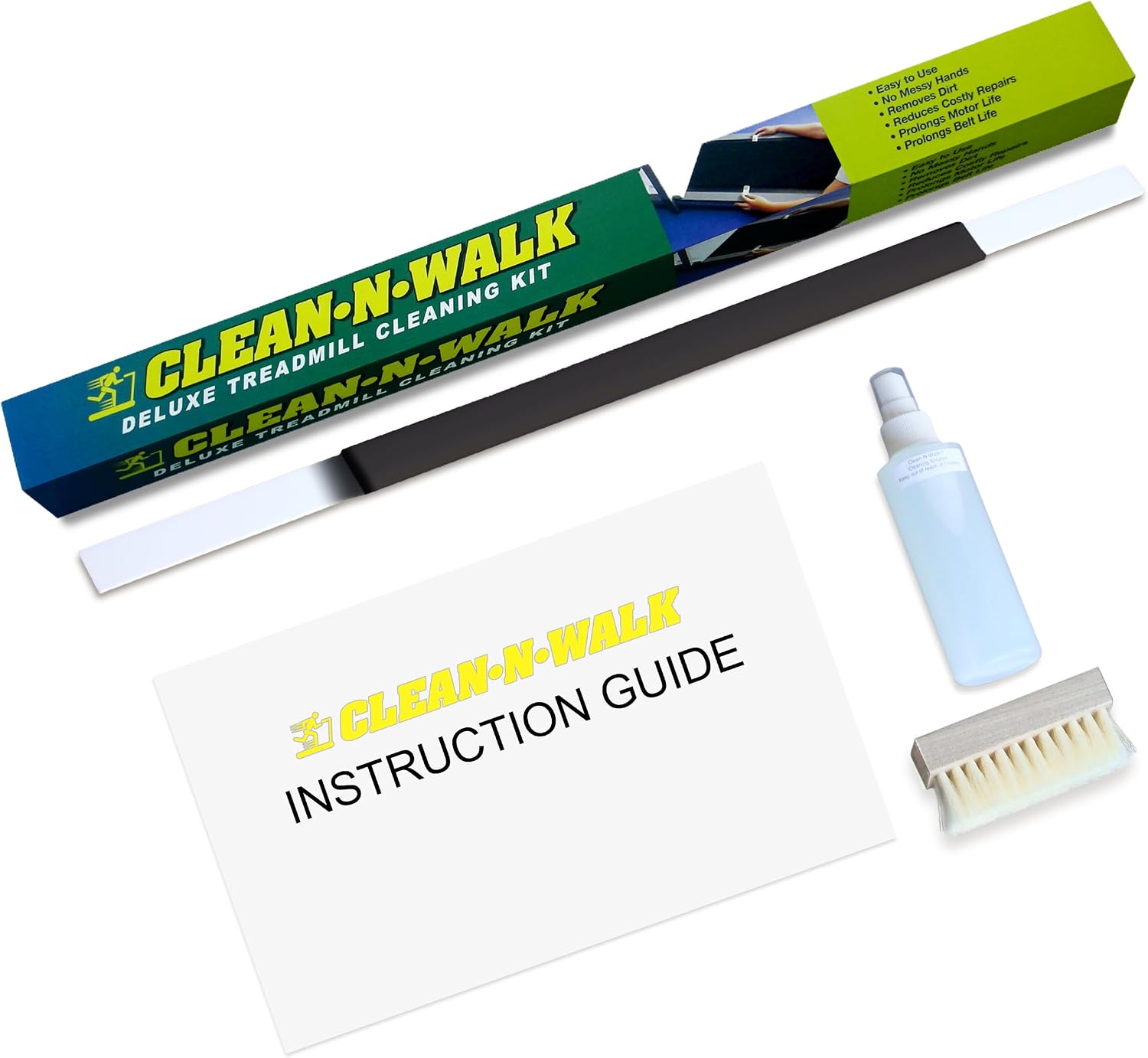
The cleaning product I keep next to the pad: Clean-N-Walk Original Patented Treadmill Cleaning System
 Visit on Amazon →
This is the treadmill cleaning system I use, and it has been around since 1998, made in the USA, which is a longer track record than most of the pads it cleans. It is sold as a six month supply, and a little goes a long way, so one kit lasts me well past the season.
The reason I keep a dedicated cleaner instead of a spray bottle of all-purpose is the belt surface. Walking pads have a thin belt over a low-friction deck, and anything that leaves a film makes the belt slip underfoot. This product is formulated for treadmill belts and decks, so it does the job without leaving that film.
Flaws but not dealbreakers: It is a cleaning product, not a lubricant, so do not expect it to fix a squeak caused by a dry deck. Check your pad's manual for what it wants under the belt. Some pads are self-lubricating and some need periodic silicone.
Anyone who has watched a belt go from quiet to grinding in three months, which is most walking pad owners, should have this on the shelf.
A weekly routine that takes ten minutes
Once the setup is done, this is what keeps it working. I do it Sunday evening.
- Wipe the belt with the cleaner and a microfiber cloth.
- Check belt tension by lifting the belt at the midpoint. You want a small gap, not a loose flap and not a tight drum.
- Check belt tracking by walking at 1.5 mph for 60 seconds and watching the belt's edge against the deck. If it drifts to one side, adjust per the manual.
- Vacuum the floor under and around the pad.
- Check the remote battery. This is the number one failure point on every pad I have owned.
- Wipe the deck and the feet so nothing is stuck underneath.
That is it. Ten minutes, once a week, and the pad stays quiet.
Mistakes that make people quit
The pads I see abandoned share the same story.
They started too fast. They never adjusted belt tracking, so the belt rubbed and they decided the pad was cheap. They walked in thick running shoes and felt unstable. They put the pad on a hollow floor and got noise complaints. They never cleaned the belt. And they expected a walking pad to feel like a gym treadmill, which it never will, because it is not one.
The fix for most of that is in the first two weeks. Start slow, square the pad, mat the floor, clean the belt, and give your calves a month to adapt. The people who stick with it are not more disciplined than you. They just set it up correctly the first time.
What this costs
The pad is the main expense, and the cleaning kit is the small one that keeps it alive. Check current Amazon price for both, since these move around.
The honest math: a walking pad that lasts four years costs you a fraction of a gym membership per month, and you will actually use it because it is six inches from your chair. The cleaning kit is a rounding error against the cost of replacing a pad at month eight because the belt gave out.
If you have been on the fence, the setup is the part that decides whether this works. Do it right once. Your back will tell you within a week whether you did.