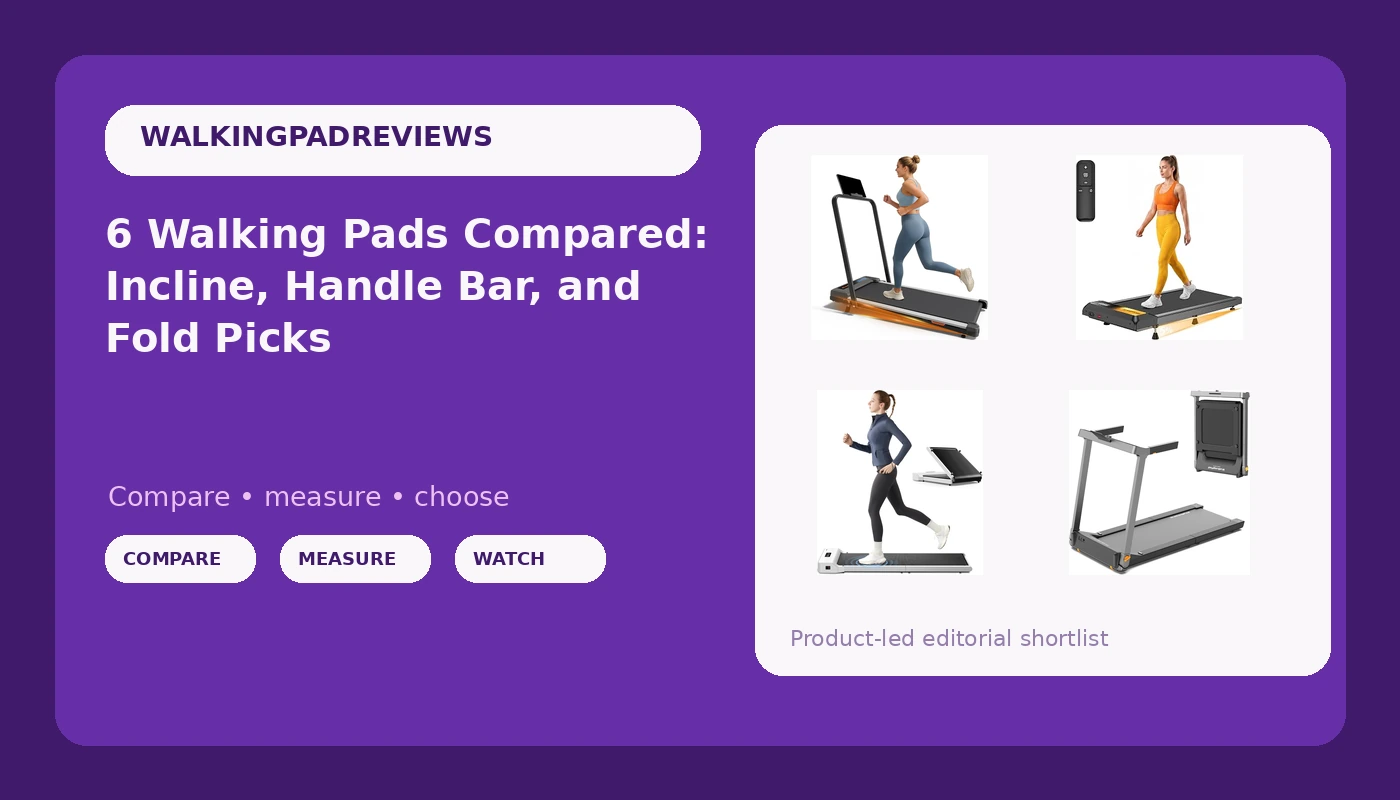
If you sit for a living, the real question is not whether to walk more. It is which machine fits under the desk you already own. A walking pad with incline changes that math, because incline adds load without adding speed, which matters when your practical ceiling is a 2 mph stroll through a morning of email and standups. This guide covers six under-desk treadmills: a budget incline model with a handle bar, a folding pad from the WalkingPad line, a 2.5 HP compact unit with a 265 lb capacity, a quiet-operation incline pad, a folding pad with a 7.5 MPH ceiling, and a smart pad with auto incline and an app. Every product here is compared on the specifications its listing publishes, on deck and handle bar configuration, on how you control the speed, and on what the frame is rated to carry. Nothing here is a medical recommendation. It is a buying comparison for people who want a few thousand extra steps a day without leaving the room.
Related: Standing Desk Setup for a Walking Pad
Quick answer
The UREVO CyberPad Smart Walking Pad with 14% Auto Incline is the strongest fit for a full workday of walking because it combines automatic incline up to 14 percent, a brushless motor, a spacious deck, a digital controller, and an app in one unit, which is more usable range than any other pad in this group. Choose the WalkingPad Z1 Foldable Walking Pad Treadmill instead when you want a compact folding deck, a simple control layout, and no incline or handle bar to work around.
Walking pad features worth comparing
Six pads can look identical in a thumbnail and behave nothing alike under a desk. These are the differences that actually change how a pad gets used.
Incline, and whether it is automatic. A fixed incline is a set of positions you change by hand before you start walking. Auto incline changes while you are moving, which is the feature that lets you add load in the middle of a call without breaking stride. The pads in this guide split into fixed incline decks and one automatic system that reaches 14 percent.
Speed ceiling. Most under-desk walking happens between 0.5 and 3.5 mph. A pad with a 7.5 MPH ceiling is built for faster movement and usually carries a handle bar, which changes both the footprint and the safety profile. If your plan is 2 mph while answering email, a high ceiling is unused capacity rather than a benefit.
Deck and handle bar configuration. Folding decks trade some rigidity for storage. Fixed decks trade floor space for stability. A handle bar adds a grab point at speed and adds footprint when the pad is set up.
Motor rating and weight capacity. A 2.5 HP rating and a 265 lb capacity are the numbers to hold next to your own weight and your typical session length. Peak and sustained ratings are not the same thing, so read the listing wording carefully rather than the headline number alone.
Control method. A remote, a digital controller on the deck, or an app. The remote is the part you touch forty times a day. An app that demands an account before it will change speed is a design decision, not a feature.
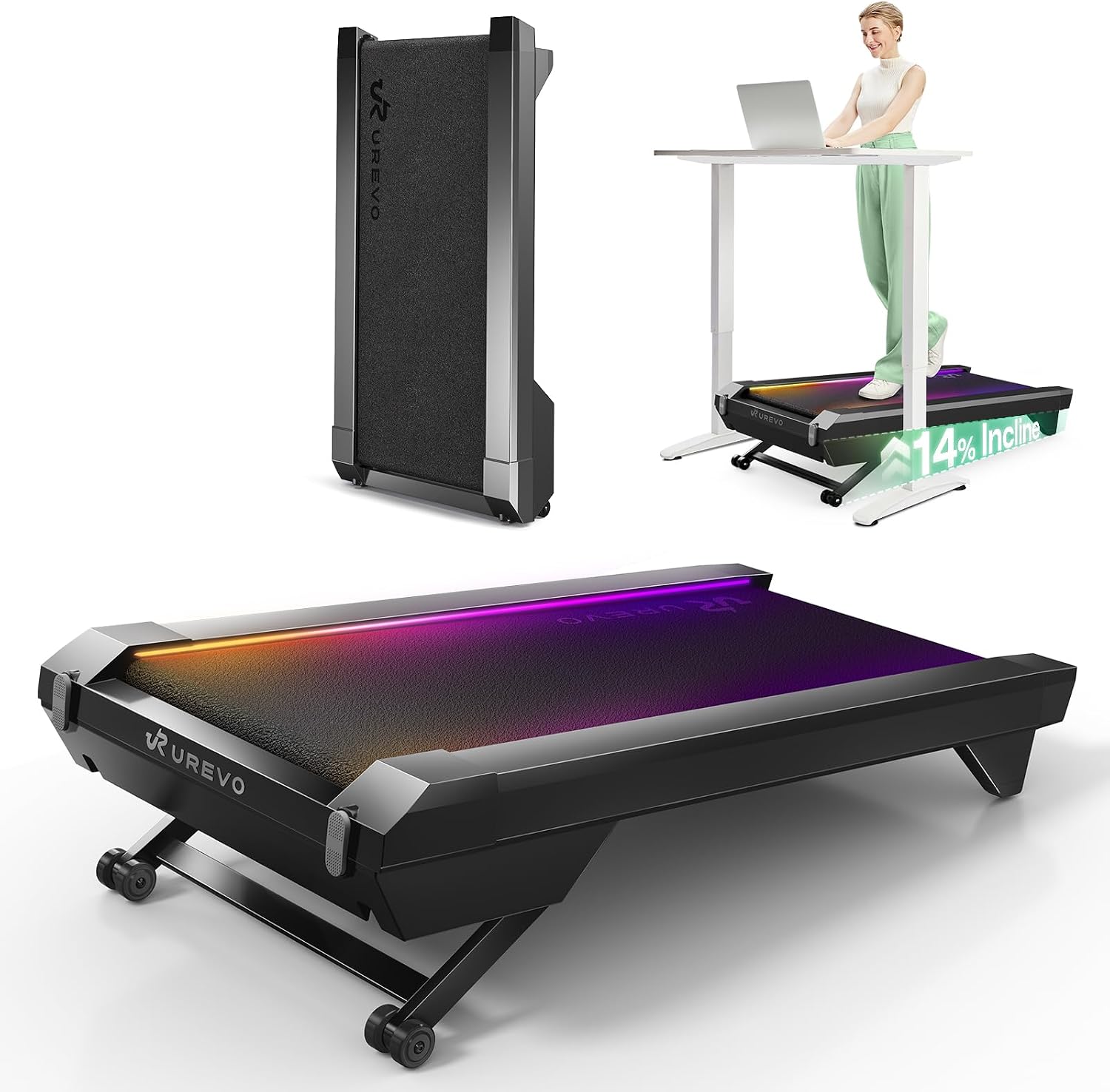
UREVO CyberPad Smart Walking Pad with 14% Auto Incline, Brushless Motorized Under Desk Treadmill for Home Office Fitness, Elegant Speed Lights, Spacious Surface, Digital Controller, AI-Powered App
Auto incline up to 14 percent, a brushless motor, a spacious walking surface, a digital controller, and an app. The most feature-dense pad in this comparison and the only one with automatic incline.
Visit on Amazon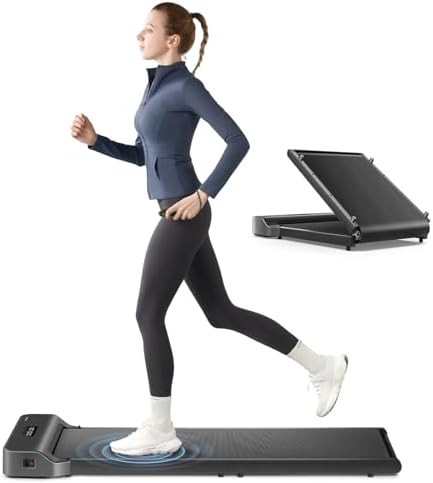
WalkingPad Z1 Foldable Walking Pad Treadmill, Under Desk Compact Design
A folding under-desk pad from the WalkingPad line, built around a compact deck that stores flat. No handle bar and no incline, which keeps the footprint and the controls simple.
Visit on Amazon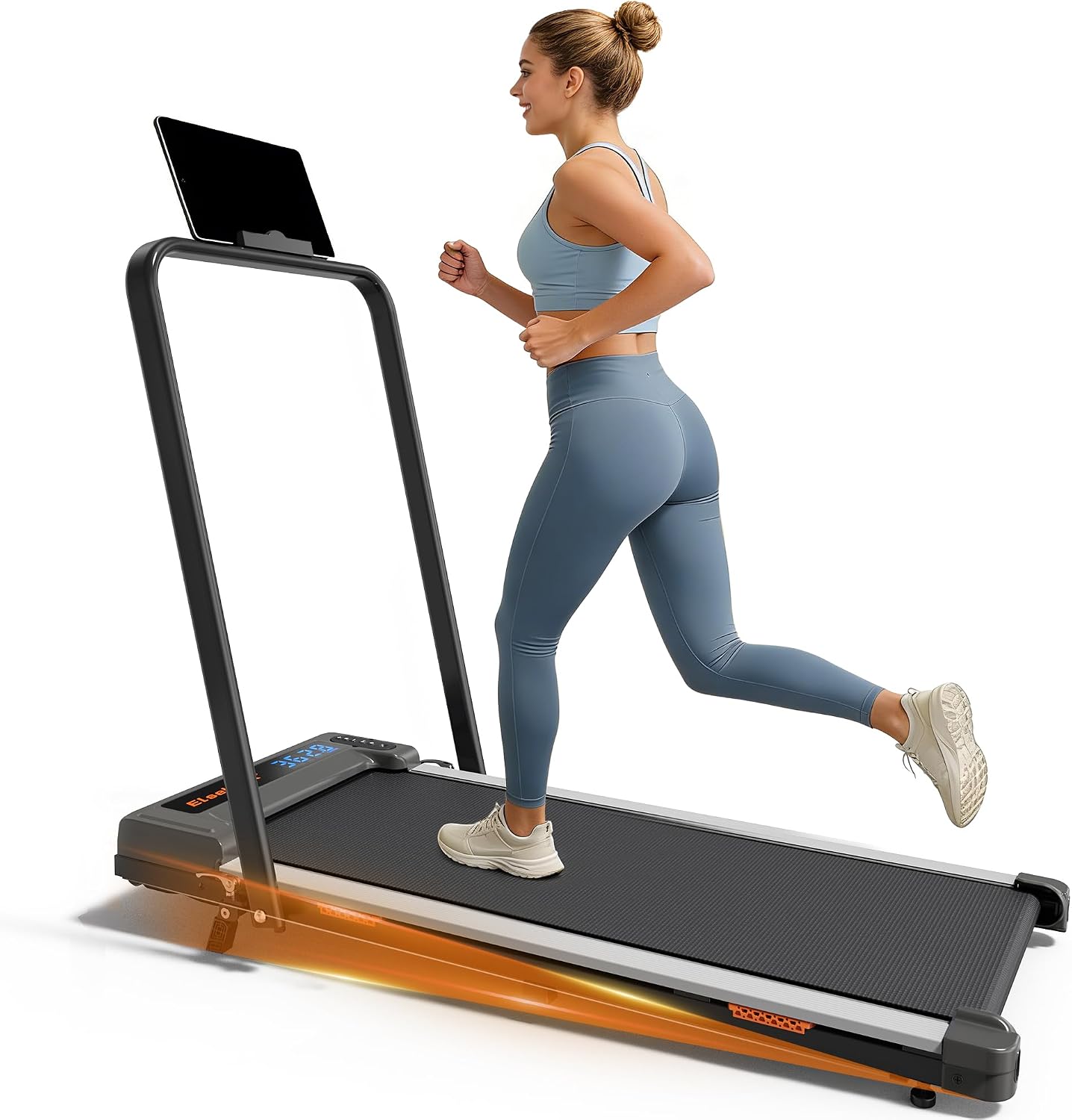
Walking Pad Treadmill for Home, Walking Pad with Incline and Handle Bar
An incline deck and a handle bar in one unit, a combination most budget under-desk pads skip. The handle bar gives you a grab point at faster walking speeds.
Visit on Amazon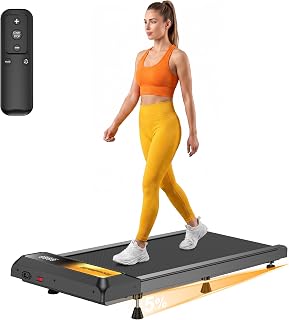
Walking Treadmill Pad with Incline 2.5HP Under Desk Walking and Running Pad Portable Treadmills for Home Office Small Compact Walk Pad Machine with Remote Control 265lbs Capacity
A 2.5 HP motor rating and a 265 lb capacity headline this one, alongside an incline deck, a remote control, and a compact footprint sized for a home office.
Visit on Amazon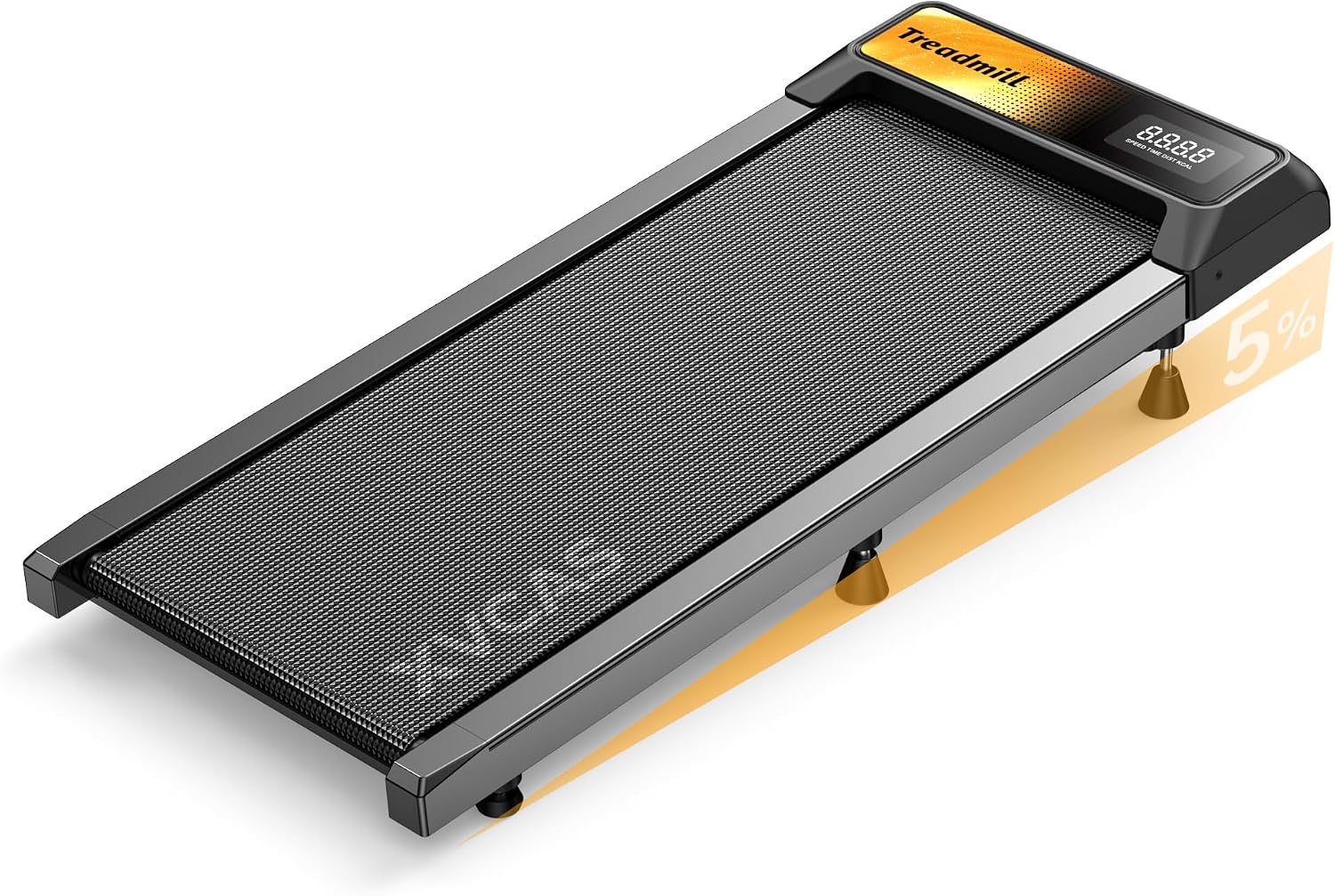
Walking Treadmill Pad with 0-5-8% Incline, 2.5HP | Compact Treadmill,Perfect for Running, Walking & Under-Desk Use,Quiet Operation for Home or Office
A 2.5 HP motor with an adjustable incline deck and a listing that positions it for quiet operation in a shared home or office space. Compact enough for under-desk placement.
Visit on Amazon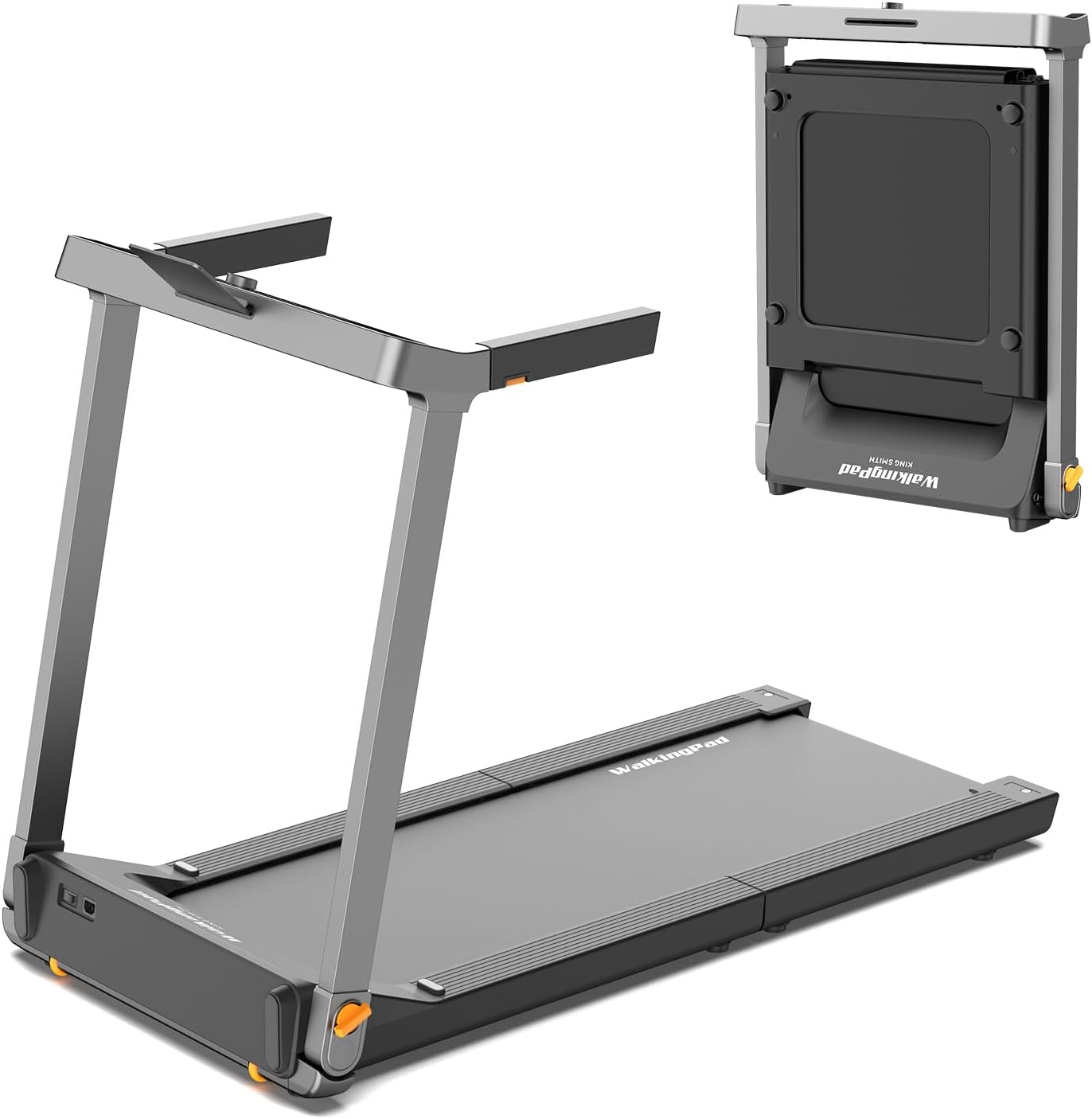
WALKINGPAD Foldable Walking Pad Treadmill with Handle Bar, 7.5MPH
Check current Amazon price
A folding WalkingPad with a handle bar and a 7.5 MPH speed ceiling, which puts it at the faster end of the under-desk category rather than the strolling end.
Visit on AmazonPrices and availability may change. Check the retailer for current details.
How these products were compared
Six products, one set of listed specifications, and no hands-on claims. This guide compares incline type (fixed versus automatic), speed ceiling, deck and handle bar configuration, motor rating and weight capacity, and control method across remote, deck controller, and app. Product names, images, and retailer links are matched by product record, so every card points to the product shown above it.
Where a detail is not published in the listing, this guide does not guess at it. No noise figure is quoted for any pad here, because manufacturer decibel ratings are typically taken at idle rather than at walking speed, and idle numbers tell you almost nothing about a pad under load. Nothing in this comparison should be read as measured performance, and no current price is printed anywhere in the article. Use the retailer link on each card to confirm what a pad costs today and whether it is in stock.
How to choose the right walking pad
Start with the room, not the motor. Measure the gap under your desk from the floor to the underside of the frame, then measure the floor space where the pad will sit when it is in use. A folding deck solves storage, but it still occupies its full length while you walk. If you plan to keep the pad set up all day, a fixed deck with a slightly larger footprint is often the more stable choice, and stability at 2.5 mph is the thing that decides whether you keep using it.
Then work through the features in the order they affect daily use. Incline first: if you want to add effort without adding speed, look for an incline deck, and decide whether you need it to change automatically while you walk or whether fixed positions you set before a session are enough. Handle bar second: useful if you walk faster or you are new to walking while typing, unnecessary if your ceiling is a slow stroll. Control third: a remote you can reach without looking beats an app that needs a login. Capacity last but not least: compare the listed weight capacity against your own weight with room to spare, and check whether the motor rating is described as peak or sustained.
A walking pad is also only half a setup. It is useless under a fixed-height desk, so pair it with an adjustable one. If you are still assembling the rest of the station, the standing desk setup guide covers height ranges, mats, and cable routing that keep a pad from turning into a tripping hazard.
UREVO CyberPad Smart Walking Pad with 14% Auto Incline
This is the pad in the group that changes the most about how a workday walks. The auto incline reaches 14 percent, so you can raise the load mid-session without stopping, and the brushless motor is paired with a spacious walking surface, a digital controller, and an app. Speed lights on the deck are a small thing that turns out to matter: you can read your pace at a glance instead of hunting for a display.
The trade-off is complexity. Automatic incline, an app, and a digital controller mean more systems that can each develop their own quirk, and an app-driven pad puts one more step between you and a speed change. It also sits at the top of this group's feature set rather than the middle, so it makes the most sense for someone who will genuinely use incline and app tracking rather than someone who wants a simple belt and a remote. If your routine is 2 mph for ninety minutes a day with no incline, you are paying for capability you will not touch, and the folding or budget options below are the better fit.
Alternatives to consider
The WalkingPad Z1 Foldable Walking Pad Treadmill is better suited to small rooms and shared desks, where a compact folding deck that stores flat matters more than incline or a handle bar. The Walking Pad Treadmill for Home, Walking Pad with Incline and Handle Bar is a stronger fit when you want both an incline deck and a grab point in a single budget-oriented unit, which is a rare pairing at that end of the market.
The Walking Treadmill Pad with Incline 2.5HP and the Walking Treadmill Pad with 0-5-8% Incline, 2.5HP cover the compact 2.5 HP lane, with the first listing a 265 lb capacity and a remote control and the second positioning itself for quiet operation in a shared space. The WALKINGPAD Foldable Walking Pad Treadmill with Handle Bar, 7.5MPH is the outlier: a folding deck with a handle bar and a much higher speed ceiling. Treat that ceiling as headroom for brisk walking with support, not as an invitation to run, because under-desk pads and gym treadmills are different machines with different safety profiles.
Day-to-day use and maintenance
Most of the ownership experience is boring in a good way. Keep the belt clean, follow the manual for belt tension and lubrication intervals, and check the belt tracking periodically by watching whether it drifts to one side while the pad runs empty. Store a spare battery for the remote, since a dead remote is the most common way a working pad becomes a very expensive footrest. If the pad has an auto-stop or a safety key, confirm it works before you rely on it, and keep the deck clear of cables and chair legs.
Two habits matter more than any spec. First, build the pad into a routine rather than a mood: a set number of minutes per hour beats a heroic two-hour session once a week. Second, match your footwear and cadence to the belt, because barefoot walking on a coarse belt at speed is how people end up with sore feet and a pad they stop using. Stop the belt before you step off, use the handle bar if your model has one, and keep the speed low enough that you can still talk through a call. That last rule is also the honest test of whether a pad is quiet enough for your room.
Buying checklist
- Measure the clearance under your desk and the floor space the pad needs while in use, not just stored.
- Choose the incline type based on normal use: automatic if you want to change load mid-session, fixed positions if you set it before you start.
- Confirm the exact model includes the feature you care about, such as a handle bar, a remote control, a deck controller, or app support.
- Compare the listed weight capacity and motor rating against your own weight and typical session length.
- Read the cleaning, belt tension, and lubrication instructions before the first walk.
- Verify the current retailer price, availability, and return terms using the card links above.
Final recommendation
Choose the UREVO CyberPad Smart Walking Pad with 14% Auto Incline when you want automatic incline, a brushless motor, a spacious deck, and app-based control in one unit, and you will actually use that range across a full workday. Choose the WalkingPad Z1 Foldable Walking Pad Treadmill when the priority is a compact folding deck, simple controls, and the smallest possible footprint in a room you share with other people. If neither matches how you will use the pad, the incline-and-handle-bar model and the two 2.5 HP compact pads cover the middle of this group at a lower feature tier, and any of the six will do more for your step count than the chair you are sitting in.