Nine years as a backend engineer put me in a chair for ten hours a day, and my L5 disc filed its complaint when I was 31. My physical therapist gave me one line I still follow: move every hour or pay for it later. So I rebuilt my home office around movement, and I now own three walking pads, keep a tape measure within reach, and maintain a spreadsheet of decibel readings taken at my own desk, at ear height, while walking. That spreadsheet is the reason this comparison looks the way it does. If you are shopping for a walking pad with incline, the four models below cover the useful range of the category, and each one gives up something different to get where it lands.
Related: Belt Width And Deck Height: What Actually Changes Your Stride
For most desk workers, the best pick here is the 15% auto incline walking pad with the 450 lbs frame, because the capacity and the 12-level incline range give it the most headroom of the four. That is the short answer. The long answer involves what a grade does to your posture at a desk, why horsepower numbers are marketing, and why the remote control deserves more of your attention than the screen.
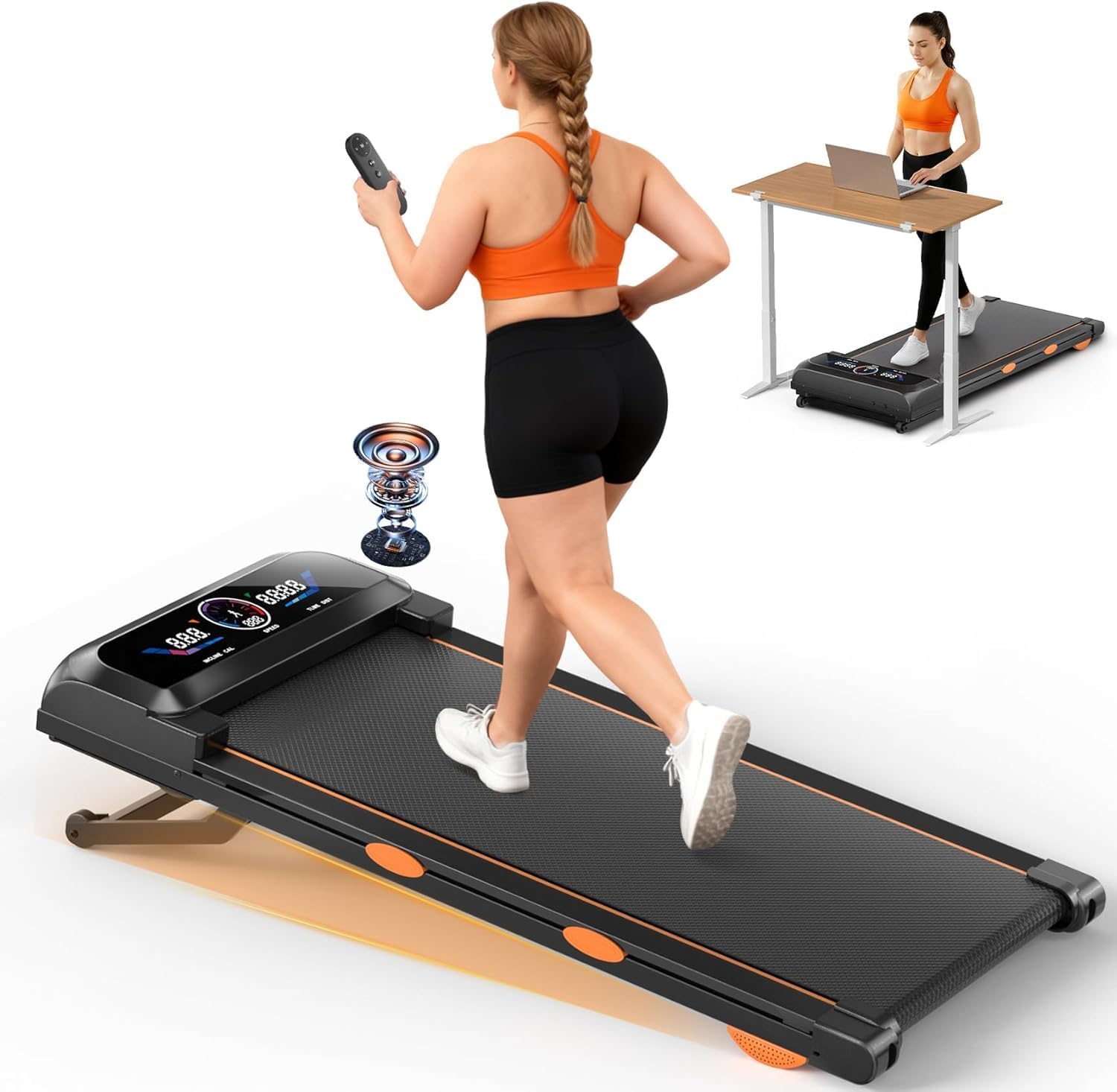
Walking Pad Treadmill with 15% Auto Incline 12-Level, 450 lbs Capacity, RGB UI Screen, Bluetooth Speaker & APP, 3.5HP
Widest incline range and highest weight capacity of the four, which is what keeps a deck from feeling springy at 3 mph
The RGB screen, speaker, and app are three more things to break, and 15% is steeper than desk walking needs
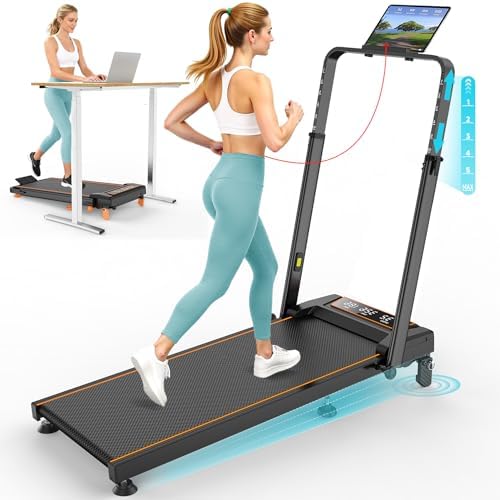
Rayspace Walking Pad with 12% Incline/Adjustable Height, 3.5HP, Handle Bar, 4 in 1 Foldable, 350LBS, LED Display
Handle bar plus adjustable height plus folding makes it the most versatile pad here for a desk setup
A 4 in 1 design sells modes most buyers will never use, and 350 lbs is mid-pack capacity
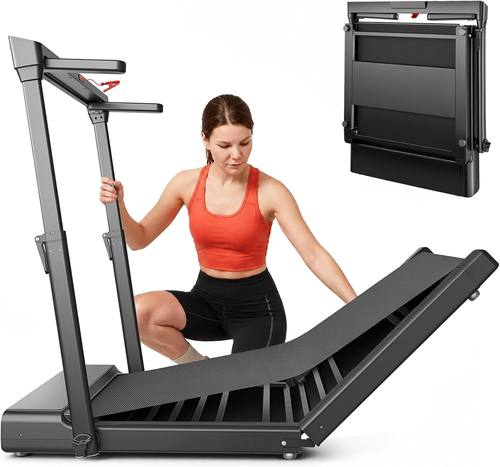
JAGJOG Walking Pad Treadmill with Height-Adjustable Handlebar, Foldable
The cleanest handlebar-and-fold concept of the group, built for people who want to hold on
The listing I have does not state motor output, weight capacity, or incline, so you are buying partly on faith
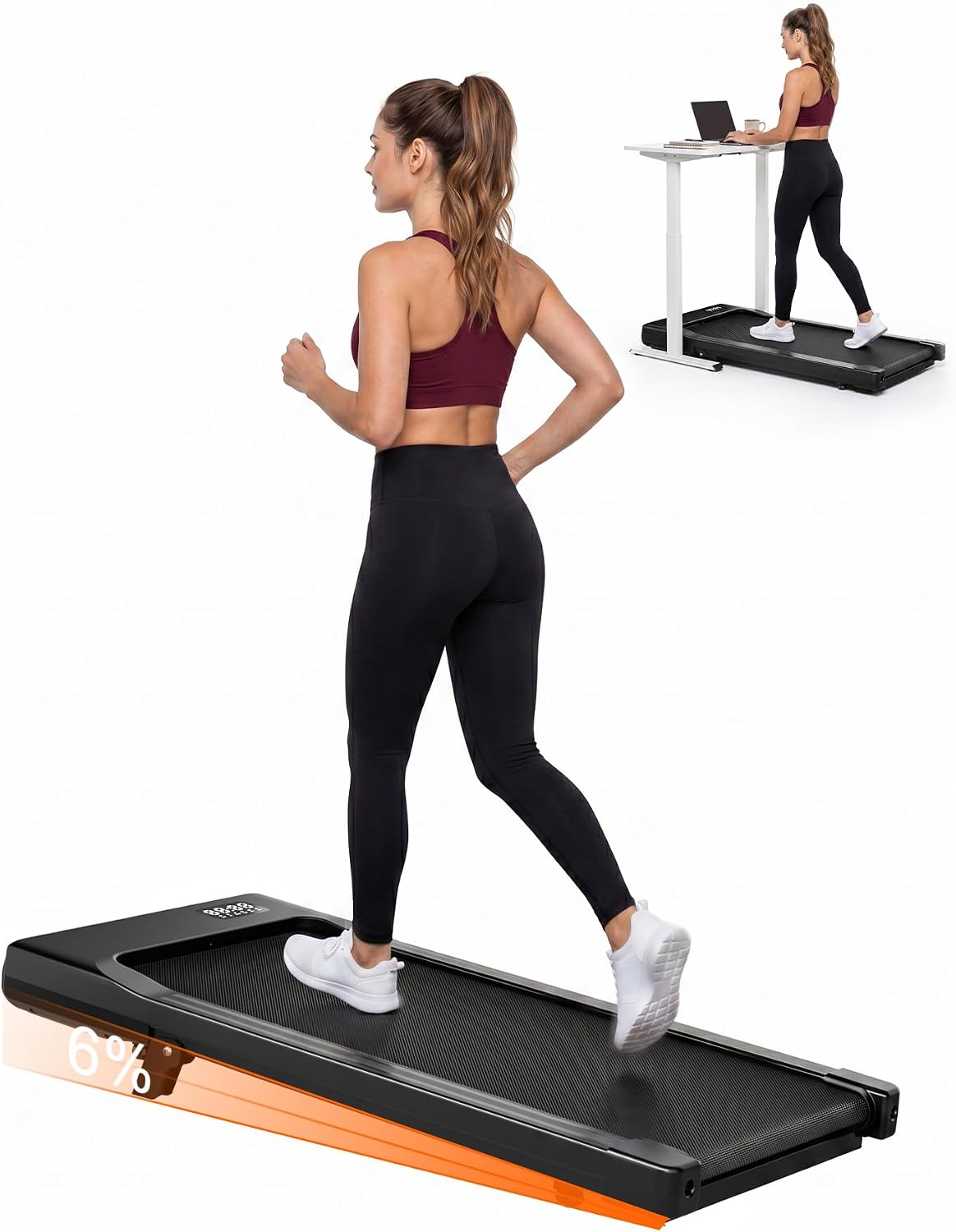
Superun Walking Pad with 6% Incline, 2.5HP, 300lbs
The least expensive and simplest commitment of the four, with a 6% grade that suits desk walking
300 lbs capacity and a 2.5HP rating leave the least headroom, and 6% is a mild grade
Prices and availability were captured from Amazon Creators API and may change.
What incline actually changes
A grade raises the work your legs do without raising the speed, and speed is the wrong lever for under-desk walking. You are not training on a walking pad. You are accumulating NEAT, and a modest grade pulls your calves and glutes into the stride instead of letting the belt carry your feet along. That is the honest case for incline.
The dishonest case is that more incline is always better. Fifteen percent is a real hill. Under a desk, a steep grade pushes you into a forward lean, and a lean is close to the posture a physical therapist spends months getting you out of. Six percent is a grade you can hold for an hour without thinking about it. Twelve percent is roughly where I would stop for desk use. The 15% model earns its place mostly if you also walk without the desk, standing tall, hands on a handlebar.
One more thing to check before you buy any incline pad: whether the incline is powered or a manual lift, and whether it holds position while you walk. Either design adds a mechanism, and mechanisms are where budget pads fail first. Ask the seller. If they cannot answer, that is your answer.
Motor numbers: peak versus sustained
The 3.5HP and 2.5HP figures on these listings are peak ratings. Peak is what a motor can do briefly under ideal conditions. Sustained output is what it can do for an hour with a walker on the belt at 2 mph, and almost nobody in this category publishes it. Treat the number as a rough tier marker and nothing else.
In practice, a 3.5HP peak pad and a 2.5HP peak pad both move a typical adult at walking speed. The gap shows up when the belt is tight, when the pad sits on thick carpet that drags the deck, or when the walker is heavy. If you are near the top of a pad's weight rating, the motor is not your limiting factor. The frame is. This is the single most common mistake I see in buyer emails: paying for motor numbers when the money should have gone to the deck.
Weight capacity is a stability spec
Read 300 lbs, 350 lbs, and 450 lbs as statements about the frame, not about who is allowed on the pad. A frame rated higher is usually wider and heavier, and a wider, heavier frame wobbles less at 2.5 mph. Wobble is what ends walking pad habits. It is also what makes you grab your desk mid-stride, which is how people get hurt.
Two rules I would hold to. Do not buy a pad whose capacity sits within 30 lbs of your body weight plus whatever you carry. And do not assume higher capacity means a bulkier folded footprint, because folding designs hide a lot of steel in a small package. Check folded dimensions and deck height before you commit, especially if the plan is to slide it under a couch.
Handlebar or no handlebar
Two of these pads put a handlebar at the center of the design, and they solve different problems. The Rayspace pairs a handle bar with adjustable height and a folding frame, so you can set the bar to your standing desk and still fold the whole thing away. The JAGJOG is built around a height-adjustable handlebar and a folding body, which is the cleaner version of the same idea if you never want the bar in your way.
Here is the trade-off nobody mentions. A handlebar makes a walking pad safer for the first two weeks and makes it bulkier for the next two years. A bar that is fixed at the wrong height becomes a coat rack. A bar that is too close to your desk means you walk in a shorter stride than you should. If you buy a handlebar pad, measure the distance from the belt to your desk edge first, then decide whether you will hold the bar or store it folded.
Noise and the video call test
Manufacturers quote decibels at idle. I care about decibels at walking speed, measured at ear height, because that is what your microphone hears. None of these four listings publishes a walking-speed noise figure, which is the number I most want and the number nobody gives.
So build your own test. Buy from a seller with a real return window. Walk at 2 mph on a hard floor, record ten seconds on your phone at head height, and play it back through your call software. If the recording is audible under your voice, the pad fails the Zoom test no matter what the box claims. A dense mat under the pad helps with deck noise. Nothing helps with a loose belt or a rattling incline mechanism, and both of those show up in the recording.
The remote control problem
The remote is the most used part of any walking pad and the least reviewed. I touch mine around 40 times a day: start, stop, up a tenth of a mile per hour, down again. Two failures drive me up a wall. Remotes that need line of sight, so you have to aim at a sensor under the desk. And apps that require an account before they will change your speed. The 15% model here ships with an app and a Bluetooth speaker, so before you buy, ask whether speed control works from the remote alone and whether the pad auto-stops when you step off. Auto-stop is a safety feature, not a convenience feature, and it belongs on your checklist.
Warranty and support as the quality tell
A company that trusts its motor backs it for years. A company that does not, backs it for ninety days. The listings I have for these four do not state warranty terms, which means that is a question you have to ask in the product Q and A or on the support page before you order. Longer coverage also tends to mean a US parts channel, and a pad you cannot get parts for is a pad you throw away over a twenty dollar belt.
Who should buy which
The 15% auto incline model is the pick for most people. It carries the highest capacity of the four at 450 lbs, offers the widest incline range with 12 levels, and rates 3.5HP peak. If two people share the pad, or if you want a frame that will not feel springy at 3 mph, this is the one I would start with. Accept that the RGB screen and speaker are extras you are paying for and will probably ignore.
The Rayspace pad is the pick if you want a handlebar and a fold. A 12% incline, adjustable handle height, a 3.5HP rating, a 350 lbs capacity, and a 4 in 1 folding design make it the most flexible desk setup here. Just be honest about how many of those four modes you will use.
The JAGJOG is the pick if the handlebar is the whole point. A height-adjustable handlebar on a folding frame is a smart shape for someone who wants to hold on while they walk. The catch is disclosure: the listing I have does not state motor output, capacity, or incline, so get those answers before you spend at this tier.
The Superun is the pick for a first pad on a tight budget. A 6% incline, a 2.5HP rating, and a 300 lbs capacity make it the simplest, least expensive way into the category. If you weigh close to that rating or you carry a loaded backpack while you walk, size up instead.
What I do not like about all four
Every one of these is a walking pad, not a treadmill. Walking speed is the design envelope, and running on a pad with a narrow deck and a short frame is how people fall. I will not review running on these, because the safety profile is different and the comparison would be dishonest.
Folding pads develop hinge noise over time. Small transport wheels scrape hardwood. An incline mechanism is one more part that can fail. None of that makes them bad purchases, but it does mean the pad you fold and roll twice a day will loosen up faster than the pad that stays in one spot. And none of this matters if your desk does not adjust. A walking pad under a fixed-height desk is a very expensive footrest, because the only way to use it is to walk hunched over your keyboard.
What I am watching next
Two predictions from my running list. By 2027 the mid-tier pad will match what premium money bought in 2023, and the cheap brands will consolidate around two or three real factories. The category will also split into medical-grade and toy-grade pricing, and you will be able to tell which side a pad is on by whether it publishes sustained motor output and a walking-speed noise figure. Watch the remote battery too. It dies first, and how fast a company ships a replacement tells you everything about the rest of the pad.
If you take one thing from this comparison, take the checklist: capacity above your weight with margin, a grade you can hold without leaning, a remote that works without line of sight, auto-stop, and a warranty you can read in full. The pad that satisfies those five is the right one for your desk, whichever row of the table it sits in.