Related: Walking Pad Noise: Why the Decibel Rating on the Box Is Measured Wrong
I herniated my L5 disc at 31, after nine years of sitting ten hours a day as a backend engineer. My physical therapist gave me one line that stuck: move every hour or pay for it later. So I rebuilt my home office around movement, and I have been measuring walking pads ever since with a step counter, a tape measure, and a spreadsheet of decibel readings taken at ear height while walking.
A walking pad with handle bar looks like the obvious safe answer. It is not always.
Here is what nobody selling these will tell you: the handle is a balance aid, not a safety system. It helps you step on, step off, and find your cadence in the first thirty seconds of a walk. After that, the parts that decide whether a pad survives your workweek are belt width, deck height, the remote, and the warranty. I sort pads by those four things, in that order, because that is roughly the order they fail in.
The four listings below are not a ranking. They are the four things people actually buy at this end of the market: an incline pad with a bar, a slim pad with no bar at all, a folding pad you can slide under a bed, and the replacement power switch that exists because cheap pads die at the plug before they die at the motor. I will tell you which one I would buy for which desk, and which one I would buy before I needed it.
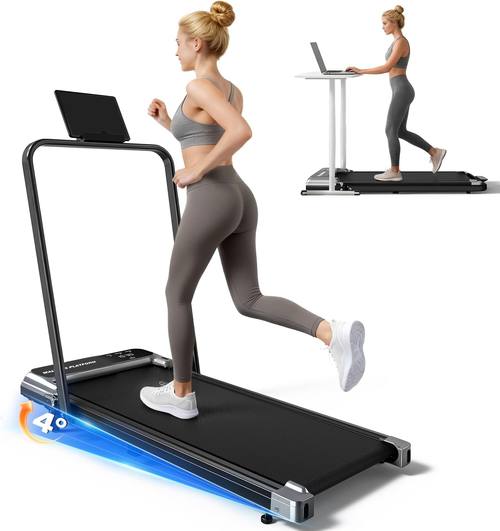
Best Overall: Walking Pad With Incline and Handle Bar
This is the listing I would start with if you are buying your first pad and you have not measured anything yet. The two features in the name are the two that change how a pad feels: an incline deck and a handle bar.
The incline matters more than people expect. At walking speeds, raising the angle of the deck is a better way to add effort than raising the speed. Speed on a compact pad gets sketchy fast. Incline just makes 2 mph feel like 2.5. If your goal is NEAT rather than cardio, that is the lever you want.
The handle bar earns its place in the first and last thirty seconds of every walk. Stepping onto a moving belt is the moment most people wobble, and a bar gives your hand somewhere to go. It also lets you leave your desk at one height and let the pad do the adjusting.
What the bar costs you is clearance. It sits at the front of the deck, and on a low desk that bar is the difference between the pad rolling all the way under and the pad sticking out into the room. Measure the underside of your desk and the height of the bar before you order. If it will not fit, look at the slim pad below instead.
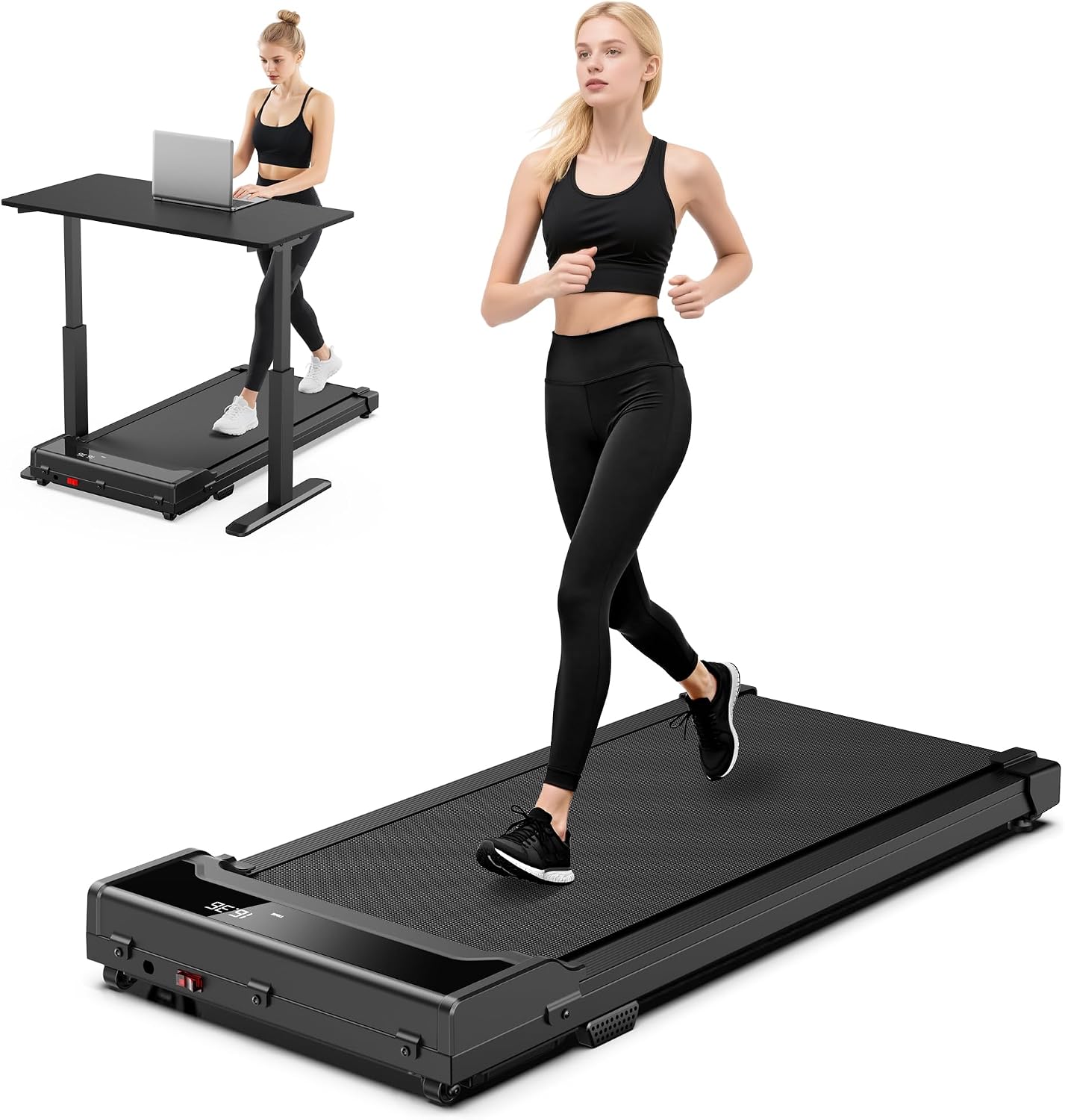
Best for a Standing Desk: Slim Under-Desk Pad With Remote
This listing is honest about what it is: a slim, compact machine with 0.6 to 4.0 MPH modes, a 265 lb weight limit, and a remote control. It has no bar, which is exactly the point. If your standing desk already does the height adjusting, a pad with no bar is the one that disappears underneath and stays out of your way.
The remote is the feature I care about most and the one nobody tests. I press mine around forty times a day: up a notch when a call gets boring, down a notch when I am typing something that needs both hands. A remote that needs line of sight, or that takes a beat and a half to register, turns a good pad into a very expensive footrest. When you read the reviews on this listing, read them for remote complaints first.
Ignore the top of that speed range. The listing says 4.0 MPH. On a deck this slim and this low, walking pace is the job. Anything past 3 MPH on a pad with no bar is a stretch, and this site does not review running on walking pads. That is a different safety profile and a different article.
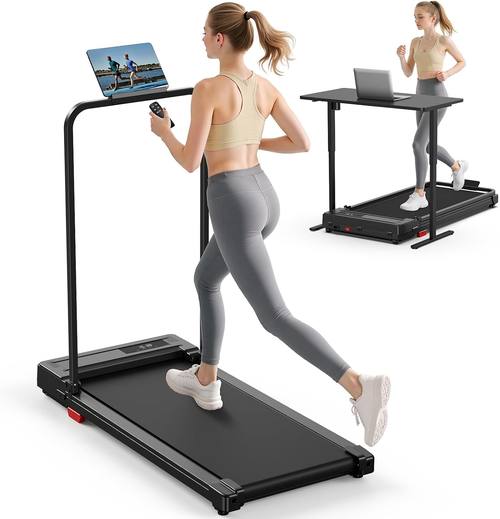
Best for Small Spaces: Folding Pad With Handle Bar
Folding is the feature that decides whether a pad gets used or stored. This one folds, it has a handle bar, and the listing pitches it for small spaces and for sliding under a bed. That last part is the honest test of any folding pad: if it does not go under the bed or stand in a closet without drama, it is just a pad with a hinge.
Two things to think about. First, a fold in the deck is a seam, and a seam is where a belt tends to track badly over time. That is not a reason to avoid folding pads. It is a reason to check belt alignment in the first week and to keep the pad somewhere you can see it. Second, the listing uses the word quiet. Every listing uses the word quiet. Quiet at what speed, measured where, is the only question worth asking. Manufacturers quote decibels at idle, and idle is not walking.
If you live in an apartment with thin floors, put a mat under the pad and keep the speed at 2 mph. That combination is what keeps the neighbours out of your business.
The Part That Fails First: Commercial Treadmill Power Entry On Off Switch
This is not a walking pad. It is the part that makes people think their walking pad is dead.
The power entry switch is where the cord meets the machine, and it is one of the cheapest components in the whole build. It takes every plug and unplug, every accidental yank, every time you slide the pad across the floor with the cord still connected. When it fails, the symptom is dramatic: nothing lights up, nothing moves, and the machine looks like a dead motor. In my experience with desk gear, it usually is not the motor.
This listing is a commercial power entry on and off switch that the listing says works with NordicTrack machines. If you own a NordicTrack and it went dark, this is the inexpensive thing to try before you spend anything on a new machine. If you are buying a pad, this listing is a reminder about what actually breaks: the plug, the switch, and the remote battery go before the motor does.
How I judge a walking pad listing
Every pad that gets written up here goes through the same filter, and none of it requires a lab.
Noise: I measure at ear height while walking, not at idle. A pad that reads 48 dB sitting still can read past 60 dB at 2.5 mph. If a listing quotes a single number with no speed attached, treat it as decoration.
Speed range: the top number is marketing, the bottom number is the one you will live in. 0.6 MPH is the crawl you use while reading email. If a pad's slowest setting is 1.0 MPH, it will feel rushed on a bad back day.
Belt width: narrow belts force your feet into a single line, and a forced line is how you clip a side rail. Wider is better for barefoot walking and for anyone with a wide stance.
Remote: does it work through a desk, at an angle, without pointing? Does it hold its setting? Does the app demand an account before it will change speed? That last one is an instant no from me.
Warranty: length tells you what the company thinks of its own motor. A three year warranty is a statement. A ninety day warranty is also a statement.
What the specs do and do not tell you
Peak horsepower and sustained horsepower are different numbers, and listings love the bigger one. A motor that peaks at 2.5 HP and sustains 1.25 HP is a 1.25 HP motor with good manners. This is why warranty length is more useful than the spec sheet. A company that trusts a motor for three years does not need to inflate it.
Auto-stop is the feature that separates a pad from a toy. It should stop the belt when nobody is on it and when something is wrong. Ask whether it exists before you buy, then test it on day one while holding the rail.
The word running is doing a lot of work in this category. Under-desk treadmills are not treadmills. A compact deck at 4 MPH with no bar is a fall waiting to happen, and no listing photo changes that. Walking is the use case. If you want to run indoors, buy a machine built for running, with a deck and a rail sized for it.
Deck height is the spec nobody prints and everybody feels. A tall deck raises your standing height, which means your desk may no longer be tall enough and your wrists end up above the keyboard. Measure from the floor to the top of the belt, then compare that to your desk's height range.
The comparison table
Here is how the four listings stack up. I am going by what each listing states, not by a lab test, and I have noted the thing I would verify before the return window closes.
| Product | Best for | What the listing states | What I would verify |
|---|---|---|---|
 Visit on Amazon → Visit on Amazon →Walking Pad Treadmill for Home, Walking Pad with Incline and Handle Bar |
Effort without speed | Incline deck, handle bar | Whether the bar clears your desk |
 Visit on Amazon → Visit on Amazon →Slim under-desk pad with remote |
Sliding under a standing desk | 0.6 to 4.0 MPH modes, up to 265 lbs, remote control, slim frame | Remote response at an angle, deck height |
 Visit on Amazon → Visit on Amazon →Folding pad with handle bar |
Storage and small rooms | Folds, handle bar, built for small spaces and under-bed storage | Belt tracking at the fold, noise at 2 mph |
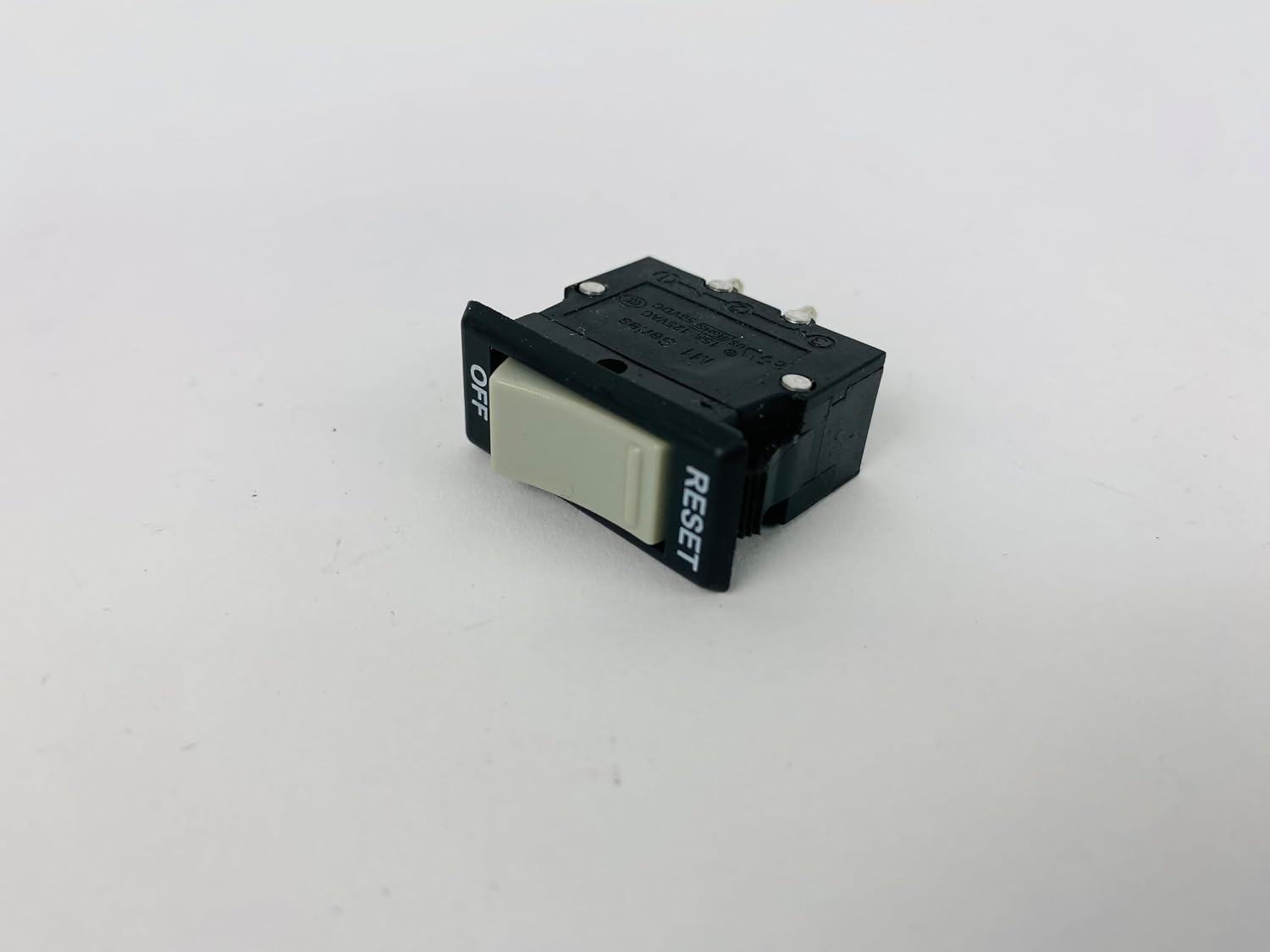 Visit on Amazon → Visit on Amazon →Commercial treadmill power entry on off switch |
Reviving a machine that went dark | Power entry on and off switch, listed as working with NordicTrack | Whether your model uses this style of switch |
Should you buy the incline pad with the handle bar?
Yes, if you want effort without speed and you have measured the clearance. The incline lets you work harder at a walking pace, which is the entire point of a pad, and the handle bar gives you a place to steady yourself on and off the belt. Measure the bar against the underside of your desk first. If it will not fit, this is the wrong pad for your setup, not a bad pad.
Should you buy the slim under-desk pad?
Yes, if your standing desk already adjusts and you want the pad to vanish underneath it. The remote is what you will touch forty times a day, and the slim frame is what keeps it out of your way. Treat the 4.0 MPH figure as a ceiling you will never use. Walking pace, remote in hand, is the job.
Should you buy the folding pad or the switch?
Buy the folding pad if storage is your real problem. It folds, it has a bar, and it goes under a bed, which is more than most pads manage. Buy the switch if your machine is already dead at the plug. And if you are still deciding between the first two pads, pick the one that fits your desk rather than the one with the longer feature list. A pad you cannot stand over is a pad you will not use.