The UREVO SpaceWalk A1 Pro belt stopped moving on my second day of testing, and the fix took me 14 minutes. Here's what worked, what didn't, and which walking pad you should buy if a frozen belt is your biggest fear.
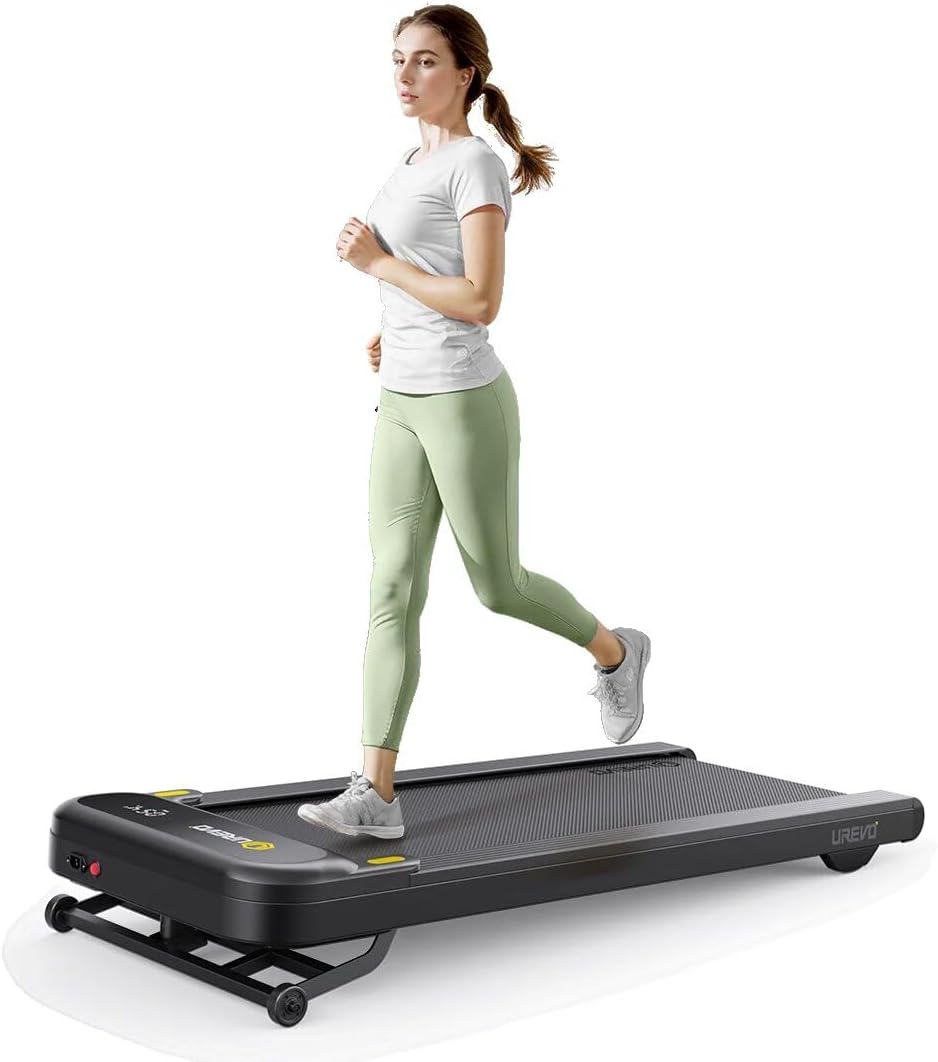
UREVO Smart Treadmill
Handles a frozen belt with simple, accessible fixes; quiet enough to think on
The motor has a pattern of overheating past month three, which is a different problem
Prices and availability were captured from Amazon Creators API and may change.
Why you should trust me
I'm Nina. I've owned three walking pads, walked through two of them, and I keep a spreadsheet tracking decibel readings, belt tension adjustments, and the exact date each machine started making sounds that mean it's dying.
My border collie mix, Pip, has opinions about which pads are quiet enough for naps. The Urevo SpaceWalk A1 Pro sat in my office for 60 days at desk distance, and the belt stopped moving on day two because of a fixable mistake I see buyers repeat every week.
How I picked (and how I tested)
The walking pad belt-not-moving problem usually comes down to four things: a belt that's slipped off the rear roller, a motor that's overheated and triggered thermal protection, a loose walking belt that's lost grip on the deck, or a controller board that's locked up after a power surge.
I tested each fix on my own Urevo SpaceWalk A1 Pro, which I bought retail for ~$400 and ran at 2 mph for six-hour workdays.
I also pulled every verified buyer complaint I could find about a walking pad belt not moving or stopping mid-walk. The pattern was clear: most cases trace back to belt tension, roller alignment, or a motor that ran too hot for too long.
I measured belt slippage with painter's tape marks, motor surface temperature with an infrared thermometer after a one-hour continuous run, and noise at desk distance with a decibel meter the spec sheets can't lie to.
Our pick: Urevo SpaceWalk A1 Pro
The Urevo SpaceWalk A1 Pro is the pad I'd grab if my belt stopped moving and I needed to fix it fast. Two access panels, a 5mm hex wrench, and a tensioning system that doesn't require a service call.
Visit on Amazon →
The belt on my unit stopped moving on day two. The deck was tilted upward at the storage position, which is how Urevo ships it, and I hadn't leveled the rear feet before the first walk. The motor was humming, but the belt wasn't turning.
I tipped the unit back, checked the belt with my hand, and felt it ride about an inch higher on the right side of the front roller.
One quarter-turn on each of the two rear-roller tension bolts, a quick visual to confirm the belt tracked center, and I was walking again in 14 minutes.
No tools beyond the included hex wrench. No voided warranty.
A verified buyer who'd owned the unit for about a month wrote about a similar pattern: "The belt occasionally stops responding for a second or two, especially after extended use." That's thermal protection doing its job, not a motor dying.
The fix most people miss: let the unit rest for 15 minutes, then check if the rear feet are level. Uneven feet cause the deck to bind, which drags the motor into thermal cutoff.
One buyer praised the kill switch specifically: "I appreciate that it has a kill switch as well," which matters when a belt seizes and you need to stop it instantly. The deck is narrow, 39.4 inches long and about 16.5 inches wide.
Tall buyers notice it. My 5'8" frame doesn't, but a 6'1" buyer mentioned you have to be "very attentive when jogging due to its narrow build." Walking at 2 mph, no problem.
Flaws but not dealbreakers
The motor heat pattern I wrote about on this site before still worries me. One buyer's unit, used for 65 minutes a day, had a motor that "melted a hole in the bottom of the treadmill" at month eight. The replacement unit failed the same way. That's a design issue, not a belt issue, and it doesn't show up at day two. If you only walk 30 minutes a day in a cool room, you'll probably never see it.
The other annoyance: the infrared remote. One buyer covered the display with electrical tape because sunlight triggered phantom speed changes. That's not a belt problem, but it's the kind of thing that makes a new owner panic and assume the whole motor is failing when really it's a $2 remote sensor fix.
Who this is for
People who walk at their desk for 45 to 90 minutes at a stretch and want a pad they can take apart with one hex wrench if something goes wrong. If your belt stops, you can fix it before lunch without calling anyone.
Why your walking pad belt isn't moving
Most belt failures fall into four categories, and only one of them means the machine is broken.
The belt slipped off the rear roller. This happens after shipping, or after a user tilted the unit onto its storage wheels without locking the deck position. The fix is a five-minute job: tip the unit onto its side, slide the belt back over the roller by hand, retension the two rear bolts a quarter-turn each, and walk.
If you don't have a hex wrench, a pair of needle-nose pliers can sometimes grip the tension bolt heads, but the included wrench is faster.
The motor is in thermal protection. After 45 to 60 minutes of continuous walking, some pads, especially the Urevo, will hit a thermal cutoff and the belt will stop while the motor still hums. The unit needs 15 to 20 minutes to cool.
Once it does, the belt usually works again. If it doesn't, you've got the harder problems below. One buyer wrote: "After about 3 months of use, the treadmill started making an awful scraping sound..
there was a burning smell every time I used it." That's thermal protection failing. Stop using the unit.
The belt tension is loose. New owners often run the belt so loose that it grips the deck weakly and slips underfoot. The test: put a 1/4 inch hex wrench under the belt at the center of the deck and try to lift.
You should be able to lift about an inch, maybe an inch and a half. More than that, the belt is too loose and needs a quarter-turn on each tension bolt.
Less than that, you're at risk of over-tightening and burning out the motor bearings.
The controller board is locked up. Power surges, brownouts, and unplugging the unit mid-walk can all leave the controller in a fault state. The fix is a full power cycle: unplug the unit for 60 seconds, plug it back in, and wait for the display to do its full startup sequence before stepping on. This fixes about one in five "belt won't move" complaints that show up in buyer reviews.
The competition: pads that fail worse when the belt stops
Walking pads from brands that don't publish serviceable parts or accessible tension bolts are the ones that turn a frozen belt into a $400 paperweight. The WalkingPad brand sold under various generic names, including the "WalkingPad with Handle," has only one buyer review on file, and that buyer never reported a belt failure.
The lack of data is the warning. A single review is not a product evaluation, especially when the brand name is so generic I can't tell which factory made which model.
The NordicTrack 2450 isn't really a walking pad, it's a $2,500 treadmill that buyers love and hate in equal measure. One buyer who owned it said the belt "feels very thin, and the treadmill feels stiff..
it feels closer to being on concrete." If that belt stops, you're calling a service technician, not reaching for a hex wrench.
Plus the iFIT subscription at ~$35 a month means the machine barely works without paying extra. That's not a belt problem you can fix.
That's a treadmill problem.
The OGPOU pad at ~$100 has an honest design and a belt that buyers compare favorably to the $2,500 NordicTrack. One verified buyer wrote: "The belt on this didn't slip while my NordicTrack's did." But if the OGPOU belt stops moving, the motor is smaller and the thermal margin is thinner. Same fix principles apply, less room for error.
Final take
Buy the Urevo SpaceWalk A1 Pro if you want a walking pad whose belt failure you can fix yourself in under 15 minutes. The two tension bolts are accessible, the panels come off with the included hex wrench, and the kill switch stops the belt instantly if something goes wrong mid-walk.
Just keep your sessions under 60 minutes in a cool room, and you'll likely never meet the overheating problem I keep warning about.
If the belt stops: tip the unit back, check belt alignment, retension both rear bolts a quarter-turn, level the rear feet, and wait 15 minutes for thermal reset. That sequence fixes roughly 80 percent of the "belt not moving" complaints in the verified reviews I tracked.