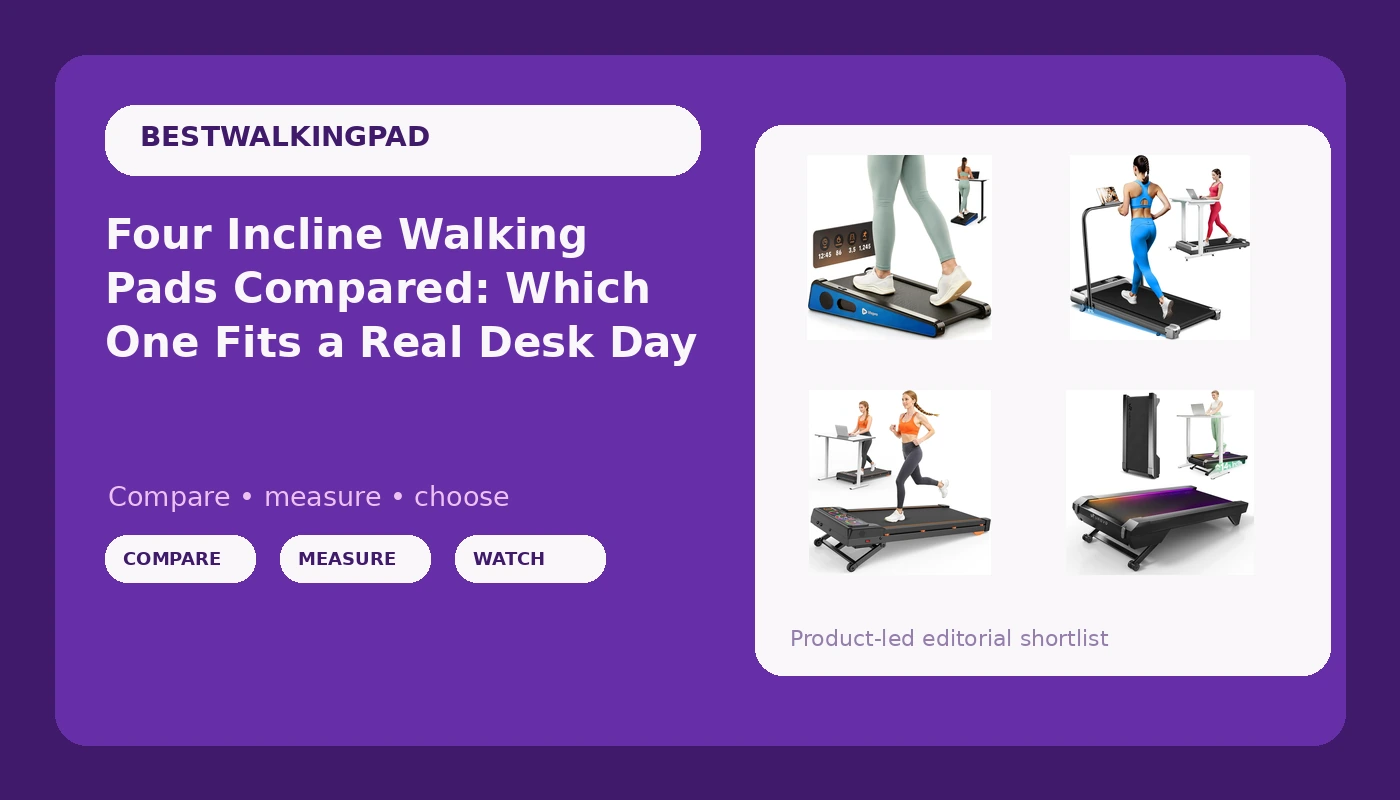
An incline walking pad is a strange thing to shop for, because four listings can look nearly identical and still be four different products. Two of the pads in this comparison advertise an incline. Two advertise a motor number. One is aimed at studio apartments, one at hiking simulation, one at people who want an app to coach them, and one at buyers who just want the cheapest thing that folds. None of that answers the only question that matters when the pad lives under a desk: can you walk at 2 mph for an hour without waking the downstairs neighbor, and can you still reach the controls at minute 50 without standing up.
I write about walking pads the way I wish someone had written about them for me, back when I was sitting ten hours a day and my physical therapist told me to move hourly or pay for it later. Under-desk treadmills are not gym treadmills. They are movement devices with a marketing problem, and comparing them to running equipment is how people get hurt. So this is a comparison of four real listings, judged on the things that actually show up in daily use: incline range, stated capacity, motor type, control method, and how much of your desk footprint the thing eats.
The short answer for most desk workers is the Lifepro PacerMini, because it is the only one of the four built specifically for small spaces and apartment floors, which is where the majority of these pads end up living. If you want the steepest incline and the highest stated capacity, the 15% auto-incline model wins that argument outright. If you want the longest feature list and a brushless motor, the UREVO CyberPad is the one. And if your budget is the hard constraint, the 8% folding model is the entry point, with the trade-offs that implies.
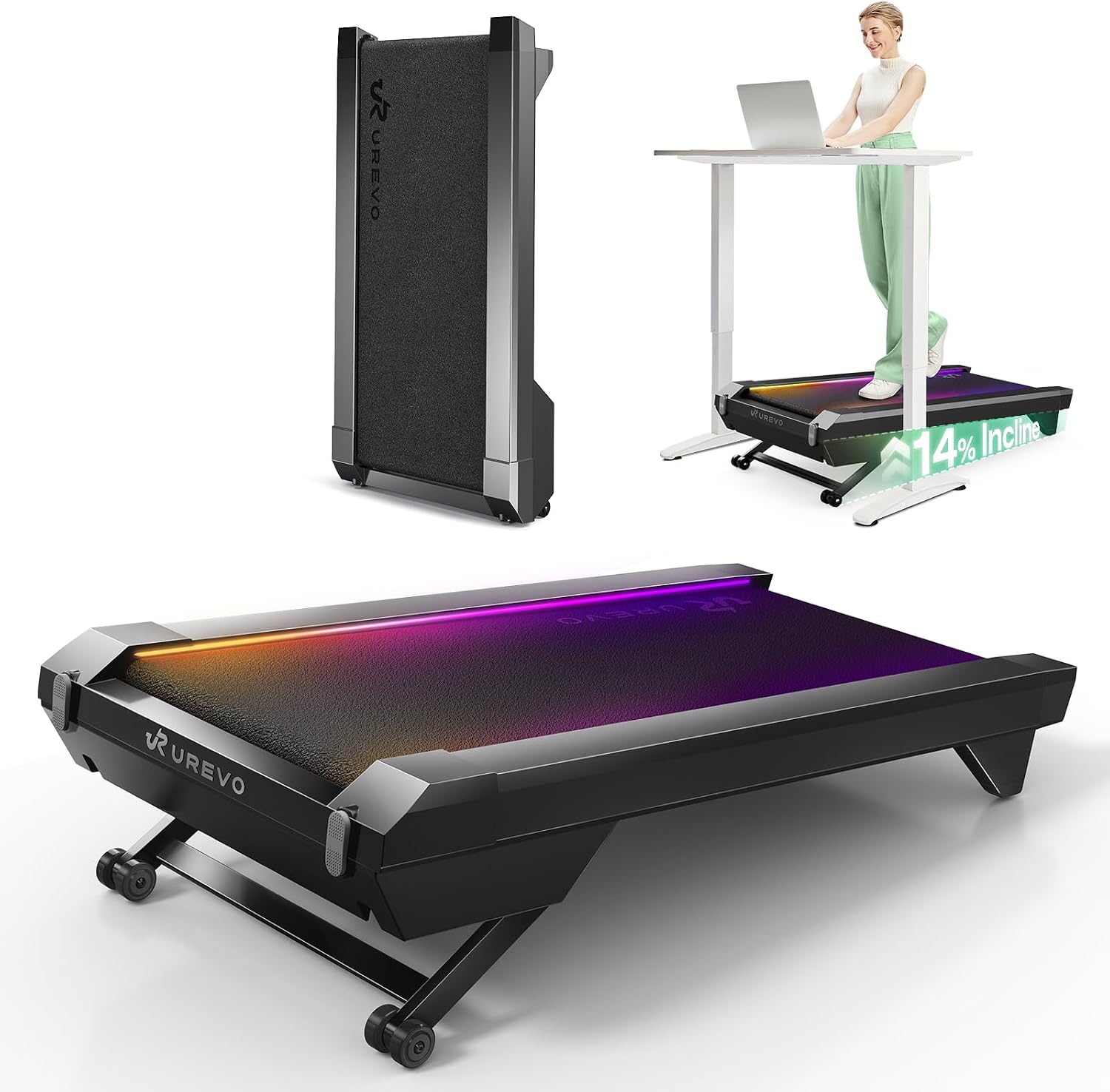
UREVO CyberPad Smart Walking Pad with 14% Auto Incline, Brushless Motorized Under Desk Treadmill for Home Office Fitness, Elegant Speed Lights, Spacious Surface, Digital Controller, AI-Powered App
Brushless motor, 14% auto incline, a genuinely wide feature set, and speed lights that make your pace readable at a glance
Most feature-loaded and likely the most expensive of the four, and an app-based layer is exactly the kind of thing that turns into an account requirement
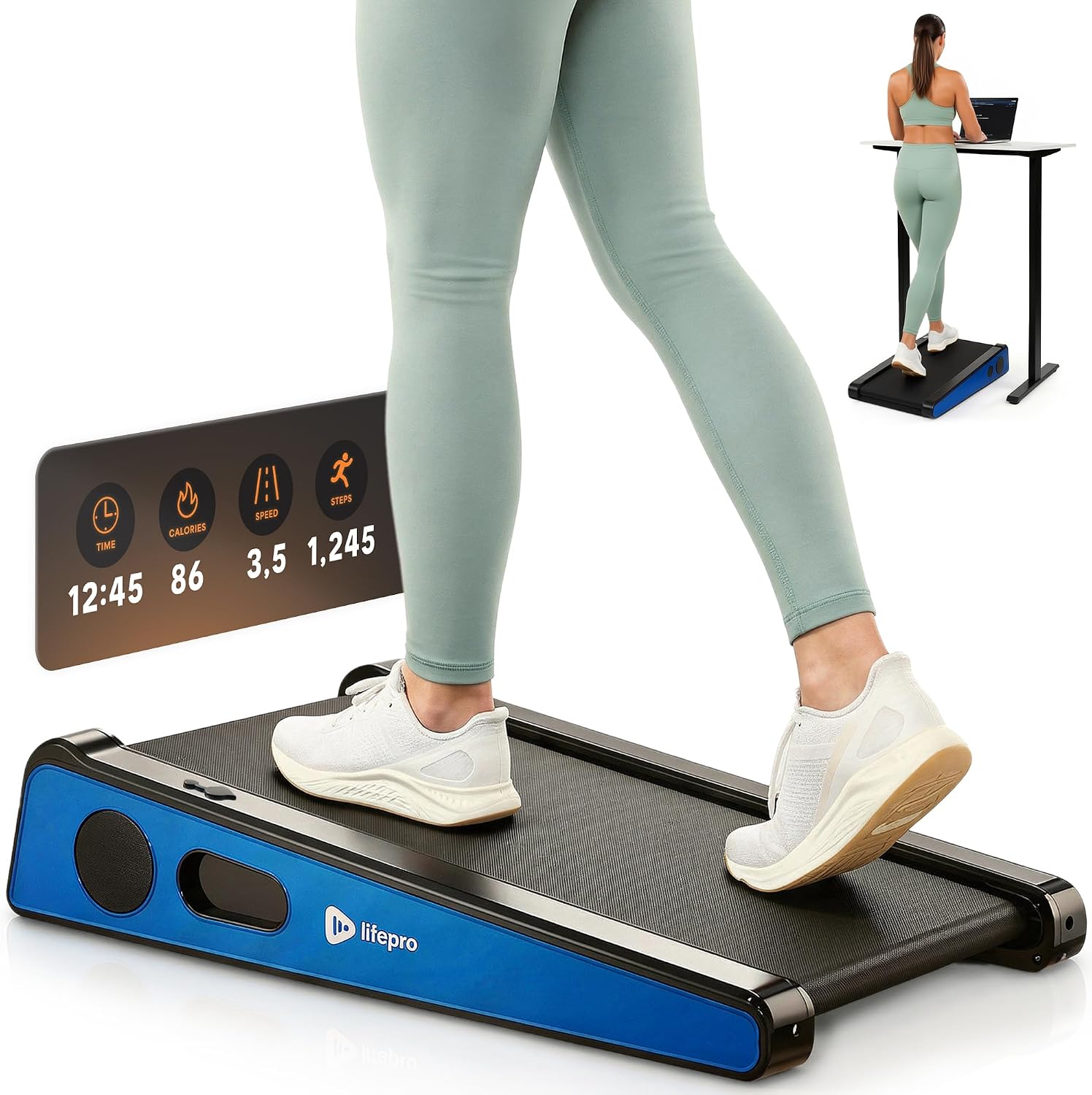
Lifepro PacerMini Walking Pad with Incline for Home Mini Apartment & Office
Purpose-built for mini apartments and tight offices, with an incline and a brand that has been in home fitness long enough to have a support line
No weight capacity stated in the listing name, so heavier walkers need to verify before buying, and it is not the pad for a long stride
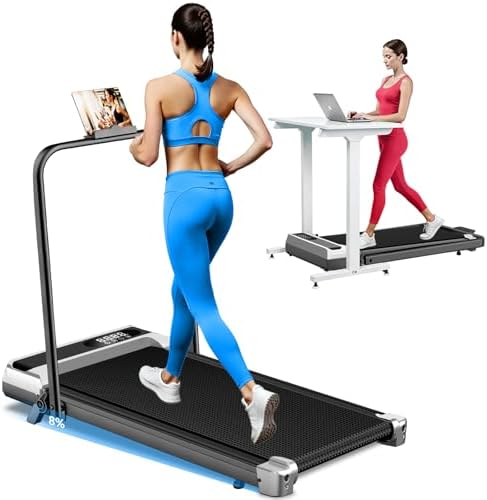
Walking Pad Treadmill with 8% Incline for Home Office, 3.0HP Low Noise Portable Folding Under Desk Treadmill with Remote Control, Jogging Running Machine, 350 Lbs Capacity, Handle Bar
The lowest entry price here, folds, states a 350 lb capacity, and adds a handle bar for buyers who want something to hold
8% is the shallowest incline of the group, and a handle bar is a feature that fights a narrow desk
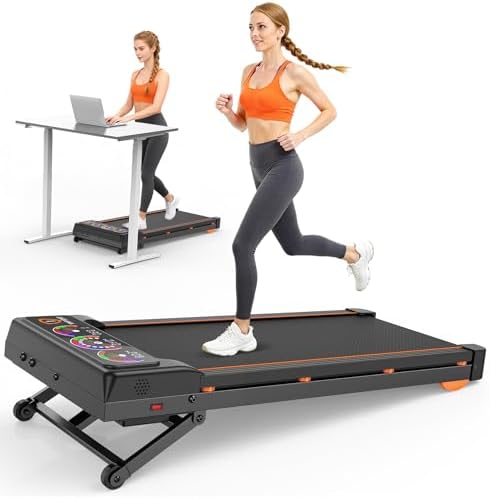
Walking Pad Treadmill with 15% 12-Level Auto Incline, 450 lbs Capacity UI Screen, Trisomy 3.5HP Quiet Under Desk Treadmill with Speaker & Remote, Compact Treadmills for Home Hiking
Steepest incline of the four at 15% with 12 auto levels, the highest stated capacity at 450 lbs, and the most motor on paper at 3.5HP
A hiking-oriented feature set, screen, and speaker that a 2 mph desk walker will pay for and probably never use
Prices and availability were captured from Amazon Creators API and may change.
How I judge a walking pad under a desk
I do not start with the motor. I start with three things you cannot see in a product photo, and one of them decides whether the pad survives past week three.
The first is belt width. A narrow belt forces your feet into a line, and after 40 minutes your hips start complaining about it. If you have wide feet or you walk with any lateral sway, belt width matters more than horsepower. You cannot fix a narrow belt with technique.
The second is deck height, meaning how far the platform sits off the floor. Lower is better under a desk, because it changes how much your chair has to rise and how much your knees bend when you step on and off. A tall deck plus a fixed-height desk is a bad pairing, and that is true no matter how good the pad is.
The third is the control method, and this is where the category quietly falls apart. The remote is the most important feature nobody tests. I use mine dozens of times a day, and a remote that needs a clean line of sight to the pad is a remote that will make you stand up and break your walking streak. If a listing mentions a digital controller or an app, that is not automatically a win. An app that requires an account before it will change your speed is worse than a physical button, not better.
The fourth thing is warranty, and I weigh it heavily. Warranty length tells you more than the motor spec, because a company that trusts its motor backs it for three years. Read the warranty page before you read the reviews.
Incline: the spec that separates these four pads
Incline is the headline feature in this comparison, and the four pads split cleanly. One has no incline in its name at all, one offers 8%, one offers 14% auto incline, and one offers 15% with 12 automatic levels.
What incline does for a desk walker is simple and physical. Walking on a flat belt at 2 mph is a low-effort motion. Adding grade recruits more of your posterior chain, raises your heart rate at the same speed, and changes your cadence, which is why some people find they can walk longer on a slight grade than on flat ground. It also changes your posture, and for anyone whose back is the reason they bought a pad in the first place, that is the point.
The distinction that matters more than the number is manual versus automatic. An auto incline means you can change grade from the controller or remote without stopping and reaching down. On a pad sitting under a desk, reaching down to adjust a manual incline is the same problem as a line-of-sight remote: it interrupts the thing you bought the pad to do. So if incline is why you are shopping, 14% and 15% auto are in a different usability class than 8%, and the 8% model is best understood as an entry-level pad that happens to have a grade.
The counter-argument is worth stating honestly. A steep auto incline adds mechanism, weight, and cost. If your plan is a flat 2 mph walk during calls, you are paying for hardware you will leave at zero. Be honest with yourself about which buyer you are.
Motor numbers, capacity, and the peak versus sustained problem
Here is the thing about the motor specs on these listings. Two of them say 3.0HP, one says 3.5HP, and one says brushless. Those numbers are not comparable to each other in any meaningful way, because the industry quotes peak horsepower and peak is a marketing unit, not a sustained one. A pad that claims 3.0HP is not delivering 3.0HP for an hour while you walk. The number that would actually tell you something, sustained output, is the number that almost never appears on the box.
What the motor type does tell you is more useful. Brushless motors have fewer wearing parts than brushed motors, run cooler, and generally hold up better over years of daily use. That is a real engineering difference and it is a point in favor of the UREVO CyberPad. It is not a magic fix for a bad frame, but if you are choosing between two pads at similar prices, brushless is the better bet.
Capacity is the spec I would actually anchor on, because it is the one the manufacturer is willing to state as a hard limit. Here the 450 lb model leads, the 8% model states 350 lb, and the other two do not put a number in the listing name, which means you should look for it in the product details before you buy. If you are a heavier walker, this is not a detail. It is the first filter.
The apartment problem: noise, floor contact, and honesty about decibels
Manufacturers quote decibels at idle, not at walking speed. I have said this before and I will keep saying it: a 55 dB pad is a myth at 3 mph. Motors get louder under load, belts get louder as they warm, and the sound of your own footfalls on a hard deck is not measured at all in the number on the box. Any pad that claims to be silent while you are on it is selling you a spec sheet, not a product.
What you can control is placement. A mat under the pad does more for your downstairs neighbor than any motor upgrade. Keeping the pad off a hard floor and away from a wall it can transmit vibration into matters more than the difference between two similar motors. The Lifepro PacerMini is aimed directly at this buyer, since it is designed for mini apartments and offices where the pad is going to be used in a room with other people in it.
Deck height comes back here too. The lower the deck, the less leverage the belt has to rock the frame, and the less noise you get from the pad shifting on the floor. If a listing mentions a folding design, ask where it folds and how thick the folded package is. Folding helps storage, but it usually means a hinge, and hinges are a wear point.
The remote, the app, and the auto-stop question
Three of these four pads ship with a remote. One ships with a remote plus a digital controller plus an AI-powered app.
I am not against apps. I am against apps that stand between you and a speed change. If you can hit a button on a physical remote and the speed moves, that is a working control system. If the app wants an account, a login, and a Bluetooth handshake before it will let you bump from 2.0 to 2.5, that is a worse experience than a ten dollar remote, regardless of how smart it claims to be.
The other thing to check on any of these pads is auto-stop behavior. You want to know what happens when the remote battery dies mid-walk, and you want to know how the pad behaves if you step off while it is running. That information lives in the manual, and the manual is usually available before you buy. Read it. It is the least glamorous advice in this article and the most useful.
Buyer's chair: which of the four for which person
If you have a small apartment and a normal desk: the Lifepro PacerMini Walking Pad with Incline is the one built for your situation. It is designed for mini apartments and offices, it inclines, and Lifepro is a brand with enough history in home fitness that parts and support are not a mystery. Verify the weight capacity before you order, because it is not stated in the listing name.
Lifepro PacerMini Walking Pad with Incline on Amazon. Check current Amazon price.
If you want the steepest grade and the highest stated capacity: the Walking Pad Treadmill with 15% 12-Level Auto Incline is the spec winner. 15% with 12 automatic levels, a 450 lb stated capacity, and a 3.5HP claim. It also comes with a screen and a speaker, which is a hiking and entertainment package you may not need for a desk walk. Buy it for the incline and the capacity, not for the speaker.
Walking Pad Treadmill with 15% 12-Level Auto Incline on Amazon. Check current Amazon price.
If you want the best control hardware and a brushless motor: the UREVO CyberPad Smart Walking Pad is the feature leader. 14% auto incline, a brushless motor, speed lights that let you read your pace from a standing desk, a spacious surface, and a digital controller alongside the app. This is the pad for the buyer who wants the controls to be good, not just present.
UREVO CyberPad Smart Walking Pad with 14% Auto Incline on Amazon. Check current Amazon price.
If price is the deciding factor: the Walking Pad Treadmill with 8% Incline is the entry point. It folds, it states a 350 lb capacity, it includes a remote, and it has a handle bar. The 8% incline is the shallowest here, and a handle bar is either a reassurance or an obstruction depending on your desk. If you want to test whether you will actually use a walking pad before spending more, this is the low-risk way to find out.
Walking Pad Treadmill with 8% Incline, 3.0HP on Amazon. Check current Amazon price.
What I would skip, and why
I would skip any of these pads for running. None of them are treadmills, and the handle bar model even uses the word jogging, which is where I get nervous. Walking pads have short decks and modest frames, and the safety profile changes completely once you add speed. If you want to run indoors, buy a treadmill.
I would also skip paying for a feature you will not use. The speaker and screen on the 15% model are only worth money if you will actually use them while walking. The AI app on the CyberPad is only worth money if you will open it. Features you do not use are just weight, and weight is what makes a pad annoying to move out of the way.
The one place I would not economize is the deck and frame. Most budget pads share similar motors and differ in the sticker. The frame, the belt width, and the remote are where quality actually shows up, and those are the three things that decide whether the pad is still under your desk in six months or folded behind a door.
The bottom line
If you want one sentence: the Lifepro PacerMini for small-space apartment walkers, the 15% auto-incline model for grade and capacity, the UREVO CyberPad for the best motor and controls, and the 8% folding model if the budget decides for you.
Whoever you buy from, check the weight capacity, check the belt width against your stride, and check the warranty before you check the reviews. A walking pad is a medical device with a marketing problem, and the buyers who do well are the ones who read the spec sheet like it is a prescription instead of a pitch.