I herniated an L5 disc at 31, after nine years of backend engineering and ten hours a day in a chair. My physical therapist did not tell me to take up running. She told me to move every hour, or pay for it later. That is how a standing desk, three walking pads, a tape measure, and a spreadsheet of decibel readings took over my home office. This under desk treadmill comparison covers the four products readers ask me about most, and only two of them are walking pads. That is deliberate, because a walking desk is a system, and the pad is usually not the part that fails first.
Here is the short answer before the table. Buy a pad first, add a tracker second, and only buy the switch if you own the exact machine it fits. The two pads here take different routes to the same job: one adds incline, the other leans on shock absorption and an app. The tracker is the accountability layer that tells you whether the pad is actually being used. The switch is a repair, not an upgrade, and I will tell you exactly which reader needs it.
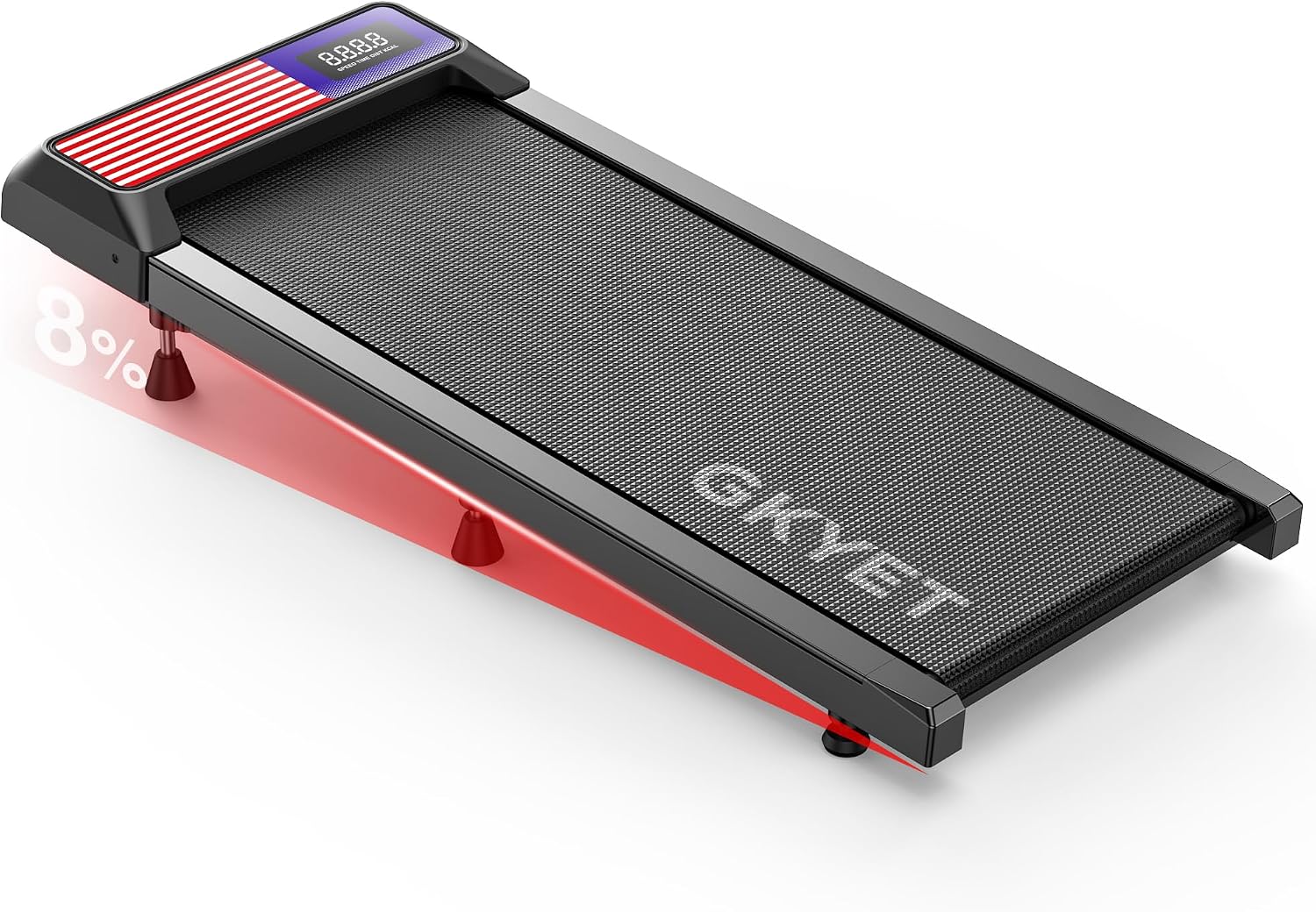
Walking Pad Treadmill, 8% Incline Under Desk Treadmill for Home Office
An 8% incline is rare in this category and it buys you more effort at the same slow, call-safe speed
Incline lifts the front of the deck, so it eats vertical clearance under a desk and changes how your foot lands
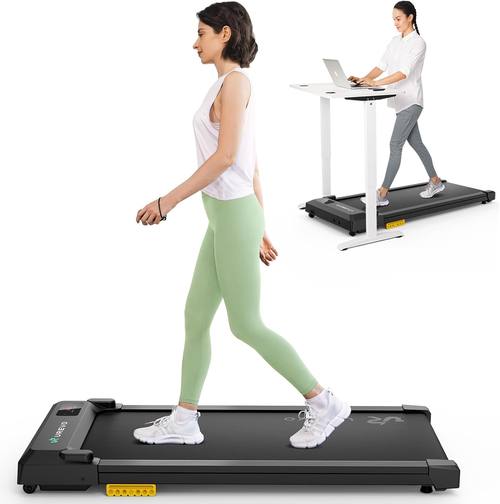
UREVO Smart Walking Pad, Standing Desk Treadmill with Double Shock Absorption, Quiet Operation, Workout APP with Track Insights and MIIT Mode, Plug and Play, Remote or APP Control for Home Office
Double shock absorption is the right feature to lead with for barefoot walking, and remote plus app control covers both habits
App features that need an account to change speed are a design smell, and wireless pairing plus remote batteries are the usual first failures
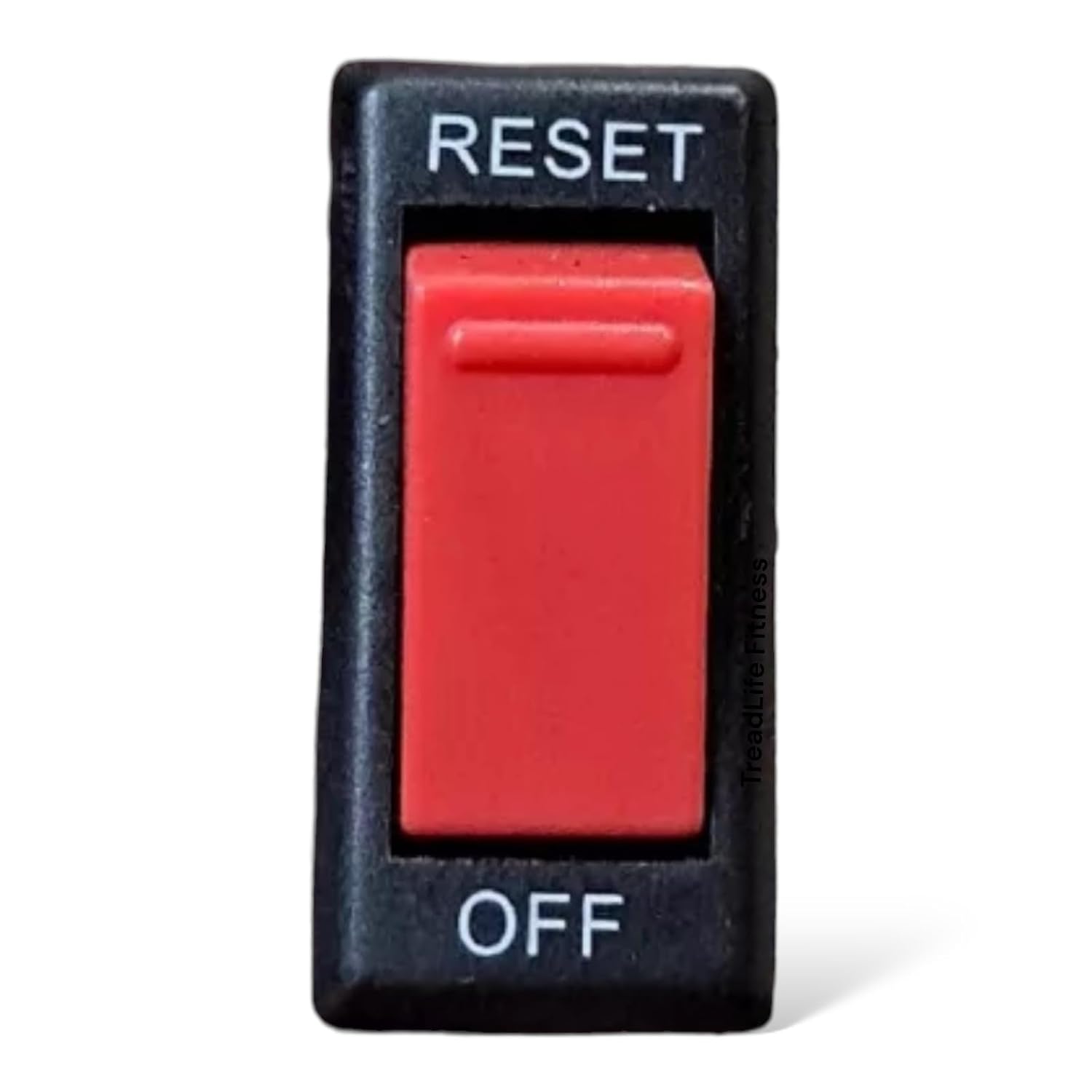
TreadLife Fitness Power On/Off Switch, Push Button, Red, Compatible with NordicTrack Commercial 2450 NTL172150
A model-specific replacement for a dead power button keeps an entire treadmill out of the landfill
It fits the NordicTrack Commercial 2450 NTL172150 and nothing else, so a different model number means it is the wrong part
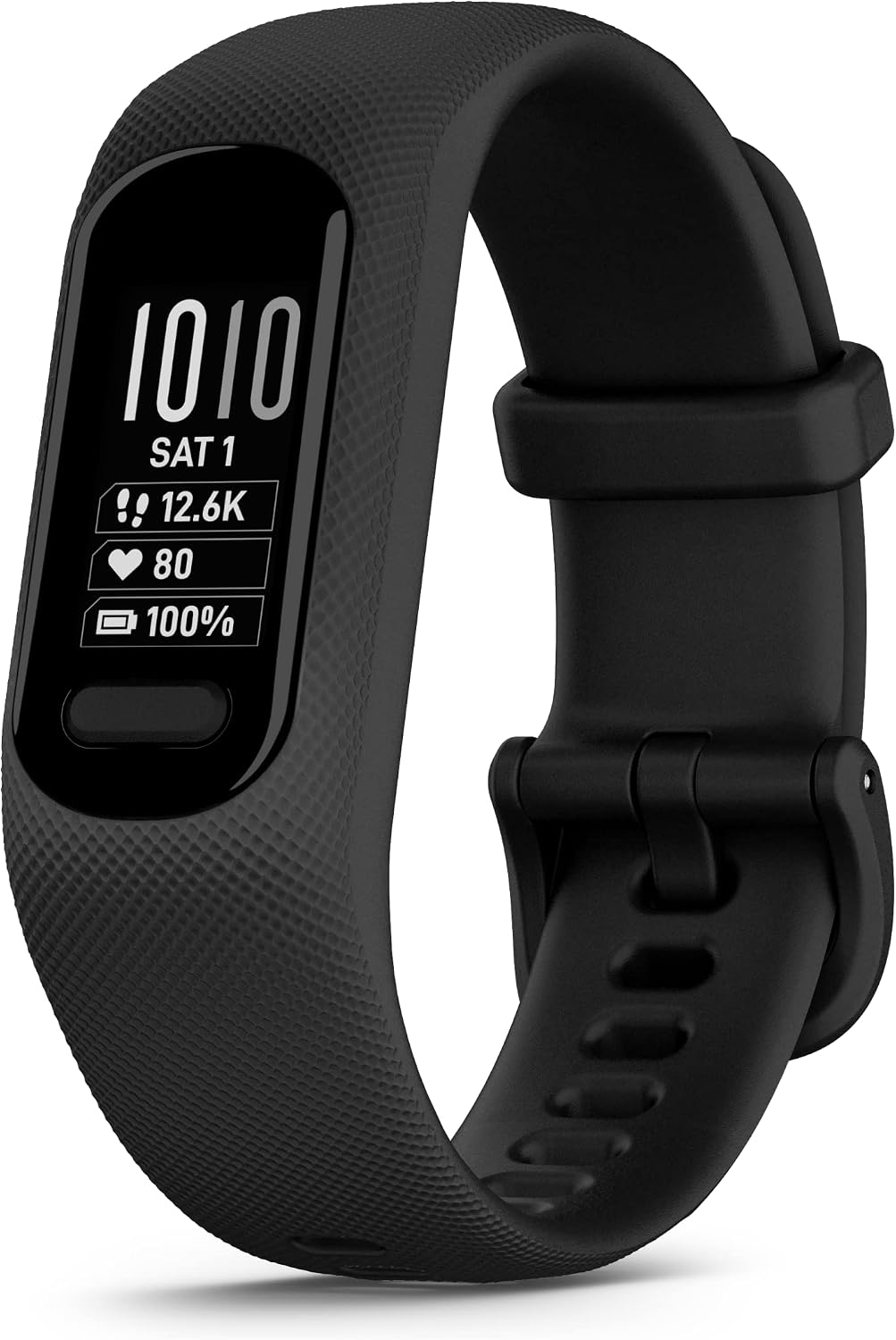
Garmin vívosmart® 5, Health & Fitness Tracker, Large, Black
A wrist tracker is the cheapest accountability tool in a walking desk, and it counts the steps your pad produces
It is a tracker, not a pad, and the large band is the wrong size for a smaller wrist
Prices and availability were captured from Amazon Creators API and may change.
Four products, two categories, one desk
Walking pads get compared to each other constantly, and that is fine as far as it goes. The problem is that the questions landing in my inbox are rarely "which pad is best." They are "my pad is boring, what else do I need," "my treadmill died, do I replace the whole thing," and "how do I know I am actually walking enough." Those are three different problems, and this list is my attempt to answer all three in one place.
One frame of reference before we go further. Nothing here is a treadmill in the gym sense. Under-desk treadmills are built for slow, sustained walking, usually somewhere between 1 and 3 mph, and comparing them to running equipment is how people get hurt. No running on a walking pad. That is not a preference, it is a different safety profile with a different belt, a different motor duty cycle, and a different warranty.
How I judge a walking pad
Noise at walking speed, not at idle. Manufacturers quote decibels on a stationary deck, which tells you almost nothing. A pad that whispers at idle can drone the moment you hit 2.5 mph, and that drone is what ruins a Zoom call. I measure at ear height while walking, and I treat any claim that does not specify the speed as marketing.
Belt width and deck height. A narrow belt forces you into a narrow gait, which is the opposite of what most of us need. Deck height decides whether the pad slides under your desk at all and whether your chair clears it when you sit down. Measure both before you buy, not after.
The remote. This is the most important feature nobody tests. I use mine dozens of times a day, which means it is also the part most likely to annoy me. A radio-frequency remote works through a desk. An infrared remote needs line of sight, so you end up holding it up like a TV clicker. Battery life on the remote is the first quality tell on any pad, cheap or expensive.
Auto-stop. If you step off, the belt should stop. This is a safety feature, and it is not negotiable for a device that lives under a desk you sit at.
Warranty length. Warranty tells you more than the motor spec. A company that trusts its motor backs it for years, not months.
The desk pairing. A walking pad is useless without a desk that adjusts. I review the pair or not at all, because a pad that only works when you are crouching is a footrest with a belt.
The 8% incline pad: more work at the same slow speed
The pitch is in the name. This one is an under-desk treadmill with an 8% incline, and incline is genuinely rare in this category. Most pads are flat decks with a motor and a sticker, so a graded deck is a real differentiator rather than a spec-sheet flex.
What incline buys you is effort without speed. Walking at a slow, keyboard-friendly pace on a grade recruits more calf and glute work than the same pace on a flat belt, which matters for anyone using NEAT as their main movement strategy rather than a workout. If your goal is step count and a bit of load rather than a cardio session, grade is the lever you pull.
What it costs you is clearance and foot position. Raising the front of the deck eats vertical space under the desk, so a standing desk that barely fit a flat pad may not fit this one at all. It also changes how your foot lands and how the belt behaves under load, which is worth thinking about if you walk barefoot. My rule with any incline pad is the same: set your desk height first, then decide whether the grade still leaves you room to type without hunching.
Who it is for: someone who already walks at a steady 2 mph and wants more out of the same hour, and who has a desk with height to spare. Who it is not for: low desks, tight knee clearance, and anyone who wants a flat, predictable deck they can forget about.
The UREVO pad: shock absorption, app, and interval walking
The UREVO leads with double shock absorption and quiet operation, and of the two pads here it is the one built around the barefoot, downstairs-neighbors, long-session use case. Shock absorption is not a marketing word when you are walking in socks for two hours; it is the difference between a deck that feels like a firm mat and one that feels like a board.
The feature list also includes a workout app with track insights and a MIIT mode, plus plug-and-play setup and control from either a remote or the app. MIIT mode is the interval-style walking pattern, and honestly that is the part I would use. Steady walking for an entire workday is boring, and boring is why most pads end up under the bed by week three. Intervals give the session a shape.
The thing I would test on day one is the app. If changing speed requires creating an account and logging in, that is a design failure in my book, and it is exactly the kind of friction that makes people stop using a device. Remote control should always work without a phone, a login, or a firmware update. Plug and play matters too, because assembly friction is the other silent killer of walking desks.
The TreadLife switch: a repair part, not an upgrade
This one is on the list because readers keep asking whether they should replace a treadmill that will not turn on. Often the answer is no. The TreadLife Fitness power switch is a push-button replacement, red, compatible with the NordicTrack Commercial 2450 NTL172150. If your machine's power button has stopped clicking and the rest of it is fine, a part is a much better outcome than a new machine and a curb alert.
Two warnings, and I mean both. First, verify your model number against the compatibility line before you order, because these switches are model-specific and a near miss is still a miss. Second, unplug the machine and let it sit before you open anything, and check whether you are still inside a warranty, because a self-repair can void one. This is not a walking pad accessory, and it is not for someone shopping for their first pad.
Who it is for: the person with a dead NordicTrack Commercial 2450 NTL172150 in the corner who would rather spend a little and keep the machine.
The Garmin vívosmart 5: the accountability layer
A walking pad has a quiet failure mode: it becomes furniture. I say that as someone who wants everyone to move more and also knows that most pads get used about eleven times before they slide under the bed. A tracker does not fix motivation, but it does remove the guesswork about whether the pad is doing anything for you. Steps in, steps out, and a nudge when you have been still too long.
The vívosmart 5 here is the large size in black, which is the detail to pay attention to. Band size is not a cosmetic choice. Measure your wrist before ordering, because a tracker that sits wrong gets taken off and then stays off. The black colorway is the practical one for something you wear at a desk all day.
Think of the tracker as step two. It is the cheapest way to hold yourself accountable for the pad you already bought, and it works whether you are walking on an incline deck, a flat deck, or just taking calls on your feet.
The trade-offs
The two pads split cleanly, and that is the honest headline of this comparison. Choose the incline model and you get more work per minute and a rarer feature, but you give up the flat deck, some desk clearance, and the shock absorption story. Choose the UREVO and you get the softer deck, the app with track insights, the MIIT interval mode, and dual remote or app control, but you give up grade.
Neither pad is a treadmill. Neither one is for running, and neither one replaces a gym membership. They replace sitting.
The tracker is a second purchase, not an alternative. If your budget only covers one item on this list, it should be a pad, because a tracker on its own just documents a stationary day more precisely.
The switch is not really a comparison item at all. It is a repair that only applies if you own one specific NordicTrack model, and everyone else can skip it without a second thought.
The last trade-off is the one nobody wants to hear. A cheap pad and an expensive pad can both be fine on day one, and they separate later, when the remote battery dies, when the belt starts drifting, and when you call about a warranty. That is why I keep pushing warranty length and remote quality ahead of motor numbers. Those are the parts that decide whether the pad is still in your life in year two.
What I would buy, in order
First, pick your pad by your desk, not by the spec sheet. Measure the clearance under your desk in your actual working position, then choose between the incline deck and the shock-absorbing deck. If you want more effort at a slow pace and you have the height, the incline pad earns its place. If you walk barefoot for long stretches and care about noise and intervals, the UREVO is the better fit.
Second, add the tracker once the pad is in place. It keeps the habit visible, and it is the cheapest part of this setup.
Third, only if you have a NordicTrack Commercial 2450 NTL172150 with a dead power button, buy the switch and fix the machine you already own.
What I am watching next
My standing prediction is that budget pads keep closing the gap on premium ones, that the cheap brands consolidate around a couple of real factories, and that this category splits into medical-grade and toy-grade pricing within a couple of years. I keep a dated list and score it every January, and the tell I watch for is still the same: remote batteries and belt drift show up first on the pads that cut corners. If you are buying this year, spend your attention on deck height, belt width, the remote, and the warranty. Those four things decide whether the pad becomes a habit or a very expensive footrest.