Most people buy an under desk walking pad, use it for two weeks, and slide it under the guest bed. The pad usually is not the problem. The setup is.
I have made this mistake myself. I put the cheapest pad I owned on carpet, set my desk at the height I liked for sitting, and then wondered why my shins ached after twenty minutes and why my typing fell apart the moment the belt hit 2 mph. The pad was fine. I was standing on a deck that was too short, at a desk that was not high enough, with the remote on the far corner where I had to lean to reach it.
Your body does not care how many motors the listing brags about. It cares whether your desk clears your knees, whether the belt is wide enough for your natural stride, and whether the remote is within reach while you are on a call. Those three things decide whether the pad becomes a habit or an expensive footrest.
This is the setup guide I wish someone had handed me. It covers how to pick between a basic flat pad and one with an incline, how to position the thing so you actually use it, and the step by step routine I run every time a new pad comes into my house.
Why you should trust me
I am Nina. I spent nine years as a backend engineer sitting ten hours a day, and at 31 my L5 disc herniated. My physical therapist gave me one instruction that stuck: move every hour or pay for it later. I have been paying attention ever since.
I now work from a home office in Austin that I rebuilt around movement. I own three walking pads, I keep a step counter on my wrist, a tape measure in the desk drawer, and a spreadsheet of decibel readings taken at my desk rather than in a lab. I review standing desks and pads as a pair, because a pad without an adjustable desk is a toy.
A walking pad is a medical device with a marketing problem. I review it like one. That means I do not get excited about peak horsepower, I do get excited about remotes that work from a seated position, and I will tell you when the pad you are eyeing is going to wobble at 2.5 mph.
How I picked and how I tested
I do not rank pads by motor spec. I rank them by what happens during a workday.
My method is the same on every unit. I measure deck height from the floor with a tape measure, because that number plus the height of my shoes has to clear my desk. I measure the usable belt width at the point my stride actually lands. I walk a full workday at 2 mph and judge it on focus, not on step count, because a pad that wrecks your typing is not helping you. I check whether the remote responds from a seated position without line of sight, and I check how the pad behaves when I step off mid-walk.
Noise gets measured at ear height while walking. Manufacturer figures are taken at idle, and idle is a lie. If a pad cannot hold 2 mph at a volume that lets me stay on a Zoom call, it does not matter how quiet it is in the product photos.
The two pads below are the ones I would put under a desk today, split by what you actually want from the machine.
The specs that matter and the ones they sell
Before you get to the picks, here is the filter I run every listing through.
Belt width. Stand with your feet hip-width apart and look at where your stride lands. The belt has to be wider than that, with margin. A narrow belt does not fail loudly, it just makes you walk like you are balancing on a curb, and that shows up in your back after an hour.
Deck height. This is the number nobody publishes prominently. Deck height plus your shoe height has to fit under your desk, and your desk has to rise to meet you. If your desk does not adjust, the pad is not the purchase, the desk is.
Peak versus sustained horsepower. Listings advertise peak. Peak is the number the motor hits for a second before it settles. Ask what the sustained rating is, and if the listing does not say, assume it is lower than you hope.
The remote. This is the most important feature nobody tests. I use mine around forty times a day. If it needs a clear line of sight to the sensor, or if it eats batteries every three weeks, that is a daily irritation, not a footnote.
Warranty length. A company that trusts its motor backs it for three years. A one-year warranty tells you what the company thinks of its own build.
Auto-stop. Know whether the pad stops when you step off, and know how quickly. This matters more than any incline number.
Apps. If an app requires an account just to change speed, skip it. You will stop using the app in a week and resent the pad for it.
The two pads I would put under a desk
One is a flat, slim, budget option that gets a normal remote worker moving. The other adds an incline and a taller deck for people who have already proven they will use it.
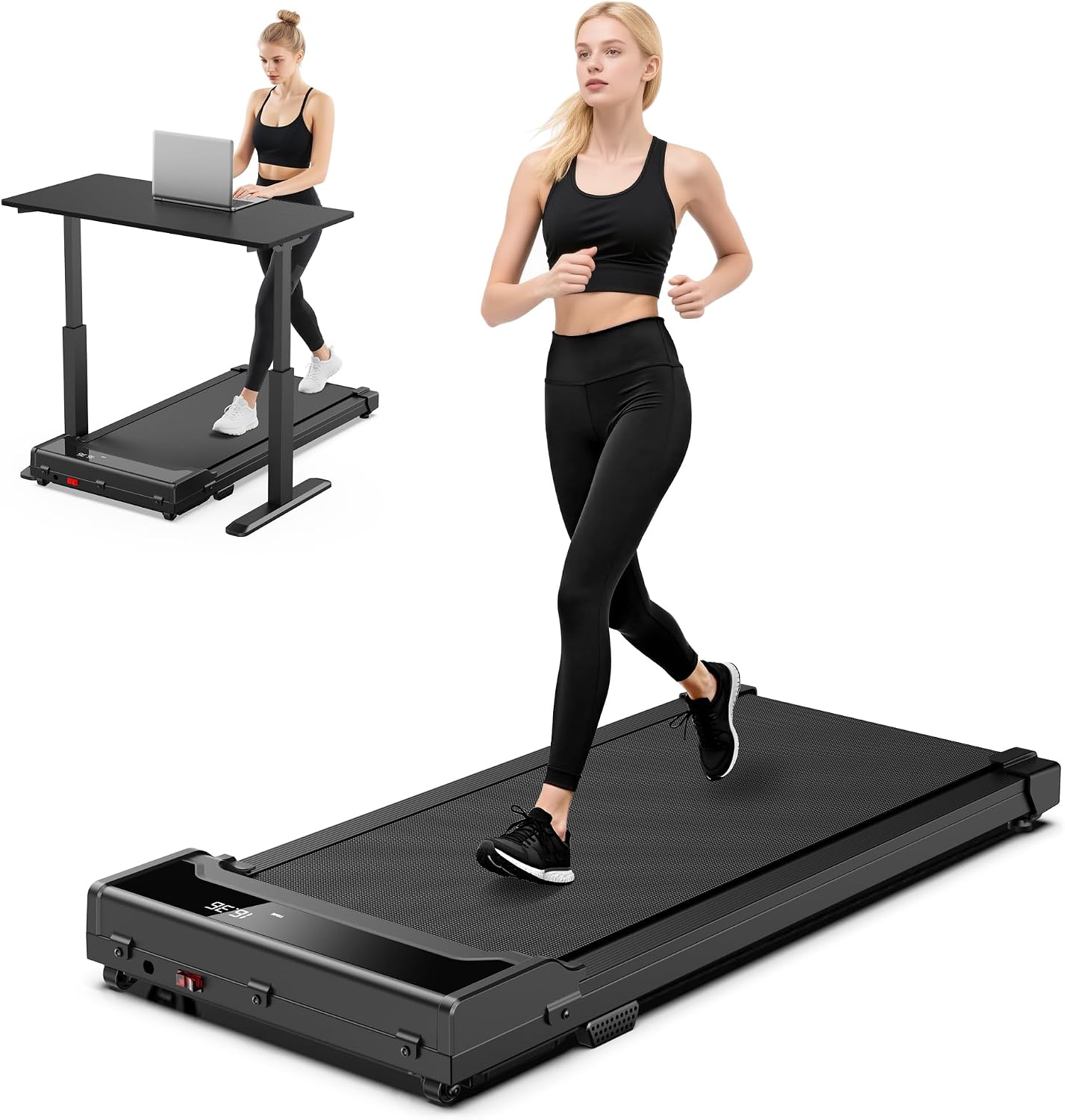
Budget pick: Walking Pad Treadmill for Home - Under Desk Walking and Running with Remote Control Portable Electric Machine Adjustable Slim Compact with 0.6-4.0MPH Modes Max up 265 Lbs for Home Office
 Visit on Amazon →
This is the pad I point people toward when they want to spend as little as possible and still get a machine that does the actual job. The listing gives you a 0.6 to 4.0 mph range, a remote control, a 265 pound weight capacity, and a slim, compact footprint for a home office.
That speed range covers everything I would ever use at a desk. I want to be clear about the name, though. It says walking and running, but everything above about 3 mph is a treadmill conversation, and I do not review running on walking pads. Different safety profile, different frame requirements. Treat the top of that range as headroom, not an invitation. If you want to run, buy a treadmill and skip this category entirely.
The slim build is the trade-off you are accepting. A low deck is easy to slide under furniture and easy to store, and it also means less room for your stride and less mass to damp the belt. That is the honest reason a pad in this class feels different from one that costs several times more.
Flaws but not dealbreakers: Before you order, read the three-star reviews specifically looking for wobble complaints at higher speeds, because that is where a lightweight frame shows itself. Also confirm the deck height in the listing against your desk clearance, since slim does not mean zero.
Anyone who works from a fixed desk, wants to hold 1.5 to 2 mph for an hour at a time, and needs the pad out of the way when the day ends will get real value here.
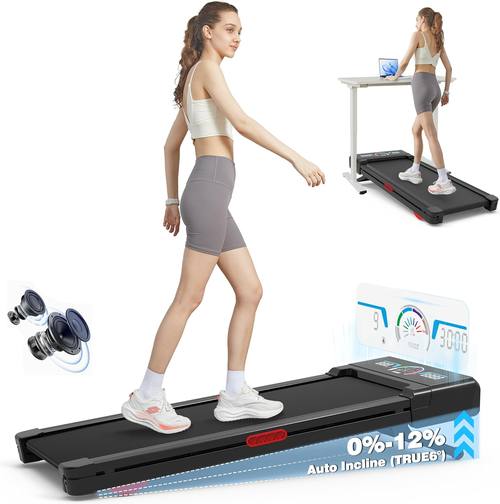
Upgrade pick: Walking Pad Treadmill 12% Auto Incline, Under Desk Treadmill
 Visit on Amazon →
The 12% auto incline is the whole reason to pay more, and it is a real difference in how a desk hour feels. An incline lets you hold a slower belt speed and still feel like you are working, which matters because slow is what keeps your typing intact. Walking flat at 2 mph for me is a focus exercise. Walking on a grade at 1.6 mph is closer to a workout that happens to include email.
The catch is the deck. An incline mechanism raises the front of the machine, so the clearance math from earlier gets tighter, not looser. Measure before you buy, and know that a desk that barely clears a flat pad may not clear this one at all.
Flaws but not dealbreakers: Inclined walking changes your cadence and shifts more load to your calves, which is worth knowing if you are coming off a calf strain. Start flat for the first week, then bring the incline in small steps and see how your legs respond the next morning.
Anyone who has already built the habit on a flat pad, or who knows they will actually stay on the machine past week three, should start here rather than buying twice.
How to set up an under desk walking pad: nine steps
This is the routine I run in order. Skipping step one is the most common mistake, and the most expensive one.
Step one: Measure your desk before you unbox anything. Stand at your desk at the height you use for standing work. Measure from the floor to the underside of the desk surface. Subtract deck height and the thickness of your shoes. If the remaining space does not let you walk with your knees clearing the desk edge, raise the desk or pick a lower pad. A pad under a fixed-height sitting desk is just a tripping hazard.
Step two: Put the pad where your feet already land. Not in the corner of the room, not off to the side facing a window. Square it with your monitor so your neck is neutral while you walk. If you have to turn your head to see the screen, you traded back pain for neck pain.
Step three: Check the belt against your stride before the first walk. Step on, stand still, and look down. If your shoes are hanging over the edges, that is your answer. Return it while returning is easy.
Step four: Plug it into a wall outlet. A pad draws sustained power for an hour at a time. A wall outlet is the right home for it, not a fully loaded power strip. Read the manual for your unit and follow it.
Step five: Pair the remote and park it where your hand rests. Test it while seated in your typing position, without leaning. If it only reads when you point it straight at the sensor, find the spot on the desk where it reliably works and keep it there. This is the single highest-return habit in this entire guide.
Step six: Start at the slowest speed and stay there for a week. Not because you cannot handle more, but because your hands need to learn the task. Walk until your typing feels exactly like it does when you are seated, then add a little speed. Repeat weekly. Most people land between 1.5 and 2 mph and stay there for years.
Step seven: Run the noise test at ear height while walking, before your next call. Do it at your working speed, not at idle. If you cannot hear yourself think at 2 mph, you now know before your client does. Save the faster sessions for heads-down blocks.
Step eight: Learn the stop before you need it. Find the safety key, the power switch, and the auto-stop behavior. Step off mid-walk once, on purpose, while nothing is at stake, so the first time it happens for real you already know what the machine does.
Step nine: Set the storage rule now, not later. If the pad lives under the bed, it is gone. Decide that it stays under the desk with a dust cover, or that it gets five minutes every hour, and write the rule down. The pads that survive are the ones that never get put away.
What this guide does not cover
Running. If you want to run indoors, you are shopping for a treadmill, and the frame, motor, and safety profile are different enough that I will not blur them together here.
Medical claims. I am not going to tell you a pad cures back pain, because it does not. What it does is let you accumulate movement during hours you would otherwise spend completely still, and that is the honest pitch.
Listings that hide the basics. If a product page will not publish a weight capacity, a deck height, or a warranty length, that is not a listing I can evaluate, and it should not be one you buy from either. I also skip pads that lock speed control behind an account.
The hybrid category. The phrase desk treadmill is being used to sell two very different machines. Watch for that split, and buy from the side of it that tells you what the machine actually weighs and who services it.
What it all costs
I am not going to print a number for either pad, because listings move and this article does not. That is exactly why the blocks above say Check current Amazon price. Look there, today, before you decide.
What I can tell you is how the two tiers differ in what you pay for. The budget pad's money goes into the belt, the remote, and a frame that gets the job done flat. The incline pad's extra cost goes into the incline mechanism and a heavier deck, which is a real upgrade if you will use it and dead weight if you will not.
The bigger line item is the thing I keep nagging about. A walking pad is useless without a desk that adjusts. If your desk is fixed, that purchase comes first, and it is not a small one. Budget for the pair, not the pad.
Run the math on use, not on sticker. An hour a day, five days a week, for two years is over 500 hours of movement you would otherwise have spent sitting. Whether that is worth it depends on one question you already know the answer to: will you actually get on it in week four.
Set it up right, keep the remote in reach, and it does not matter which of these two you pick. It matters that you are still using it in March.